EasyManua.ls Logo

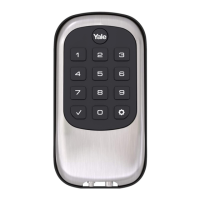
Yale T1L - User Manual

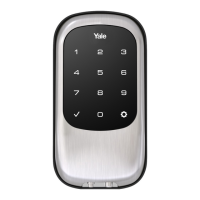
Yale T1L
20 pages
Print Icon
To Next Page IconTo Next Page
Loading...
1
P/N AYRD-120-INST-FUL Rev G
Yale Real Living
®
Installation and Programming Instructions
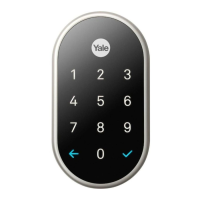
Key Free Touchscreen Deadbolt
with
®
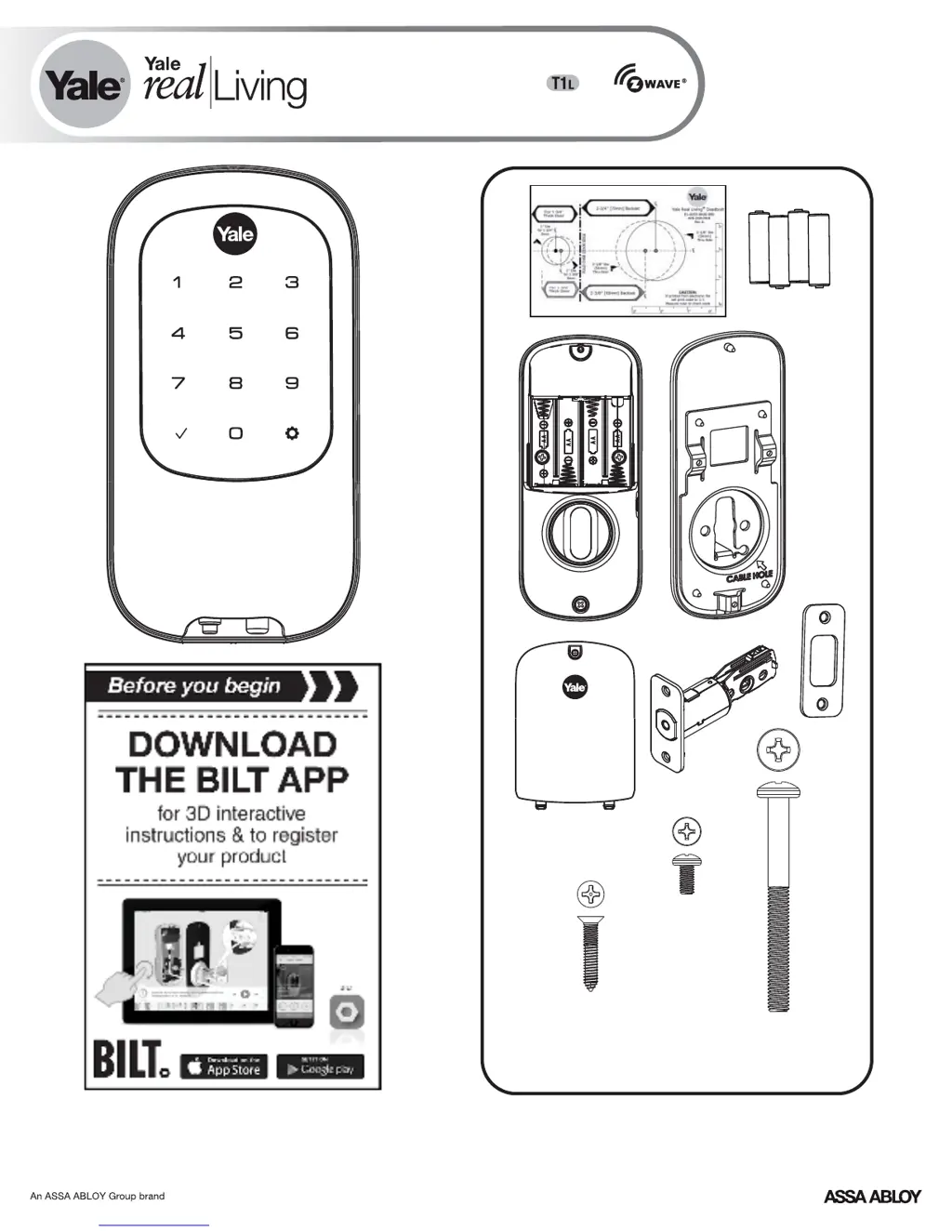
x3
#8-32 x 5/16"
Machine screws
x4
#7 wood & #8-32
machine x 20mm
Combination screws
x2
M6x47mm
Long through bolt
FAILURE TO FOLLOW THESE INSTRUCTIONS COULD RESULT IN DAMAGE TO
THE PRODUCT AND VOID THE FACTORY WARRANTY

Questions and Answers

  • L
    leslie47Aug 15, 2025
    What to do if my Yale Door lock doesn't respond and the door is locked?
    • S
      stonebrandonAug 15, 2025
      If your Yale door lock is unresponsive and the door is locked, it's likely due to completely discharged batteries. To resolve this, apply a 9V battery to the terminals located below the touchscreen to provide backup power.
  • B
    Brittney AndersonAug 18, 2025
    Why does my Yale T1L Door locks unit display intermittent red flashes?
    • M
      Mrs. Courtney HendersonAug 18, 2025
      Intermittent red flashes on your Yale door lock indicate a low battery. Replace all four (4) batteries with new AA Alkaline batteries.
  • T
    Terri CummingsAug 22, 2025
    Why my Yale Door locks unit operates, but it will not automatically re-lock?
    • J
      Joshua RobertsAug 22, 2025
      If your Yale door lock operates to allow access but doesn't automatically re-lock, check if the Auto Re-lock Mode is enabled. Also, if the low battery indicator is lit, replace the batteries.
  • J
    Jennifer HunterAug 25, 2025
    How to fix a Yale Door locks that does not respond when the door is open?
    • T
      Timothy RossAug 26, 2025
      If your Yale door lock isn't responding while the door is open, try these steps: * Press each touchscreen key to see if there's any response. * Check that the batteries are correctly installed in the battery case, paying attention to the polarity. * Ensure the batteries are in good condition, and replace them if needed. * Verify that the cable is fully connected and not pinched.
  • M
    Michael StewartAug 28, 2025
    Why are there different tones when I enter my PIN code on my Yale T1L Door locks?
    • S
      Sarah BriggsAug 28, 2025
      If you hear different tones when entering your PIN code on your Yale door lock, it could be because the lock is set to All Code Lockout Mode. Setting and managing All Code Lockout Mode is done through the Master Code only, so contact the Master user.
  • W
    webstersandraAug 31, 2025
    Why won't my PIN codes register on my Yale T1L Door locks?
    • A
      Alexander PerkinsAug 31, 2025
      If your PIN codes won't register on your Yale door lock, consider the following points: * PIN codes must be between 4 and 8 digits long to register. * The same PIN code cannot be used for multiple users. * PIN code registration/management is controlled by the Master Code. * User codes must be entered within 20 seconds to avoid restarting the process. * The check mark or gear symbols cannot be used as part of the PIN code.
  • P
    Pam TorresSep 3, 2025
    What to do if my Yale Door locks beeps and flashes three times after entering the PIN?
    • J
      James DuncanSep 4, 2025
      If your Yale door lock responds with a series of beeps and the touchscreen flashes three times after entering your PIN code, it means the digits you entered were either incorrect or incomplete. Re-enter the correct code, followed by the check mark (*) key.
  • O
    ogentrySep 7, 2025
    What to do if my Yale T1L Door locks chimes but the door won't open?
    • G
      garciakellySep 7, 2025
      If your Yale door lock chimes to indicate code acceptance, but the door will not open, check the following: * Ensure there isn't another locking device on the door. * Check the door gaps for any obstructions between the door and frame. * Verify that the cable is firmly connected to the PC board.
  • B
    Brittany HutchinsonSep 10, 2025
    Why does my Yale T1L beep, flash red 7 times, and not unlock?
    • T
      tyoderSep 12, 2025
      If your Yale door lock beeps, flashes red 7 times, and doesn't unlock after entering a PIN code, it means that All Code Lockout Mode is enabled. Only the Master user can disable this mode, so you should contact the Master user.

Summary

Preparing Door

Installing Latch & Strike Plate

Installing Touchscreen Escutcheon

Installing Interior Mounting Plate

Attaching the Cable Assembly

Installing Interior Escutcheon

Testing Operation

Handing the Lock

Installing Cover

Programming Instructions

Creating Master PIN Code

Creating User PIN Codes

Unlocking Door with PIN Code

Resetting Lock to Factory Default

Enrolling Lock In WAVE Network

Definitions

Feature Programming Through Menu Mode

Master PIN Code Setting

Manage or change the Master PIN code for the lock.

User PIN Code Registration

Register new user PIN codes for access.

Advanced Lock Settings

Configure advanced lock features like re-lock and one-touch.

Network Setting

Configure network connectivity for the lock.

Programming Troubleshooting

FCC and Industry Canada Compliance

Notes to Installer and Consumer

Yale T1L Specifications

General IconGeneral
BrandYale
ModelT1L
CategoryDoor locks
LanguageEnglish

Related product manuals