E-10
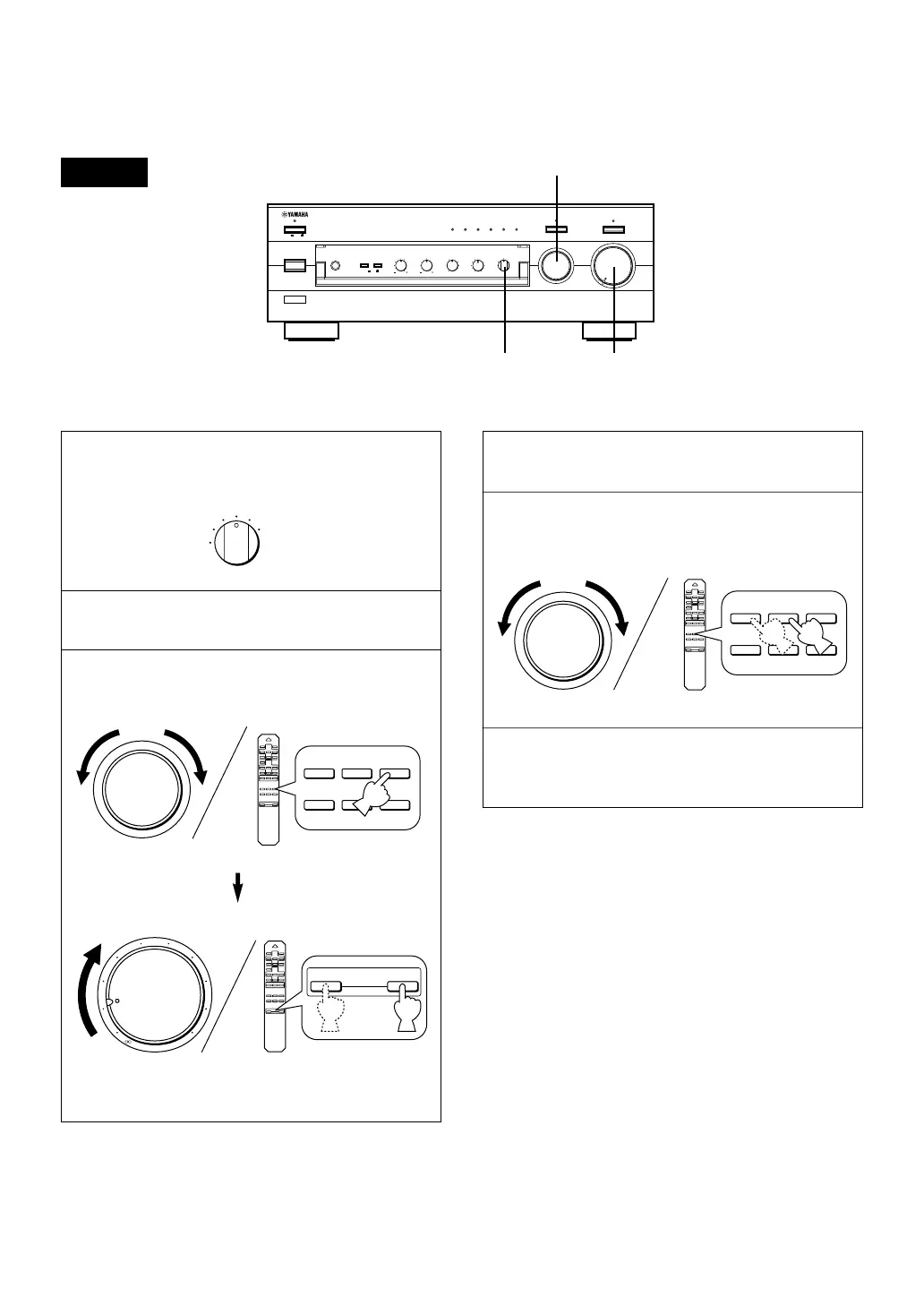
1 Select the source you want to record.
2 Play the source.
3 Select the source with the INPUT selector and
adjust VOLUME to check the sound output.
m Recording a source to tape (or MD)
AX-496
4 Begin recording on the tape deck (or MD recorder).
5 The sound of the recording can be monitored by
selecting the tape deck (or MD recorder) with the
INPUT selector.
6 Listening to another source by selecting it with the
INPUT selector will not affect the recording.
VOLUME
l6
20
28
40
60
l2
8
4
2
0
–dB
PHONES
BASS
55
4
3
2
l
0
l
2
3
4
TREBLE
55
4
3
2
l
0
l
2
3
4
BALANCE
55
4
3
2
l
0
l
2
3
4
LR
SPEAKERS
A
ON
OFF
B
STANDBY/ON
POWER
ON
OFF
STANDBY
INPUT
CD/DVD DIRECT AMP
AUX PHONOTUNERCD/DVDTAPEMD
LOUDNESS
5
6
7
4
3
2
l
FLAT
I0
—30dB
9
8
REC OUT
CD/DVD
TUNER
PHONO
TAPE
MD
AUX
PURE DIRECT
REC OUT
CD/DVD
TUNER
PHONO
TAPE
MD
AUX
+
–
CD/DVD
TAPE
MD
TUNERPHONO
AUX
l6
20
28
40
60
l2
8
4
2
0
–dB
+
–
+
–
VOLUME
3, 5, 6
3
1
+
–
CD/DVD
TAPE
MD
TUNERPHONO
AUX


 To Next Page