EasyManua.ls Logo

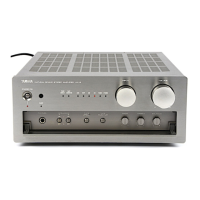
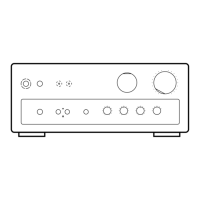
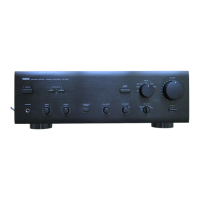
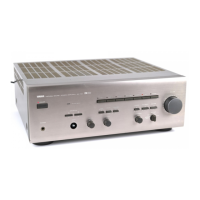
Yamaha AX-397 - Service Manual

Yamaha AX-397
36 pages
Print Icon
To Next Page IconTo Next Page
Loading...
SERVICE MANUAL
This manual has been provided for the use of authorized YAMAHA Retailers and their service personnel.
It has been assumed that basic service procedures inherent to the industry, and more specifically YAMAHA Products, are already
known and understood by the users, and have therefore not been restated.
WARNING: Failure to follow appropriate service and safety procedures when servicing this product may result in personal
injury, destruction of expensive components, and failure of the product to perform as specified. For these reasons,
we advise all YAMAHA product owners that any service required should be performed by an authorized YAMAHA
Retailer or the appointed service representative.
IMPORTANT: The presentation or sale of this manual to any individual or firm does not constitute authorization, certification or
recognition of any applicable technical capabilities, or establish a principle-agent relationship of any form.
The data provided is believed to be accurate and applicable to the unit(s) indicated on the cover. The research, engineering, and service
departments of YAMAHA are continually striving to improve YAMAHA products. Modifications are, therefore, inevitable and
specifications are subject to change without notice or obligation to retrofit. Should any discrepancy appear to exist, please contact the
distributor's Service Division.
WARNING: Static discharges can destroy expensive components. Discharge any static electricity your body may have
accumulated by grounding yourself to the ground buss in the unit (heavy gauge black wires connect to this buss).
IMPORTANT: Turn the unit OFF during disassembly and part replacement. Recheck all work before you apply power to the unit.
IMPORTANT NOTICE
100976
SERVICE MANUAL
STEREO AMPLIFIER
ADJUSTMENT / 調整 ........................... 11
IC DATA /
ICデータ ............................ 12
BLOCK DIAGRAM . . . . . . . . . . . . . . . . . . . . . . . . . . . 13
PIN CONNECTION DIAGRAM /
半導体外形図 ...... 14
PRINTED CIRCUIT BOARD . . . . . . . . . . . . . . . . 15–20
SCHEMATIC DIAGRAM . . . . . . . . . . . . . . . . . . . 21–22
PARTS LIST . . . . . . . . . . . . . . . . . . . . . . . . . . . . . 23–33
REMOTE CONTROL RAX15 . . . . . . . . . . . . . . . . . . 34
CONTENTS
TO SERVICE PERSONNEL . . . . . . . . . . . . . . . . . . 2–3
IMPEDANCE SELECTOR . . . . . . . . . . . . . . . . . . . . . . 3
REMOTE CONTROL PANEL . . . . . . . . . . . . . . . . . . . 3
FRONT PANEL . . . . . . . . . . . . . . . . . . . . . . . . . . . . . . 3
REAR PANELS . . . . . . . . . . . . . . . . . . . . . . . . . . . . 4–6
SPECIFICATIONS /
参考仕様 ................... 7–8
INTERNAL VIEW . . . . . . . . . . . . . . . . . . . . . . . . . . . . . 8
DISASSEMBLY PROCEDURES /
分解手順 ......... 9
DPX-1200
AX-397
AX-397
© 2005 YAMAHA CORPORATION. All rights reseved.
This manual is copyrighted by YAMAHA and may not be copied or
redistributed either in print or electronically without permission.
’05.09

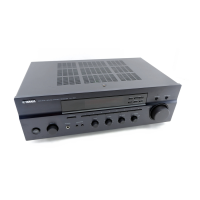
Other manuals for Yamaha AX-397

Questions and Answers

  • C
    Cody CurtisSep 9, 2025
    Why is the sound degraded when listening with headphones connected to CD player or tape deck connected to Yamaha AX-397?
    • R
      ronnie34Sep 9, 2025
      If the sound quality is degraded when listening with headphones connected to the CD player or tape deck connected to your Yamaha Amplifier, ensure that the power of the Yamaha unit is turned on. If it's off or in standby mode, turn it on.
  • C
    Christian RiceAug 23, 2025
    Why is there no sound coming from my Yamaha Amplifier?
    • B
      Brittany MillerAug 23, 2025
      If you are experiencing no sound from your Yamaha Amplifier, first ensure that all input and output cables are correctly connected. If the issue persists, the cables may be defective and need replacement. Also, make sure that you have selected an appropriate input source using the INPUT selector on the front panel or the remote control. Verify that the TAPE MONITOR function is turned off and the SPEAKERS A/B switches are properly set to the ON position. Finally, ensure all speaker connections are secure.
  • D
    douglas52Aug 25, 2025
    Why does the remote control not work for my Yamaha AX-397?
    • W
      Wendy RichardsonAug 25, 2025
      If the remote control isn't working or functioning properly with your Yamaha Amplifier, consider these possibilities: * You may be too far from the unit or at an extreme angle. The remote control functions within 6 meters and 30 degrees off-axis. * Direct sunlight or strong lighting may be interfering with the remote control sensor. Try repositioning the unit. * The batteries may be weak. Replace all batteries.
  • M
    Martha Alvarez MDAug 27, 2025
    How to fix Yamaha AX-397 that fails to turn on?
    • M
      Margaret ClayAug 27, 2025
      If your Yamaha Amplifier fails to turn on, ensure the power supply cord is firmly connected to the unit. A loose connection is a common cause. Also, if the protection circuitry has been activated due to a short circuit, ensure that the speaker wires are not touching each other, and then power the unit back on. In addition, make sure that the IMPEDANCE SELECTOR switch is set to either end when the power is off. If the unit has been exposed to a strong electric shock, set it to standby mode, disconnect the power cord, wait 30 seconds, then plug it back in.
  • B
    bhopkinsAug 27, 2025
    Why is my Yamaha AX-397 Amplifier remote control not working?
    • R
      Robin JensenAug 28, 2025
      If your Yamaha Amplifier's remote control is not working properly, ensure that you are within the operational range of 6 meters (19.7 feet) and within 30 degrees off-axis from the front panel. Also, check if direct sunlight or strong lighting is interfering with the remote control sensor; if so, reposition the unit. Finally, replace all the batteries in the remote control, as weak batteries can cause malfunction.
  • C
    cynthia72Aug 29, 2025
    What to do if my Yamaha AX-397 has no sound?
    • K
      kimsaraAug 29, 2025
      If your Yamaha Amplifier isn't producing any sound, consider the following possibilities: * Check the input or output cable connections to ensure they are properly connected. The cables may be defective. * Verify that you've selected the correct input source using the INPUT selector on the front panel or the remote control. * Make sure the TAPE MONITOR function is turned off. * Confirm that the SPEAKERS A/B switches are set to the ON position. * Ensure that the speaker connections are secure.
  • S
    sancheztimothySep 17, 2025
    How to stop Yamaha AX-397 from humming?
    • K
      Kevin OwensSep 17, 2025
      If you are hearing a humming sound from your Yamaha Amplifier, it could be due to incorrect cable connections. Make sure all audio plugs are firmly connected. If the problem persists, the cables may be defective. Additionally, if you are using a turntable, ensure there is a connection from the turntable to the GND terminal on the amplifier.
  • B
    Bob WilkinsonSep 18, 2025
    Why don't tone controls work on my Yamaha AX-397?
    • Z
      Zachary VasquezSep 22, 2025
      If using the BASS, TREBLE, BALANCE, and LOUDNESS controls does not affect the tonal quality on your Yamaha Amplifier, the CD/DVD DIRECT AMP switch (or the PURE DIRECT switch for AX-497 only) might be turned on. To use these controls, ensure that the CD/DVD DIRECT AMP switch (or the PURE DIRECT switch for AX-497 only) is turned off.
  • R
    Richard VaughanSep 7, 2025
    Why is the volume level low when playing a record on my Yamaha AX-397 Amplifier?
    • B
      bsalinasSep 7, 2025
      If the volume level is low when playing a record on your Yamaha Amplifier, it might be because you're using a turntable with an MC cartridge. In this case, connect the turntable to the unit through the MC head amplifier.
  • D
    David GrantSep 4, 2025
    Why is there a lack of bass and ambience on Yamaha AX-397 Amplifier?
    • M
      Mathew SmithSep 4, 2025
      If you notice a lack of bass and ambience with your Yamaha Amplifier, it could be because the + and – wires are connected in reverse at either the amplifier or the speakers. Ensure you connect the speaker wires to the correct + and – phase.

Summary

Important Safety Notices

Service Personnel Guidelines

Critical Component Replacement

Guidelines for replacing critical components with identical specifications.

Leakage Current Measurement

Procedure for verifying insulation and measuring leakage current after service.

Chemical Content Precautions

Warnings and precautions regarding lead solder and other chemical contents.

Lead Free Solder Handling

Recommendations for using and handling lead-free solder during repairs.

Front Panel and Controls

Impedance Selector Operation

Instructions for setting the impedance selector switch, with safety warnings.

Remote Control Panel Layout

Diagram and labels for the remote control panel buttons.

Front Panel Controls and Indicators

Description of front panel buttons, knobs, and indicators like power and input selection.

Rear Panel Layouts

C, R, and T Model Rear Panels

Diagrams showing rear panel connections and selectors for C, R, and T models.

A, B, G, and E Model Rear Panels

Diagrams showing rear panel connections and selectors for A, B, G, and E models.

L and J Model Rear Panels

Diagrams showing rear panel connections and selectors for L and J models.

Technical Specifications

Audio Section Specifications

Detailed electrical and performance specifications for the audio circuitry.

General Specifications

Overall specifications including power supply, consumption, dimensions, and weight.

Physical Layouts

Unit Dimensions Diagram

Technical drawing showing the external dimensions of the AX-397 amplifier.

Internal View and Component Mapping

Diagram illustrating the internal layout and numbered locations of PCBs.

Disassembly Procedures

Top Cover Removal

Step-by-step instructions for safely removing the top cover of the unit.

Front Panel Unit Removal

Procedure for detaching and removing the front panel assembly.

Plate Side Removal

Instructions for removing the side panels of the unit.

Sub Chassis Unit Removal

Steps to detach and remove the sub chassis assembly.

Amplifier Unit Disassembly

Amp Unit Removal Steps

Detailed procedure for removing the main amplifier unit and its connected components.

Adjustment and Calibration

Idling Current Confirmation

Procedure to measure and confirm idling current levels for proper operation.

Integrated Circuit Data

Microprocessor IC301 Pinout

Detailed pin configuration and function list for the M38503G4A-101FP microprocessor.

System Block Diagram

Semiconductor Pin Connections

Integrated Circuit Pinouts

Pin connection diagrams for various integrated circuits used in the unit.

Transistor and Diode Outlines

Physical outlines and pin assignments for transistors and diodes.

Printed Circuit Board Layouts (Function Part 1)

Function (3) PCB Layout

Foil side layout for Function PCB (3), indicating component placement on the solder side.

Function (1) PCB Layouts

Foil side layouts for Function PCB (1), showing component placement on both sides.

Printed Circuit Board Layouts (Function Part 2)

Function (5) & (4) PCB Layouts

Foil side layouts for Function PCBs (5) and (4), detailing component placement.

Printed Circuit Board Layouts (Function Part 3)

Function (6), (8), & (7) PCB Layouts

Foil side layouts for Function PCBs (6), (8), and (7), showing component placement.

Printed Circuit Board Layouts (Function Part 4)

Function (9), (10), (11), (12) PCB Layouts

Foil side layouts for Function PCBs (9), (10), (11), and (12), showing component placement.

Printed Circuit Board Layouts (Main Part 1)

Main (3) & (1) PCB Layouts

Foil side layouts for Main PCBs (3) and (1), showing component placement.

Printed Circuit Board Layouts (Main Part 2)

Main (2), (4), (5), (6) PCB Layouts

Foil side layouts for Main PCBs (2), (4), (5), and (6), showing component placement.

Function Schematic Diagrams

Main Schematic Diagrams

Parts List

Electrical Parts List

Comprehensive list of electrical components used in the amplifier with part numbers and descriptions.

Function PCB Component List

More Function PCB Components

Main and Function PCB Components

Main PCB Component Details

Main PCB Transistors and Resistors

Main PCB Resistors and Outlets

Exploded View Diagram

Mechanical Parts List (Part 1)

Mechanical Parts List (Part 2)

Mechanical Parts List (Part 3)

Remote Control RAX15 Details

RAX15 Schematic Diagram

Schematic diagram for the Yamaha RAX15 remote control unit.

RAX15 Key Layout and IR Codes

Diagram of button layout and table of IR codes for the RAX15 remote control.

Carbon Resistor Part Number Guide

Yamaha AX-397 Specifications

General IconGeneral
Impedance4 Ω
Frequency range10 - 50000 Hz
RMS rated power120 W
Audio output channels2.0 channels
Signal-to-Noise Ratio (SNR)110 dB
Total Harmonic Distortion (THD)0.09 %
EqualizerYes
Product colorBlack
Dimensions (WxDxH)435 x 151 x 390 mm
Power consumption (standby)1.1 W
Power consumption (typical)400 W
Weight and Dimensions IconWeight and Dimensions
Weight8300 g

Related product manuals