EasyManua.ls Logo

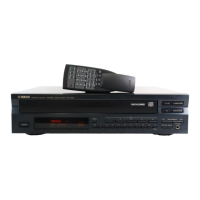
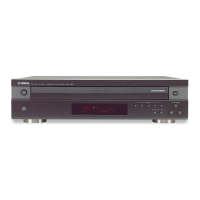
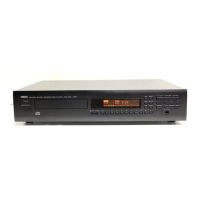
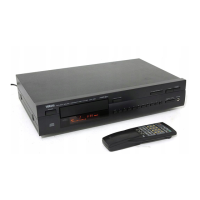
Yamaha 506 - User Manual

Yamaha 506
28 pages
Print Icon
To Next Page IconTo Next Page
Loading...
UA
CDC-906/506
OWNER’S MANUAL
COMPACT DISC AUTOMATIC CHANGER

Questions and Answers

  • U
    ulopezAug 17, 2025
    How to reset my Yamaha CD Player when it is not working normally?
    • M
      Melissa RossAug 18, 2025
      If your Yamaha CD Player isn't working normally, turn it off, disconnect the AC power from the outlet, wait about 30 seconds, then reconnect the power and try again. This can resolve issues caused by strong external noise or misoperation.
  • Y
    Yesenia HudsonAug 20, 2025
    Why is there no sound coming from my Yamaha CD Player?
    • J
      John KingAug 20, 2025
      If there is no sound from your Yamaha CD Player, ensure that the output cables are correctly connected. If the problem continues, the cables might be defective. Also, verify that the amplifier controls are properly set to the correct input selection.
  • G
    garytannerAug 23, 2025
    How to fix a Yamaha 506 CD Player that won't turn on?
    • K
      Kelly HarrisAug 23, 2025
      If your Yamaha CD Player doesn't turn on, make sure the power cord is securely connected.
  • J
    Jamie JosephAug 25, 2025
    Why is my Yamaha 506 remote control not working?
    • B
      Brendan GilbertAug 26, 2025
      If the remote control for your Yamaha CD Player isn't working, replace the batteries with new ones. Also, check if direct sunlight or strong lighting is interfering with the remote control sensor on the main unit; if so, try changing the position of the main unit.
  • L
    Lori FigueroaAug 28, 2025
    What to do if my Yamaha 506 sound skips?
    • S
      Seth AndersonAug 28, 2025
      If the sound skips on your Yamaha CD Player, relocate the unit to ensure it is not subjected to vibrations or impacts. Also, clean the disc, as it may be dirty.
  • T
    Tamara OliverAug 30, 2025
    Why won't my Yamaha CD Player start playing?
    • L
      Laura MullinsAug 30, 2025
      If play does not begin on your Yamaha CD Player, check if the disc is damaged and replace it if necessary. Ensure the disc is loaded with the label side up. Also, the disc may be dirty and need cleaning.
  • M
    melanie05Sep 1, 2025
    Why does my Yamaha 506 hum?
    • C
      Cynthia EricksonSep 2, 2025
      If your Yamaha CD Player is humming, securely connect the audio cables. If the problem continues, the cables may be defective and need replacement.
  • E
    Emily BallSep 4, 2025
    What to do if the disc number doesn't light up on my Yamaha 506 CD Player display?
    • R
      robert57Sep 4, 2025
      If a disc number doesn't light up on the display of your Yamaha CD Player, make sure the disc is loaded with the label side up. Check the disc for damage and replace if necessary. If there's moisture on the laser pickup, wait 20 to 30 minutes after switching the unit on before playing the disc.
  • M
    Melissa WrightSep 6, 2025
    How to fix a Yamaha CD Player disc tray that won't close?
    • T
      Tanner EstradaSep 6, 2025
      If the disc tray on your Yamaha CD Player doesn't close completely, carefully check the tray for any foreign objects and remove them.
  • S
    Steven MataSep 9, 2025
    Why does my Yamaha CD Player delay playing or start at the wrong place?
    • A
      Amy SimmonsSep 9, 2025
      If play is delayed or begins at the wrong place on your Yamaha CD Player, check the disc carefully for scratches or damage and replace it if necessary.

Summary

Safety and Warnings

Important Safety Instructions

Safety precautions for operation and maintenance, including electrical shock warnings.

Warning: Avoid Rain or Moisture

Do not expose the unit to rain or moisture to prevent fire or shock.

Operating Precautions

Caution: Read Before Operating

Essential precautions before operating the unit.

Installation and Placement Precautions

Guidelines for ventilation, heat sources, liquids, and level surfaces.

Usage Precautions

Avoid blocking ventilation, use correct voltage, and proper cleaning.

Danger: Laser Radiation Warning

Warning about visible laser radiation when the unit is open.

CD Care and Maintenance

CD Preventive Cares

General care and maintenance guidelines for CDs and the unit.

Connections

LINE OUT (Analog) Connections

How to connect the unit to an amplifier using analog LINE OUT terminals.

DIGITAL AUDIO OUT (Optical) Connections

How to connect the unit using an optical fiber cable.

Controls and Functions

Front Panel Controls (CDC-906)

Identifies and describes the controls on the front panel of the CDC-906 model.

Front Panel Controls (CDC-506)

Identifies and describes the controls on the front panel of the CDC-506 model.

Remote Control Transmitter Operations

Remote Control Transmitter Layout

Identifies buttons and functions on the remote control transmitter.

Basic Operation

Turning Power On

Instructions on how to turn the unit on.

Loading and Playing Discs

How to open the disc tray, load discs, and handle 8-cm CDs.

Playback Control

Track and CD Text Navigation

CD Recording Features

CD Synchronized Recording

How to synchronize tape deck recording with CD playback.

Tape Programming

Track Programming for Recording

Overview of programming tracks for tape recording.

Automatic Tape Programming

Automatically programs tracks onto tape based on disc order and tape length.

Manual Tape Programming

Manual Tape Programming

How to manually program tracks from discs for recording onto tape.

Random Tape Programming

Random Tape Programming

Automatically programs tracks in random order for tape recording.

Peak Level Search

Automatic Peak Level Searching

Searches for peak levels on a disc for tape recording adjustment.

Troubleshooting

Troubleshooting Common Issues

Solutions for common operational problems and symptoms.

Unit Not Switching On

Solutions for when the unit does not power on.

Unit Not Working Normally

Remedies for general operational problems.

Disc Tray Issues

Troubleshooting problems with the disc tray not closing or discs not lighting up.

Playback Issues

Solutions for playback not starting, delayed play, or no sound.

Sound Quality Issues

Addressing sound skips, hums, or noise from external sources.

Remote Control Transmitter Issues

Troubleshooting problems with the remote control transmitter not working.

Yamaha 506 Specifications

General IconGeneral
BrandYamaha
Model506
CategoryCD Player
LanguageEnglish

Related product manuals