EasyManua.ls Logo

Yamaha CDX-596 - Service Manual

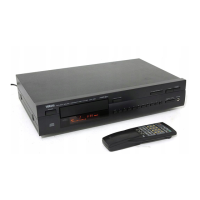
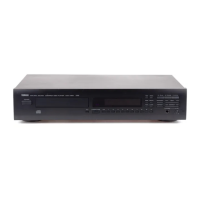
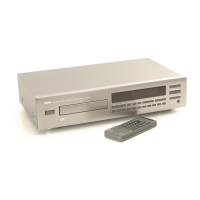
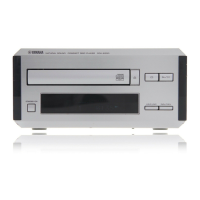
Yamaha CDX-596
35 pages
Print Icon
To Next Page IconTo Next Page
Loading...
CDX-596
CDX-596
100708
SERVICE MANUAL
IC DATA .................................................................. 12-16
BLOCK DIAGRAM ....................................................... 17
PRINTED CIRCUIT BOARD ................................... 18-21
IC BLOCK .................................................................... 22
WAVEFORMS .............................................................. 23
SCHEMATIC DIAGRAM .............................................. 24
PARTS LIST ............................................................ 25-33
REMOTE CONTROL TRANSMITTER......................... 34
CONTENTS
TO SERVICE PERSONNEL ....................................... 1-2
REAR PANELS .............................................................. 3
SPECIFICATIONS .......................................................... 4
INTERNAL VIEW ........................................................... 4
DISASSEMBLY PROCEDURES ................................ 5,6
STANDARD OPERATION CHART ............................ 6,7
TEST MODE ................................................................ 7,8
ERROR MESSAGE ................................................... 9,10
DISPLAY DATA ........................................................... 11
IMPORTANT NOTICE
This manual has been provided for the use of authorized YAMAHA Retailers and their service personnel.
It has been assumed that basic service procedures inherant to the industry, and more specifically YAMAHA Products, are already
known and understood by the users, and have therefore not been restated.
WARNING: Failure to follow appropriate service and safety procedures when servicing this product may result in personal
injury, destruction of expensive components and failure of the product to perform as specified. For these reasons,
we advise all YAMAHA product owners that all service required should be performed by an authorized
YAMAHA Retailer or the appointed service representative.
IMPORTANT: The presentation or sale of this manual to any individual or firm does not constitute authorization, certification or
recognition of any applicable technical capabilities, or establish a principle-agent relationship of any form.
The data provided is believed to be accurate and applicable to the unit(s) indicated on the cover. The research, engineering, and
service departments of YAMAHA are continually striving to improve YAMAHA products. Modifications are, therefore, inevitable
and specifications are subject to change without notice or obligation to retrofit. Should any discrepancy appear to exist, please contact
the distributor's Service Division.
WARNING: Static discharges can destroy expensive components. Discharge any static electricity your body may have accumu-
lated by grounding yourself to the ground buss in the unit (heavy gauge black wires connect to this buss).
IMPORTANT: Turn the unit OFF during disassembly and parts replacement. Recheck all work before you apply power to the unit.
OUTPUT LEVEL
+
-
4
00
TEXT/
COMPACT DISC PLAYER
CDX-596
SERVICE MANUALSERVICE MANUAL

Other manuals for Yamaha CDX-596

Questions and Answers

  • S
    Spencer RamosAug 18, 2025
    How to reduce noise from tuner in Yamaha CDX-596?
    • D
      Dr. Carl CoxAug 18, 2025
      If you're experiencing noise from a nearby tuner affecting your Yamaha CD Player, the tuner might be too close to the unit. Try moving the tuner and the main unit farther apart.
  • D
    Daniel JohnsonAug 20, 2025
    How to fix Yamaha CDX-596 that won't turn on?
    • R
      Robert LiAug 20, 2025
      If your Yamaha CD Player isn't powering on, make sure the power cord is securely connected to both the unit and the power outlet. If it's loose, firmly plug it in.
  • M
    Michael TuckerAug 22, 2025
    Why is there no sound coming from my Yamaha CDX-596?
    • J
      Jacob OwensAug 23, 2025
      If you're not getting any sound from your Yamaha CD Player, there might be a few reasons. First, check the output cable connections to ensure they are properly connected; a defective cable may also be the cause. Next, verify that your amplifier is set to the correct input selection. Also, if you have a CDX-596 or CDX-496 model, check that the – OUTPUT LEVEL + buttons are not set at the minimum; adjust the volume using these buttons.
  • P
    Paula GordonAug 26, 2025
    What to do if Yamaha CDX-596 remote control is not working?
    • P
      patrick77Aug 26, 2025
      If your Yamaha CD Player remote control isn't working, first, try replacing the batteries with new ones. If that doesn't work, make sure you're within a 6-meter range and 60° radius of the unit. Also, check if direct sunlight or strong lighting is interfering with the remote sensor on the main unit; if so, reposition the main unit.
  • D
    davidmillerAug 28, 2025
    Why does my Yamaha CD Player sound skip?
    • J
      John SanchezAug 28, 2025
      If the sound on your Yamaha CD Player is skipping, it could be due to a couple of things. First, check if the unit is experiencing any vibrations or impacts; if so, relocate it to a more stable surface. Also, the disc might be dirty, so try cleaning it.
  • N
    Nathaniel SmithAug 30, 2025
    What to do if my Yamaha CD Player won't start playing?
    • W
      William LesterAug 30, 2025
      If your Yamaha CD Player isn't starting playback, several factors could be at play. Ensure the disc isn't damaged and replace it if necessary. If there's moisture on the laser pickup, wait 20 to 30 minutes after turning the unit on before attempting to play the disc. Check that the disc is loaded with the label side up and clean the disc if it's dirty. If you're using a CD-RW, ensure it's correctly recorded and playable with the unit; otherwise, replace it.
  • Y
    yfordSep 2, 2025
    How to fix Yamaha CDX-596 CD Player disc tray that won't close?
    • S
      Shawn HoustonSep 2, 2025
      If the disc tray on your Yamaha CD Player isn't closing completely, there might be something obstructing it. Carefully inspect the tray and remove any foreign objects that you find.
  • D
    Dorothy OrrSep 4, 2025
    Why does my Yamaha CD Player delay playing or start at the wrong place?
    • Z
      Zachary HigginsSep 4, 2025
      If your Yamaha CD Player is delaying playback or starting at the wrong spot, the disc might be scratched or damaged. Carefully inspect the disc and replace it if needed.
  • S
    Samantha JohnsonSep 7, 2025
    Why does my Yamaha CDX-596 CD Player hum?
    • S
      Scott HoltSep 7, 2025
      If your Yamaha CD Player is producing a humming sound, check the audio cable connections to ensure they are securely connected. If the problem continues, the cables might be defective.
  • A
    Austin SolisSep 9, 2025
    Why is my TV acting strange when I use the Yamaha CDX-596 remote?
    • J
      josephpenaSep 9, 2025
      If your TV is acting strangely when you use the Yamaha CD Player remote control, it's possible that the remote is interfering with the TV's remote control sensor. Try relocating the main unit away from the TV, or cover the TV's remote control sensor.

Summary

TO SERVICE PERSONNEL

Critical Components Information

Specifies critical component requirements and testing procedures for safe servicing.

Laser Beam Safety Precautions

Provides instructions for eye protection and safe handling of the laser diode during servicing.

Chemical Content Warning

Alerts users to lead and other chemicals, with safe handling practices.

REAR PANELS

A Model Rear Panel Configuration

Illustration and labeling of rear panel connectors for the A model.

G, B Models Rear Panel Configuration

Illustration and labeling of rear panel connectors for G, B models.

SPECIFICATIONS

Product Dimensions and Performance

Details output level, SNR, frequency response, dimensions, and weight of the unit.

INTERNAL VIEW

DISASSEMBLY PROCEDURES

Top Cover Removal Steps

Step-by-step instructions for removing the unit's top cover.

Front Panel Detachment and Removal

Procedure for detaching and removing the front panel assembly.

CD Mechanism Unit Extraction

Guide for disconnecting and removing the CD mechanism unit.

Tray Unit Disassembly

Steps to detach the tray unit, chucking unit, and stopper pin.

Pick-up Head Assembly Removal

Instructions for removing the drive unit and pick-up head.

STANDARD OPERATION CHART

TEST MODE

Panel Key Functions in Test Mode

Lists panel key operations and functions during test mode activation.

Remote Control Functions in Test Mode

Lists remote control key operations and functions during test mode.

ERROR MESSAGE

Error Code Identification and Meaning

Table detailing error codes, their descriptions, and corresponding states.

Troubleshooting Specific Error Codes

Flowcharts to diagnose and resolve error codes like X0, X7, X8, 94, A5.

TROUBLESHOOTING SYSTEM MALFUNCTIONS

Tray Operation Faults

Diagnosing issues with tray opening, closing, or partial movement.

Audio Playback Problems

Troubleshooting steps for no sound or interrupted sound during playback.

No Disc Detected Scenarios

Steps to resolve when the unit acts as if no disc is loaded.

Sound Skipping and Search Malfunctions

Troubleshooting for sound skips and problems with playback search functions.

DISPLAY DATA

Display Unit Pin Connections

Pinout details for the display unit and related components.

Grid Assignment for Display Segments

Mapping of grid patterns to display segments and pin assignments.

Anode Connection Mapping for Display

Details anode connections for display segments and their corresponding pins.

IC DATA

IC100: YSZ914 B-F DAFC Pinout

Pinout and function details for the YSZ914B-F DAFC IC.

IC3: MN35511 AL Pinout

Pinout and function details for the MN35511AL signal process controller IC.

IC300: uPD78076 GF-088 System Control Pinout

Pinout and function details for the uPD78076GF-088 system control IC.

BLOCK DIAGRAM

PRINTED CIRCUIT BOARD (Foil side)

MAIN P.C.B. (1) Component Layout

Foil side layout of Main P.C.B. (1) showing component references and positions.

MAIN P.C.B. (2) Component Layout

Foil side layout of Main P.C.B. (2) showing component references and positions.

MAIN P.C.B. (3) Component Layout

Foil side layout of Main P.C.B. (3) showing component references and positions.

MAIN P.C.B. (4) Component Layout

Foil side layout of Main P.C.B. (4) showing component references and positions.

MAIN P.C.B. (5) Component Layout

Foil side layout of Main P.C.B. (5) showing component references and positions.

IC BLOCK

WAVEFORMS

Waveform Analysis at Point A

Analysis of EFM waveform at Point A (IC1, Pin 10) showing voltage and time characteristics.

Waveform Analysis at Point B

Analysis of waveform at Point B (IC3, Pin 59) showing voltage and time characteristics.

Waveform Analysis at Point C

Analysis of waveform at Point C (IC300, Pin 10) showing voltage and time characteristics.

Waveform Analysis at Point D

Analysis of waveform at Point D (IC200, CH1/CH2) showing voltage and time characteristics.

SCHEMATIC DIAGRAM

Transistor, Diode, IC Pin Connection Diagram

Diagram showing pin connection details for transistors, diodes, and ICs in the schematic.

ELECTRICAL PARTS

EXPLODED VIEW

MECHANICAL PARTS

EXPLODED VIEW (CD Mechanism Unit)

MECHANICAL PARTS (CD Mechanism Unit)

REMOTE CONTROL TRANSMITTER

Transmitter Schematic and Key Codes

Schematic of the remote transmitter and a table of key functions with custom/data codes.

Parts List for Carbon Resistors

Yamaha CDX-596 Specifications

General IconGeneral
TypeCD Player
Disc formatsCD, CD-R, CD-RW
Frequency response2 Hz - 20 kHz
Dynamic range100 dB
Total harmonic distortion0.0025%
Output voltage2V
Digital outputsCoaxial, Optical
Power Consumption15 W

Related product manuals