EasyManua.ls Logo

Yamaha 585 - User Manual

Yamaha 585
28 pages
Print Icon
To Next Page IconTo Next Page
Loading...
UA
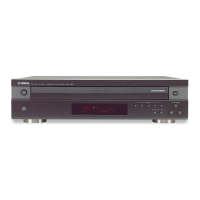
CDC-685/585
OWNER’S MANUAL
COMPACT DISC AUTOMATIC CHANGER

Questions and Answers

  • Y
    yrussellAug 16, 2025
    How to fix a Yamaha 585 that won't turn on?
    • J
      james97Aug 16, 2025
      If your Yamaha CD Player doesn't turn on, make sure the power cord is securely connected.

  • J
    Julia PerryAug 19, 2025
    Why is there no sound coming from my Yamaha 585 CD Player?
    • J
      Jessica TaylorAug 20, 2025
      If there is no sound from your Yamaha CD Player, ensure that the output cables are correctly connected. If the problem continues, the cables might be defective. Also, verify that the amplifier controls are properly set to the correct input selection.
  • A
    austinburnettAug 22, 2025
    How to reset my Yamaha 585 when it is not working normally?
    • J
      James YuAug 22, 2025
      If your Yamaha CD Player isn't working normally, turn it off, disconnect the AC power from the outlet, wait about 30 seconds, then reconnect the power and try again. This can resolve issues caused by strong external noise or misoperation.
  • A
    Alicia LeeAug 25, 2025
    Why is my Yamaha 585 CD Player remote control not working?
    • B
      bobby27Aug 26, 2025
      If the remote control for your Yamaha CD Player isn't working, replace the batteries with new ones. Also, check if direct sunlight or strong lighting is interfering with the remote control sensor on the main unit; if so, try changing the position of the main unit.
  • D
    Donald WilliamsAug 27, 2025
    Why won't my Yamaha 585 start playing?
    • A
      Anna RiceAug 27, 2025
      If play does not begin on your Yamaha CD Player, check if the disc is damaged and replace it if necessary. Ensure the disc is loaded with the label side up. Also, the disc may be dirty and need cleaning.
  • D
    David JordanAug 30, 2025
    Why does my Yamaha 585 CD Player hum?
    • R
      Rebecca PattersonAug 30, 2025
      If your Yamaha CD Player is humming, securely connect the audio cables. If the problem continues, the cables may be defective and need replacement.
  • B
    bergmichelleSep 2, 2025
    What to do if the disc number doesn't light up on my Yamaha 585 display?
    • A
      Amy SteinSep 2, 2025
      If a disc number doesn't light up on the display of your Yamaha CD Player, make sure the disc is loaded with the label side up. Check the disc for damage and replace if necessary. If there's moisture on the laser pickup, wait 20 to 30 minutes after switching the unit on before playing the disc.
  • M
    Maria LewisSep 4, 2025
    How to fix a Yamaha 585 CD Player disc tray that won't close?
    • P
      Peggy SandovalSep 5, 2025
      If the disc tray on your Yamaha CD Player doesn't close completely, carefully check the tray for any foreign objects and remove them.
  • S
    Selena Simpson MDSep 7, 2025
    Why does my Yamaha CD Player delay playing or start at the wrong place?
    • H
      heatherbrownSep 7, 2025
      If play is delayed or begins at the wrong place on your Yamaha CD Player, check the disc carefully for scratches or damage and replace it if necessary.
  • M
    Melissa RodgersSep 10, 2025
    How to eliminate tuner noise from my Yamaha CD Player?
    • J
      Jason SanchezSep 10, 2025
      If you're experiencing noise from a nearby tuner affecting your Yamaha CD Player, move the tuner and the CD player farther apart.

Summary

IMPORTANT SAFETY INSTRUCTIONS

FCC INFORMATION

OPERATING PRECAUTIONS

Moving the Unit Safely

Guidance on safely moving the unit to prevent damage.

Voltage Selector Settings

Instructions for setting the voltage selector before connecting power.

Laser Radiation Hazard Warning

Warning about hazardous laser radiation exposure when the unit is open.

GETTING STARTED

Introduction and Overview

Welcome message and overview of the manual's purpose.

Key Features of the Player

Highlights the main capabilities of the YAMAHA CDC-685/585.

CD Preventive Cares

Guidelines for maintaining compact discs for optimal playback.

Preparations Overview

Overview of steps and components needed before operating the unit.

BASIC OPERATION

Loading and Playing Discs

Step-by-step guide for inserting discs and starting playback.

Stopping and Resuming Playback

Instructions for temporarily or completely stopping disc playback.

PLAYXCHANGE Feature

Allows disc changing without interrupting playback.

Scanning and Searching Discs

Methods to preview discs and navigate tracks.

VARIOUS FUNCTIONS

Random Sequence Play

Plays tracks from one or more discs in a random order.

Program Play Function

Allows programming a custom sequence of tracks for playback.

Repeat Play Modes

Options for repeating single tracks, discs, or entire programs.

Adjusting Output Level

Controls for outputting signal levels to amplifier or headphones.

FUNCTIONS FOR RECORDING

CD Synchronized Recording

Automatically starts tape recording when CD playback begins.

Track Programming for Recording

Programs tracks for tape recording based on tape length.

Automatic Peak Level Searching

Searches for peak signal levels on a disc for tape recording adjustment.

TROUBLESHOOTING

Troubleshooting Common Issues

Addresses common problems like power, sound, and disc tray issues.

SPECIFICATIONS

Audio Section Specifications

Details frequency response, S/N ratio, dynamic range, and output levels.

General Specifications

Includes power requirements, dimensions, weight, and accessories.

Overview

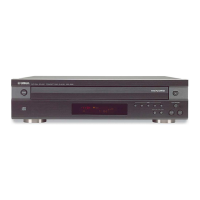
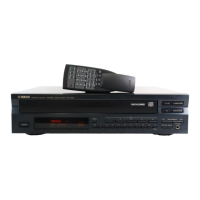
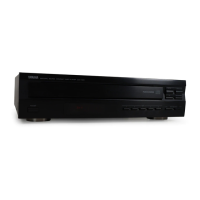
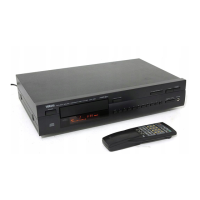
This document describes the Yamaha CDC-685/585 Compact Disc Automatic Changer, a 5-disc carousel auto-changer designed for home use.

Function Description

The CDC-685/585 is a compact disc automatic changer capable of playing up to five discs loaded simultaneously on its carousel tray. It supports standard compact discs bearing the "COMPACT DISC DIGITAL AUDIO" and "COMPACT DISC DIGITAL AUDIO TEXT" marks, as well as 8-cm (3-inch) compact discs. The unit features a full opening disc tray, allowing users to change all five discs at once. A key feature is "PLAYXCHANGE," which enables disc changing while another disc is playing, preventing interruption of playback. The changer offers various playback modes including Repeat Play (single track, full disc, or programmed tracks), Random Sequence Play (random order of tracks from one or multiple discs), and Program Play (customized track order from one or more discs). It also supports CD TEXT, displaying disc titles, artist names, and track names for compatible discs.

For recording purposes, the unit includes "CD Synchronized Recording," which allows synchronization with a compatible Yamaha tape deck to automatically start recording when a CD begins playing. This ensures precise recording. Additionally, it offers "Track Programming for Recording" with both "Automatic Tape Programming" and "Manual Tape Programming" options. Automatic Tape Programming programs tracks on a disc to fit a specified tape length, while Manual Tape Programming allows users to select tracks in any desired order for recording. The "Automatic Peak Level Searching" feature helps adjust recording levels on a tape deck by finding and repeatedly playing the loudest part of a disc.

The unit can be operated via its front panel controls or a supplied remote control transmitter. The remote control offers additional functionalities like "DIMMER" for adjusting display brightness, "SYNCHRO" for synchronized recording, and "TEXT/TIME" for cycling through time displays and CD TEXT information.

Important Technical Specifications

  • Audio Section:
    • Frequency response: 2 Hz - 20 kHz, ±0.5 dB
    • Harmonic distortion+noise (1 kHz): 0.003%
    • S/N ratio: 106 dB
    • Dynamic range: 96 dB
    • Output level (1 kHz, 0 dB): 2.0±0.5 V
    • Headphones output (-20 dB): 200±40 mV/150 ohms (CDC-685 only)
  • Laser Diode Properties:
    • Material: GaAlAs
    • Wavelength: 780 nm
    • Emission Duration: continuous
    • Laser Output: max. 44.6µW (measured at 200mm from the objective lens surface on the Optical Pick-up Block). This indicates a Class 1 Laser Product.
  • General:
    • Power requirements:
      • U.S.A. and Canada models: 120 V, 60 Hz
      • Australia model: 240 V, 50 Hz
      • Europe and U.K. models: 230 V, 50 Hz
      • General model: 110/120/220/240 V, 50/60 Hz (selectable via voltage selector on rear panel)
    • Power consumption: 12 W
    • Dimensions (W x H x D): 435 x 116 x 404 mm (17-1/8" x 4-9/16" x 15-7/8")
    • Weight: 5.85 kg (12 lbs. 12 oz.)
    • Accessories: RCA pin cable, Remote control transmitter, Batteries (size AA, R6, UM-3) (2).

Usage Features

  • Disc Loading: The unit features a carousel disc tray that opens fully to allow loading of up to five discs. Discs should be aligned correctly using the disc guides, label side upward. 8-cm (3-inch) CDs are placed in the inner recessed area.
  • Play Modes:
    • 1DISC Mode: Plays a designated disc only.
    • 5DISCS Mode: Plays all discs on the tray in sequence.
    • PLAYXCHANGE: Allows opening the disc tray and loading/replacing discs without interrupting current playback. Discs cannot be loaded into the playing slot while this feature is active.
    • Scanning Discs: In stop mode, pressing the DISC SCAN button plays an 8-second section of each disc in turn, useful for quickly finding a desired disc.
    • Skipping Tracks: Easily navigate to the beginning of the next, current, or previous track.
    • Searching: Fast forward or rewind within a track, with audible (though garbled) sound for quick content review.
    • Direct Play: Select a specific track using numeric buttons.
    • Random Sequence Play: Plays tracks from one or more discs in a random order. "RNDM" appears on the display.
    • Program Play: Program up to 40 tracks from one or more discs in a desired order. The display shows program number, selected disc/track, and total programmed time.
    • Repeat Play: Repeat a single track (REP S), a full disc, or all programmed/randomly sequenced tracks (REP F).
    • Index Search: For discs with index numbers, playback can start from any desired index point.
  • Recording Features:
    • CD Synchronized Recording: Synchronizes with a compatible Yamaha tape deck for automatic recording start.
    • Automatic Tape Programming: Automatically programs tracks to fit a specified tape length (e.g., C-54, C-60, C-90).
    • Manual Tape Programming: Manually program tracks from one or more discs for recording onto tape.
    • Automatic Peak Level Searching: Identifies and repeatedly plays the loudest part of a disc to help set recording levels.
  • Display: The display panel provides information such as selected disc, track number, time displays (elapsed track time, remaining track time, total disc play time, total remaining disc time), and CD TEXT data (disc title, artist name, track name). Display brightness is adjustable using the DIMMER button.
  • Output Level Adjustment: For the CDC-685, the analog LINE OUT signal level can be adjusted using the OUTPUT LEVEL –/+ buttons. This also affects headphone output.
  • Timer Play: The unit can be set to start playing at a specified time when connected to an external timer (sold separately).

Maintenance Features

  • Disc Handling:
    • Only use standard compact discs. Avoid non-standard shaped CDs, cleaning discs, or warped discs, as they can damage the unit.
    • Do not use CDs with tape, seals, or paste.
    • Keep discs clean by wiping straight outward from the center with a dry cloth. Avoid circular motions or chemical cleaners, record sprays, anti-static sprays, or liquids.
    • Protect discs from direct sunlight, high temperatures, and high humidity to prevent warping or damage.
  • Unit Placement:
    • Install in a well-ventilated, cool, dry, and clean place, at least 5 cm clearance on top, behind, and sides.
    • Avoid direct sunlight, heat sources, vibration, dust, moisture, and cold.
    • Keep away from other electrical appliances, motors, and transformers to prevent humming and electrical shock.
    • Do not cover the unit to ensure proper heat radiation.
    • Avoid placing foreign objects or liquids on the unit.
    • Place on a level surface to ensure normal operation and prevent damage to discs or the unit.
  • Cleaning: Do not use chemical solvents to clean the unit; use a clean, dry cloth.
  • Power Disconnection: Unplug the power cord during long periods of non-use or during electrical storms.
  • Servicing: Do not attempt to modify or fix the unit. Refer all servicing to qualified YAMAHA service personnel.
  • Moving the Unit: Before moving, remove all discs, close the disc tray, and ensure the front panel display shows "2 3 4 5" to confirm the internal mechanism is locked before switching off power.
  • Remote Control Batteries: Replace batteries when the remote control range decreases. Use AA, R6, UM-3 batteries with correct polarities. Remove batteries if not used for an extended period. Clean the battery compartment if leakage occurs.
  • Digital Audio Out (Optical) Terminal: Remove the cover before use and reattach it when not in use to protect the terminal from dust. Use a high-quality optical fiber cable for connection.

Yamaha 585 Specifications

General IconGeneral
BrandYamaha
Model585
CategoryCD Player
LanguageEnglish

Related product manuals