E-12
VARIOUS FUNCTIONS
Program Play
You can enjoy listening to your favorite tracks selected from
one or more discs in any desired order by programming
tracks.
1 Stop the unit.
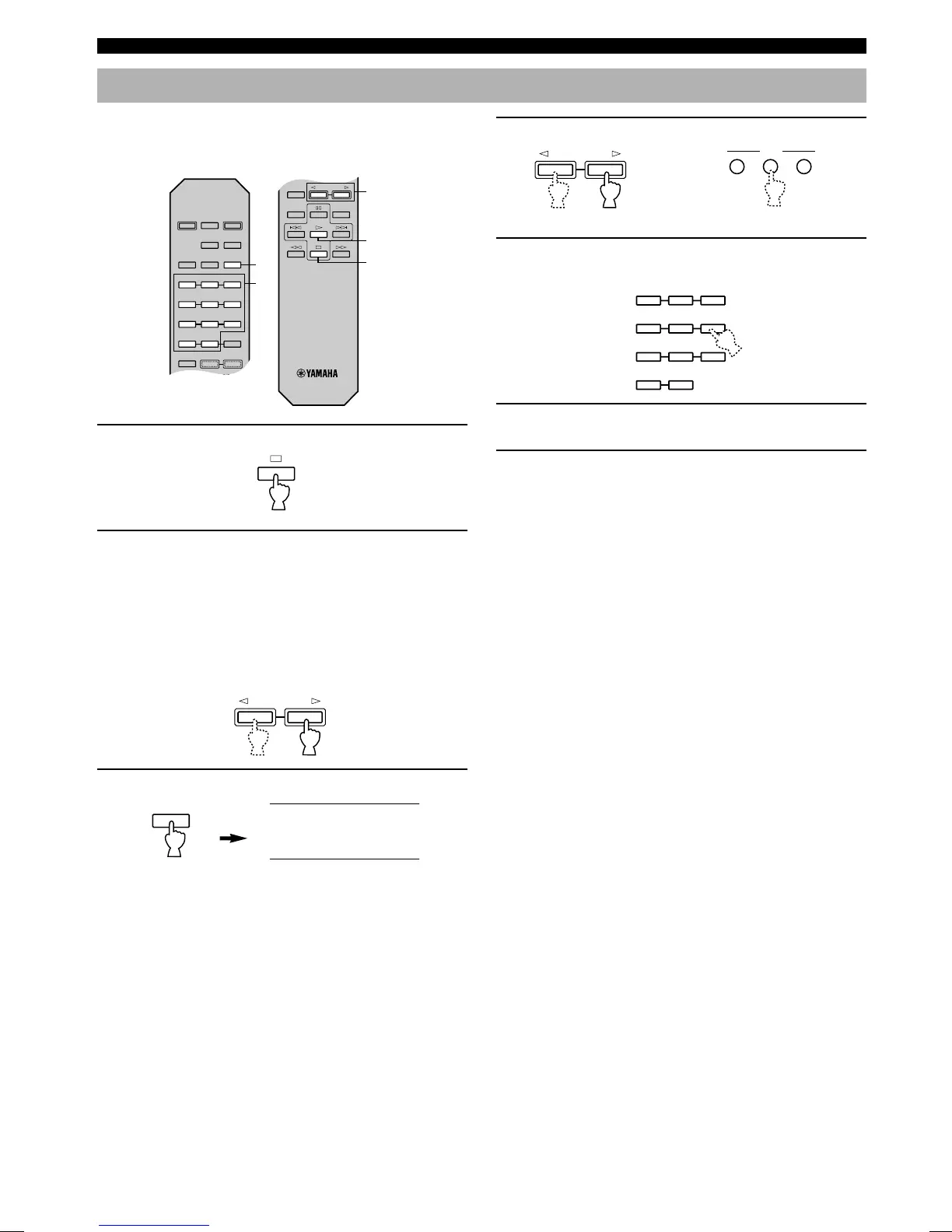
2 If you will select tracks from a disc (or discs)
other than the disc on the Disc 1 tray, make this
unit display the total recorded time of each disc
to be used by pressing the DISC SKIP buttons
in turn.
* Without this operation, the total time of the pro-
grammed tracks will not be displayed during
programming.
3 Press the PROG button to begin programming.
4 If necessary, select a desired disc.
5 Program a desired track by pressing the
corresponding numeric button.
6 Repeat steps 4 and 5 to program more tracks.
You can select the same track again.
7 When the programming is completed, start
playing.
RANDOM
REPEAT
DISC SKIP
DISC SCAN
SYNCHRO DIMMER
PEAK
PROGCLEAR
TAPE
32
1
65
4
98
7
OUTPUT LEVEL
——
—
—
—
MODE
DISC SKIP
DISC SCAN
INDEX
100
OPEN/
CLOSE
TEXT/
TIME
3
5
7
2,4
1
DISC SKIP
STEP 1
SEARCH
1DISC
5DISCS
TITLE
REP RNDM SAVE BEST EDIT
SFPROG CD- TEXT
ARTIST TRACK
12
67
11 12
16 17
or
2 3
DISC
4
On the front panel
PROG
32
1
65
4
98
7
—
—
100


 To Next Page