EasyManua.ls Logo

Yamaha AD8HR - User Manual

Yamaha AD8HR
16 pages
Print Icon
To Next Page IconTo Next Page
Loading...
E
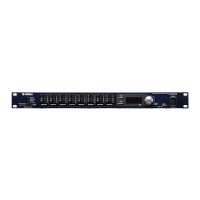
Thank you for choosing the Yamaha AD8HR AD converter with remote microphone
preamp.
The AD8HR is an eight-channel AD converter equipped with remote microphone
preamps that feature 96kHz, 24-bit linear AD conversion, 128-times oversampling,
and a dynamic range of 110dB. Its input section features balanced XLR connectors,
high-quality mic preamps, +48V phantom power, and support for both mic and line-
level inputs. The output section supports the AES/EBU format and features a high
sampling frequency of 88.2/96kHz. You can easily adjust the gain for each channel
(in 1dB steps) and set up the high pass filter from the front panel. These settings are
stored in the unit’s backup memory, and are retained even after the power is turned
off. In addition, a special protocol enables you to remotely control the unit from a
connected computer or other device.
Please read this manual thoroughly before using the unit to take the greatest
advantage of the AD8HR’s extensive features for the longest period of time. After you
read this manual, please keep it in a safe place.
Owner’s Manual

Other manuals for Yamaha AD8HR

Question and Answer IconNeed help?

Do you have a question about the Yamaha AD8HR and is the answer not in the manual?

Summary

Safety Precautions

General Warnings

Covers electrical shock, short-circuiting, damages, fire, and other hazards.

Water Warning

Advises against exposing the device to rain or damp conditions.

Abnormality Handling

Instructs on actions for frayed cords, loss of sound, smoke, or damage.

Power Supply and Cord Precautions

Details correct voltage usage and power cord handling.

Device Handling and Placement

Covers safe operation, opening the device, placement, and avoiding noise.

Connection and Operation Precautions

Details grounding, cable connections, and volume level settings.

Important Safety Instructions

General Safety Guidelines

Covers reading instructions, water usage, ventilation, heat, and plug safety.

Front Panel Controls and Indicators

Rear Panel Connectors and Switches

[DIGITAL OUT A;B] Connectors

Outputs AES/EBU format digital audio data.

Basic Operations

Selecting the Wordclock Source

Guides users on how to choose the wordclock source.

Setting Phantom Power

Explains how to enable or disable +48V phantom power per channel.

Adjusting Channel Gain

Details how to adjust the gain for individual channels in 1dB steps.

Basic Operations (Continued)

Setting the High Pass Filter (HPF)

Explains how to set the HPF on/off and adjust its cut-off frequency.

Selecting AES;EBU Format Modes

Guides on choosing between Double Speed (AE1) and Double Channel (AE2) modes.

Advanced Operations

Remote Control Configuration

Setup and usage of remote control features for the unit.

Connection Examples

AES;EBU Connections

Diagrams and instructions for connecting via AES/EBU.

AD8 HR Daisy Chain Connection

Illustrates how to connect multiple AD8HR units in a daisy chain.

Wordclock Synchronization

WORD CLOCK Jack Connection

Details on connecting wordclock signals via BNC connectors.

Electrical Characteristics

Appendix (Continued)

Error Messages

Explanation of error codes (E1, E2, E3) and troubleshooting advice.

Summary

Safety Precautions

General Warnings

Covers electrical shock, short-circuiting, damages, fire, and other hazards.

Water Warning

Advises against exposing the device to rain or damp conditions.

Abnormality Handling

Instructs on actions for frayed cords, loss of sound, smoke, or damage.

Power Supply and Cord Precautions

Details correct voltage usage and power cord handling.

Device Handling and Placement

Covers safe operation, opening the device, placement, and avoiding noise.

Connection and Operation Precautions

Details grounding, cable connections, and volume level settings.

Important Safety Instructions

General Safety Guidelines

Covers reading instructions, water usage, ventilation, heat, and plug safety.

Front Panel Controls and Indicators

Rear Panel Connectors and Switches

[DIGITAL OUT A;B] Connectors

Outputs AES/EBU format digital audio data.

Basic Operations

Selecting the Wordclock Source

Guides users on how to choose the wordclock source.

Setting Phantom Power

Explains how to enable or disable +48V phantom power per channel.

Adjusting Channel Gain

Details how to adjust the gain for individual channels in 1dB steps.

Basic Operations (Continued)

Setting the High Pass Filter (HPF)

Explains how to set the HPF on/off and adjust its cut-off frequency.

Selecting AES;EBU Format Modes

Guides on choosing between Double Speed (AE1) and Double Channel (AE2) modes.

Advanced Operations

Remote Control Configuration

Setup and usage of remote control features for the unit.

Connection Examples

AES;EBU Connections

Diagrams and instructions for connecting via AES/EBU.

AD8 HR Daisy Chain Connection

Illustrates how to connect multiple AD8HR units in a daisy chain.

Wordclock Synchronization

WORD CLOCK Jack Connection

Details on connecting wordclock signals via BNC connectors.

Electrical Characteristics

Appendix (Continued)

Error Messages

Explanation of error codes (E1, E2, E3) and troubleshooting advice.

Overview

The Yamaha AD8HR is an eight-channel AD converter with remote microphone preamps, designed to convert analog audio signals into digital format. It offers high-quality 96kHz, 24-bit linear AD conversion with 128-times oversampling, achieving a dynamic range of 110dB.

Function Description:

The AD8HR's primary function is analog-to-digital conversion for up to eight audio channels. Its input section features balanced XLR connectors, accommodating both microphone and line-level inputs. Each input is equipped with a high-quality mic preamp and supports +48V phantom power, making it suitable for a wide range of microphones. The output section supports the AES/EBU format, allowing for digital audio transmission at high sampling frequencies of 88.2kHz or 96kHz.

The device can operate in two AES/EBU modes: Double Speed Mode and Double Channel Mode. In Double Speed Mode, digital audio data is transmitted at higher sampling rates (88.2kHz or 96kHz), with both DIGITAL OUT A and DIGITAL OUT B connectors outputting data from Channels 1-8. This mode is ideal for devices that support higher sampling rates. Double Channel Mode transmits digital audio data as mono signals at half the current higher sampling rate (44.1kHz or 48kHz), effectively handling data across two channels. In this mode, DIGITAL OUT A outputs data from Channels 1-4, and DIGITAL OUT B outputs data from Channels 5-8. If the AD8HR is running at 44.1kHz or 48kHz, each connector outputs data from Channels 1-8. If the wordclock master is DIGITAL OUT A, the AD8HR will operate at a clock rate that is twice the incoming clock (88.2kHz/96kHz for 44.1kHz/48kHz input).

The AD8HR features a comprehensive wordclock system. It can transmit wordclock signals at 44.1kHz, 48kHz, 88.2kHz, and 96kHz, allowing it to function as a wordclock master for external devices. Alternatively, it can lock to an external wordclock signal received via the WORD CLOCK IN connector or the DIGITAL OUT A connector. The WORD CLOCK IN connector is terminated at 75 ohms.

Remote control capabilities are a key feature of the AD8HR. It can be controlled from a computer or Yamaha PM5D/DM2000 digital console connected to its HA REMOTE connector 1. Multiple AD8HR units (up to 255) can be daisy-chained and controlled remotely. When remotely controlled, the Gain display shows the ID number of the corresponding unit, aiding in identification within a multi-unit system. It's also possible to daisy-chain AD8HRs with Yamaha AD824 AD converters, though it's recommended to connect AD8HR units closer to the host device to avoid functionality limitations.

Usage Features:

The front panel of the AD8HR provides intuitive controls for various settings.

  • Wordclock Selection: The [WORD CLOCK] button allows users to select the wordclock source from internal clocks (44.1kHz, 48kHz, 88.2kHz, 96kHz), WORD CLOCK IN, or DIGITAL OUT A. Indicators show the currently selected source, flashing if the unit is not locking.
  • Phantom Power: The [+48V] button turns phantom power on or off for selected channels. Individual channel +48V indicators show the status. A [+48V MASTER] switch also allows simultaneous control of phantom power for all channels.
  • Gain Adjustment: Channel Select buttons allow users to select individual channels. The Gain control adjusts the gain for the selected channel in 1dB steps, ranging from 10dB to -62dB. The Gain display shows the current gain value.
  • Gain Trim (Correction): For fine-tuning, the gain trim can be adjusted in 0.1dB steps (from -1.5dB to +1.5dB) by holding down a Channel Select button for more than two seconds and rotating the Gain control. This feature allows for precise output level calibration.
  • High Pass Filter (HPF): Each channel has a 12dB/octave high pass filter. The [HPF] button turns the filter on or off for selected channels. The cut-off frequency can be adjusted from 20Hz to 600Hz in 60 steps by holding down the [HPF] button for more than two seconds and rotating the Gain control.
  • Channel Settings Copy: Settings such as channel gain, HPF on/off, HPF cut-off frequency, and phantom power on/off can be copied from one channel to another by holding down the source channel's Select button and pressing the destination channel's Select button. Gain trim values are not copied.
  • AES/EBU Format Selection: The AES/EBU format (Double Speed or Double Channel mode) can be selected by turning off the power, then pressing and holding the [WORD CLOCK] button and either Channel Select button 1 (for Double Speed) or 2 (for Double Channel) while turning on the [POWER] switch.
  • LED Brightness: The brightness of the front panel LEDs and Gain display can be adjusted in seven steps by holding down Channel Select button 8 and rotating the Gain control.
  • Panel Operation Lock: To prevent accidental changes, the front panel buttons and controls can be locked by simultaneously pressing the [WORD CLOCK], [+48V], and [HPF] buttons. When locked, the Gain display flashes if a control is operated, but settings remain unchanged.

Maintenance Features:

  • Backup Memory: The AD8HR includes a backup battery that retains internal data, such as gain and high pass filter settings, even when power is off. If the backup battery voltage is low, the GAIN display will show "E1," indicating the need for battery replacement by qualified service personnel to prevent data loss.
  • Self-Diagnosis and Error Messages: The device performs a self-diagnosis upon power-up. If an abnormality is detected, an error message will appear on the Gain display. "E1" indicates low backup battery voltage, "E2" indicates corrupted backup memory, and "E3" indicates very low backup battery voltage and corrupted memory. In such cases, consulting a Yamaha dealer is recommended.
  • Memory Initialization: The backup memory can be initialized to factory default settings by turning off the power, then pressing and holding Channel Select button 4 and the [+48V] button while turning on the [POWER] switch. This resets all channel-specific settings (phantom power, gain, gain trim, HPF on/off, HPF cut-off frequency) and global settings (wordclock, AES/EBU format, LED brightness, Panel Operation Lock).
  • Grounding Screw: A grounding screw on the rear panel ensures proper grounding of the device, especially if the AC outlet does not provide a suitable ground. This helps eliminate hum, interference, and electrical shock.
  • Power Cord: The device uses a supplied three-pin power cord. It is crucial to use only the provided power cord to prevent malfunctions, heat generation, or fire.
  • Serviceability: The AD8HR contains no user-serviceable parts. In case of malfunction, the device should be inspected by qualified Yamaha service personnel. This includes issues like frayed power cords, sudden loss of sound, unusual smells or smoke, or physical damage from dropping.
  • Component Longevity: The manual notes that the performance of components with moving contacts (switches, volume controls, connectors) can deteriorate over time. Users are advised to consult qualified Yamaha service personnel for replacing defective components.

Yamaha AD8HR Specifications

General IconGeneral
Input voltage220 - 240 V
Input frequency50 - 60 Hz
Operating voltage100 V
Power consumption (typical)35 W
Accuracy1 dB
Product colorBlack
Frequency range20000 - 40000 Hz
Maximum input level-128 dBu
Nominal input level-80 dBu
Audio (L/R) out-
Weight and Dimensions IconWeight and Dimensions
Depth383.5 mm
Width480 mm
Height45 mm
Weight5000 g

Related product manuals