Need help?
Do you have a question about the Yamaha G50 and is the answer not in the manual?
Guidelines on location, power supply, handling, transport, and electrical interference.
Information on cleaning, data backup, and authorized service procedures.
Recommendations for MIDI cable usage and connection practices.
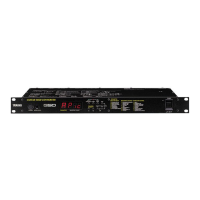
Description of the G50's front panel buttons, display, and connectors.
Details and diagrams of the G50's rear panel jacks and switches.
Procedure for connecting the AC adaptor and powering on the unit.
Connecting the G50 to external tone generators and MIDI setup.
Mode for transmitting each string on a different MIDI channel.
Mode for transmitting all strings on a single MIDI channel.
Mode for monophonic playing, transmitting on one MIDI channel.
Instructions for connecting the G1D pickup unit to the G50.
How to select and play programs using the G50 and G1D controls.
Using the G50 in monophonic mode without the G1D pickup unit.
Procedure for editing parameters and saving changes.
How to swap the contents of two G50 programs.
List of programs loaded when Preset Program Type 'U' is selected.
List of programs loaded when Preset Program Type '1' is selected.
List of programs loaded when Preset Program Type '2' is selected.
List of programs loaded when Preset Program Type '3' is selected.
List of programs for Bass Type 'U' when the Guitar/Bass switch is set to BASS.
List of programs for Bass Type '2' when the Guitar/Bass switch is set to BASS.
List of programs for Bass Type '3' when the Guitar/Bass switch is set to BASS.
Details on MIDI data transmission and reception conditions.
Information on transmitting and receiving bulk data for programs and system settings.
How parameter changes are transmitted and received via MIDI.
 General
| Brand | Yamaha |
|---|---|
| Model | G50 |
| Category | Media Converter |
| Language | English |

 To Next Page