EasyManua.ls Logo

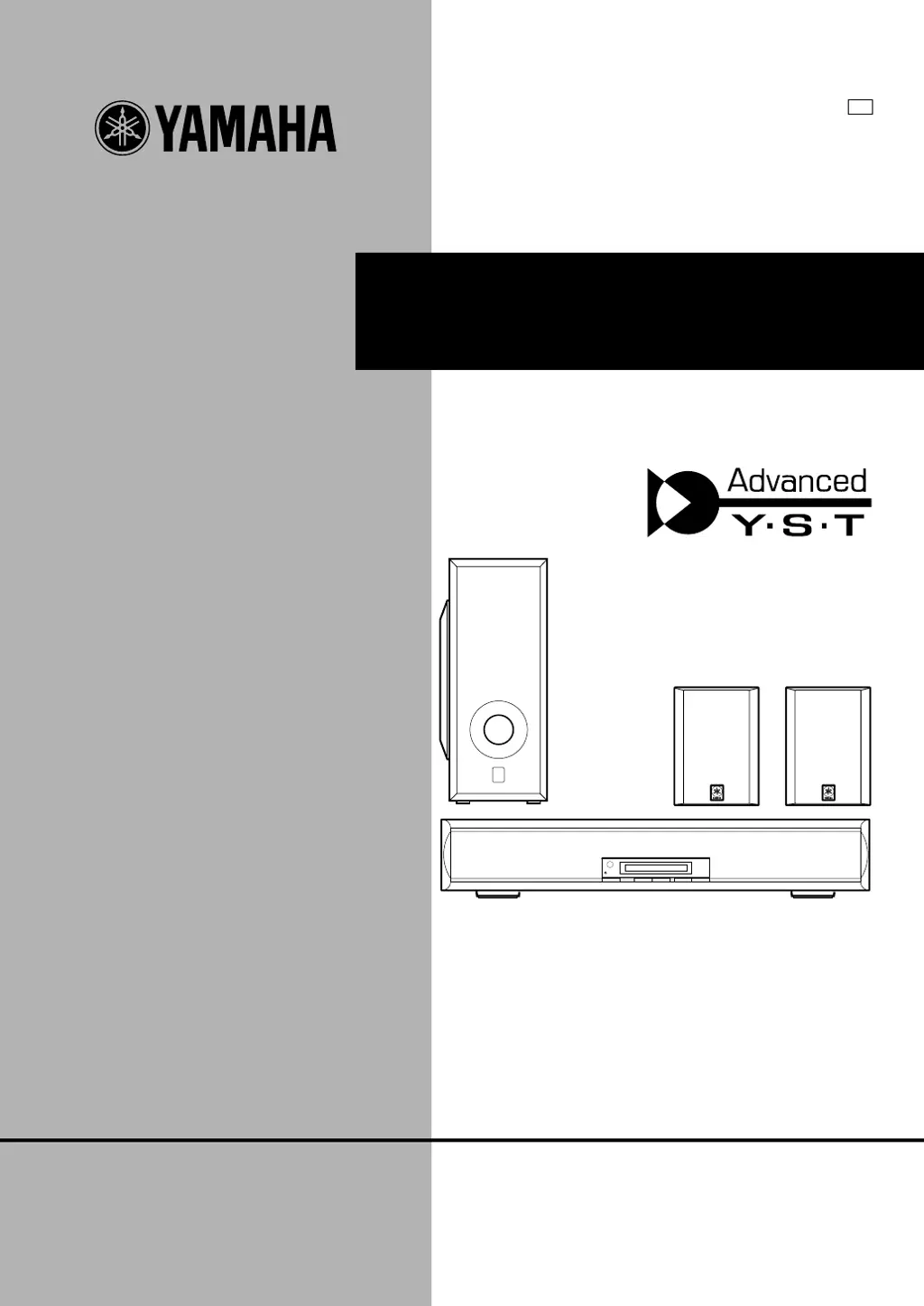
Yamaha AV-S77 - User Manual

Yamaha AV-S77
298 pages
Print Icon
To Next Page IconTo Next Page
Loading...
OWNER’S MANUAL
MODE D’EMPLOI
BEDIENUNGSANLEITUNG
BRUKSANVISNING
MANUALE DI ISTRUZIONI
MANUAL DE INSTRUCCIONES
GEBRUIKSAANWIJZING
AV-S77
Home Theater Sound System
Systèm audio home cinéma
G B

Table of Contents

Other manuals for Yamaha AV-S77

Questions and Answers

  • R
    reedvictoriaAug 9, 2025
    What to do if the Yamaha Home Theater System remote control does not function properly?
    • D
      Daniel McclainAug 10, 2025
      If the Yamaha Home Theater System's remote control isn't working, try these steps: * Make sure the batteries aren't dead. * Point the remote directly at the sensor. * Ensure you're not too far or too close to the sensor. * Check for direct sunlight or intense light hitting the sensor. * Avoid using other remote controls simultaneously. * Verify the batteries are correctly inserted.
  • J
    James PhillipsAug 14, 2025
    Why can't I control other components with my Yamaha Home Theater System remote?
    • M
      Mark HernandezAug 14, 2025
      If you cannot control another component using the Yamaha Home Theater System's remote, make sure the manufacturer code is correctly set. Also, ensure that you are pressing the remote control selector button (TV, VCR, or DVD) that corresponds to the component you are trying to control.
  • Q
    qjarvisAug 18, 2025
    How to troubleshoot no sound output at all on Yamaha Home Theater System?
    • T
      Tracy HarperAug 18, 2025
      If you're getting no sound at all from your Yamaha Home Theater System, check the following: * Ensure the AC power cord is connected. * Verify the two system connector cables are correctly connected. * Check the speaker cable connections. * Confirm the TV or VCR is properly connected. * Select the correct input source. * Make sure the sound isn't temporarily muted on the AV-S77. * Ensure headphones aren't connected to the PHONES jack on the subwoofer's rear panel.
  • W
    Wanda GeorgeAug 25, 2025
    What to do if there is no sound from the Yamaha Home Theater System subwoofer?
    • J
      John KnightAug 25, 2025
      If there's no sound coming from the subwoofer of your Yamaha Home Theater System, check if the two system connector cables are correctly connected. Also, verify that the subwoofer level isn't set too low.
  • E
    Edward ObrienAug 29, 2025
    Why is there no sound from the rear speaker on my Yamaha Home Theater System?
    • C
      Christopher ReedAug 29, 2025
      If you're not hearing sound from the rear speaker of your Yamaha Home Theater System, check these things: * Make sure the speaker cables are correctly connected. * Ensure the rear level isn't set too low. * Check if VIRTUAL SURROUND is selected. * Verify if DOLBY PRO LOGIC is selected for a monaural source.
  • K
    Katelyn SnowSep 3, 2025
    How to fix no sound from the center channel on a Yamaha Home Theater System?
    • Y
      Yvonne JonesSep 3, 2025
      If you're not getting any sound from the center channel of your Yamaha Home Theater System, check whether the center level is set too low.

Yamaha AV-S77 Specifications

General IconGeneral
TypeHome Theater System
Number of Channels5.1
Amplifier SectionDigital Amplifier
Frequency Response20Hz - 20kHz
Total Harmonic Distortion0.06%
Input Sensitivity/Impedance200mV/47kΩ
Speaker Impedance
Tuner SectionFM/AM
Preset Stations40
Dimensions (W x H x D)435 x 151 x 363 mm
Weight9.5 kg

Related product manuals