EasyManua.ls Logo

Yamaha SW-S60 - User Manual

Yamaha SW-S60
31 pages
Print Icon
To Next Page IconTo Next Page
Loading...
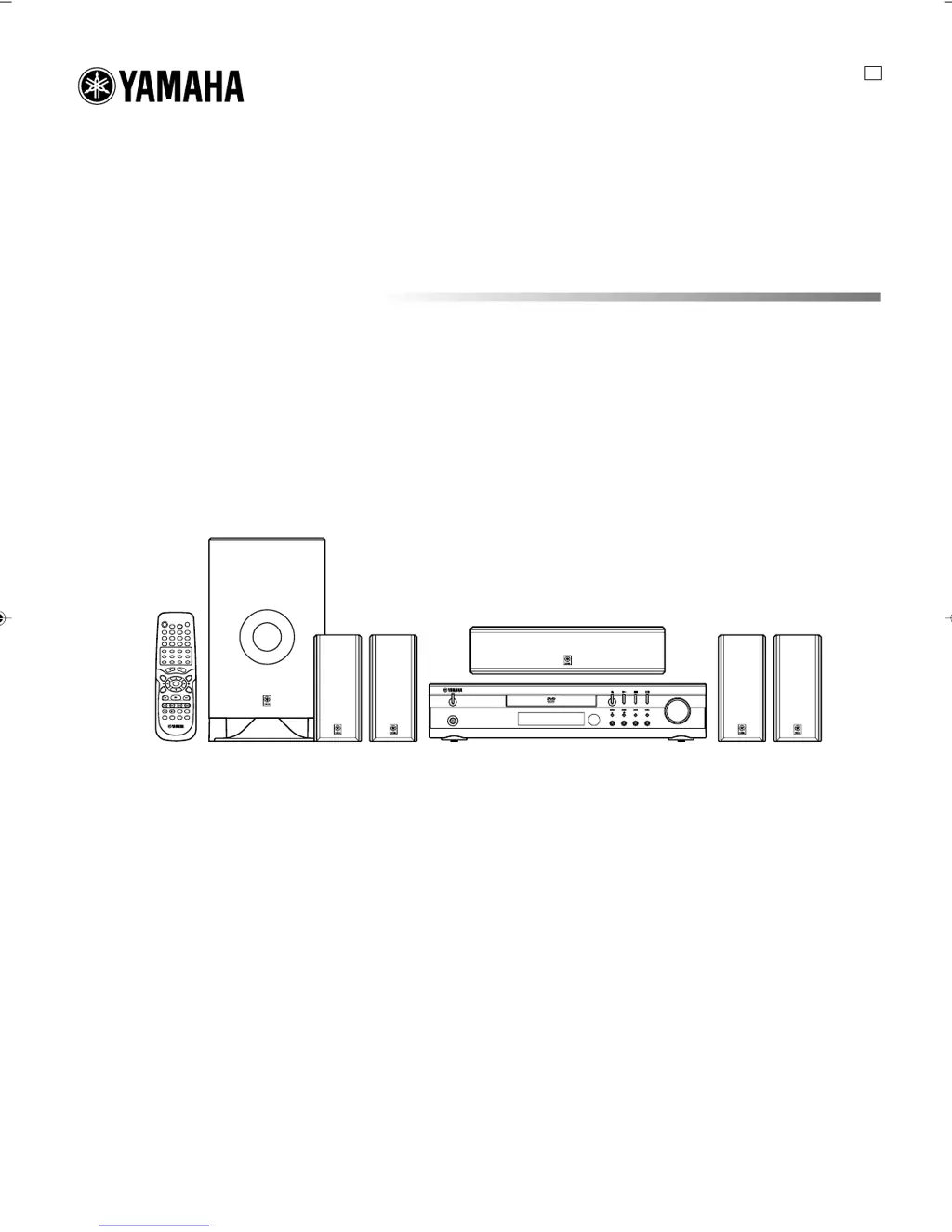
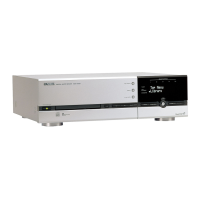
DVD HOME THEATER SOUND SYSTEM
DVX-S60
DVX-S60: DVR-S60 + NX-S60S + NX-S60C + SW-S60
U
PHONES
STANDBY/ON
FM MODE
TUNING
SURROUND BASS MUSIC INPUT
PRESET MEMORY
VOLUME
OWNER’S MANUAL
A1-60U-1 02.8.8, 3:37 PM1

Table of Contents

Questions and Answers

  • A
    Amy GibsonAug 12, 2025
    Why is there no picture on my Yamaha Home Theater System?
    • M
      mark42Aug 12, 2025
      There are several reasons why your Yamaha Home Theater System might not be displaying a picture. First, ensure that the correct source is selected. Also, check that a disc is loaded, and that it is a playable disc, verifying its logo, type, color system, and regional code. Finally, confirm that your TV is set to receive the signal from the unit by selecting the appropriate input function.
  • S
    Shane CalderonAug 15, 2025
    How to fix Yamaha Home Theater System remote control that is not working?
    • V
      Virginia DavisAug 15, 2025
      If your Yamaha Home Theater System's remote control isn't working correctly, start by checking the batteries. Ensure they are not weak and are installed with the correct polarity (+ or –). Replace them if necessary. Also, make sure you are aiming the remote control directly at the remote control sensor on the unit.
  • T
    Tracy SmithAug 19, 2025
    What to do if my Yamaha Home Theater System DVD player does not start play?
    • K
      Kenneth JacobsonAug 19, 2025
      If your Yamaha Home Theater System's DVD player isn't starting, consider these potential causes: * Ensure a disc is loaded. * Verify that the loaded disc is playable, checking its logo, type, color system, and regional code. * Make sure the disc is loaded correctly, with the label side up. * Check if the disc is dirty; if so, clean or replace it. * If “PARENTAL” control is enabled, disable the parental lock function or adjust the rating level, remembering to reset it after playback.
  • S
    Shannon FitzpatrickAug 23, 2025
    Why is there no sound from my Yamaha Home Theater System?
    • C
      Christine NelsonAug 23, 2025
      If you're not getting any sound from your Yamaha Home Theater System, the issue could be that the incorrect source is selected; make sure to select the correct source. Also, check the volume control and ensure it isn't set to the minimum; increase the volume.
  • M
    Mrs. Tonya AndersenAug 27, 2025
    What to do if the operation or display is not normal on my Yamaha Home Theater System?
    • R
      Ryan PorterAug 27, 2025
      If the operation or display of your Yamaha Home Theater System is not normal, the memory may need to be reset. To do this: 1. Disconnect the power cable of the unit. 2. While pressing both the BASS and MUSIC buttons simultaneously, connect the power cable. 3. Resume operation.
  • L
    lynn57Aug 30, 2025
    What to do if the playback picture on my Yamaha Home Theater System is poor?
    • T
      Tiffany MercadoAug 31, 2025
      If the playback picture quality on your Yamaha Home Theater System is poor, it might be due to loading an unplayable disc. Ensure you load a playable disc, and verify its compatibility by checking the disc logo, type, color system, and regional code.
  • A
    Anthony DawsonSep 3, 2025
    What does it mean when “ ” appears on the TV screen connected to my Yamaha Home Theater System?
    • K
      Kathryn DeckerSep 3, 2025
      If you see “ ” on your TV screen while using your Yamaha Home Theater System, it indicates that the selected function is not available for the current disc. This could be because the feature is unavailable at the moment, restricted by the DVD software, or not supported by the DVD software (e.g., angles).
  • S
    Susan Mason MDSep 7, 2025
    How to fix no picture displayed on the TV when using COMPONENT OUTPUT: PROGRESSIVE on my Yamaha Home Theater System?
    • R
      rmillerSep 7, 2025
      To resolve the issue of no picture displayed on the TV when using COMPONENT OUTPUT: PROGRESSIVE on your Yamaha Home Theater System, set the VIDEO OUT SELECT switch to INTERLACE, then turn the system off and on again.

Summary

Important Safety Instructions

Graphical Symbols and Warning Explanations

Explains the meaning of graphical symbols and warning text used in the manual.

General Safety Precautions

Lists essential safety instructions and precautions for operating the equipment.

Operating Precautions

System Operation and Safety Guidelines

Outlines important precautions for safe and optimal operation of the system.

System Controls

Speaker Placement Guide

General Speaker Positioning

Guidance on positioning front, surround, and subwoofer speakers for optimal sound.

Mounting Speakers on Walls or Stands

Details how to mount speakers using wall brackets or speaker stands.

Basic Connections

Speaker Connections

Explains how to connect the speakers to the main unit correctly, including polarity.

Additional Connection Examples

Advanced TV Connections

Progressive-Scan TV Connections

Details how to connect and configure the system for progressive scan output to compatible TVs.

Basic Operations

Power, Source, Volume, and Sound Modes

Explains how to turn the system on/off, select sources, adjust volume, and sound modes.

Selecting the Surround Mode

Selecting the Surround Mode

How to choose between different surround sound effects like DOLBY PL, DTS, THEATER, HALL.

Dolby Pro Logic Mode Setup

Detailed procedure for setting up and calibrating Dolby Pro Logic mode.

Disc Playback Operations

Preparing and Loading Discs

Steps to take before playing a disc, including powering on and selecting TV input.

Basic Playback Control (Start, Stop, Resume)

Instructions for basic disc playback control, including resume function.

System Setup Menu

Language and Display Settings

How to configure OSD language, audio tracks, subtitles, and TV display settings.

System Setup Menu - Advanced Settings

Parental Control Setup

How to set up and manage parental lock levels and change the password.

Disc Playback Functions

Advanced Disc Playback Features

MP3 CD Operation

Listening to Audio Sources

Timer and Sleep Functions

Timer Operation Setup

Guide for setting the timer to automatically turn the unit on/off with a selected source.

Troubleshooting Guide

Troubleshooting Table

Lists common problems, their causes, and corrective actions for operating the unit.

Specifications

Yamaha SW-S60 Specifications

General IconGeneral
BrandYamaha
ModelSW-S60
CategoryHome Theater System
LanguageEnglish

Related product manuals