EasyManua.ls Logo

Yamaha DVX-S100 - User Manual

Yamaha DVX-S100
82 pages
Print Icon
To Next Page IconTo Next Page
Loading...
DVD HOME THEATER SOUND SYSTEM
DVX-S100
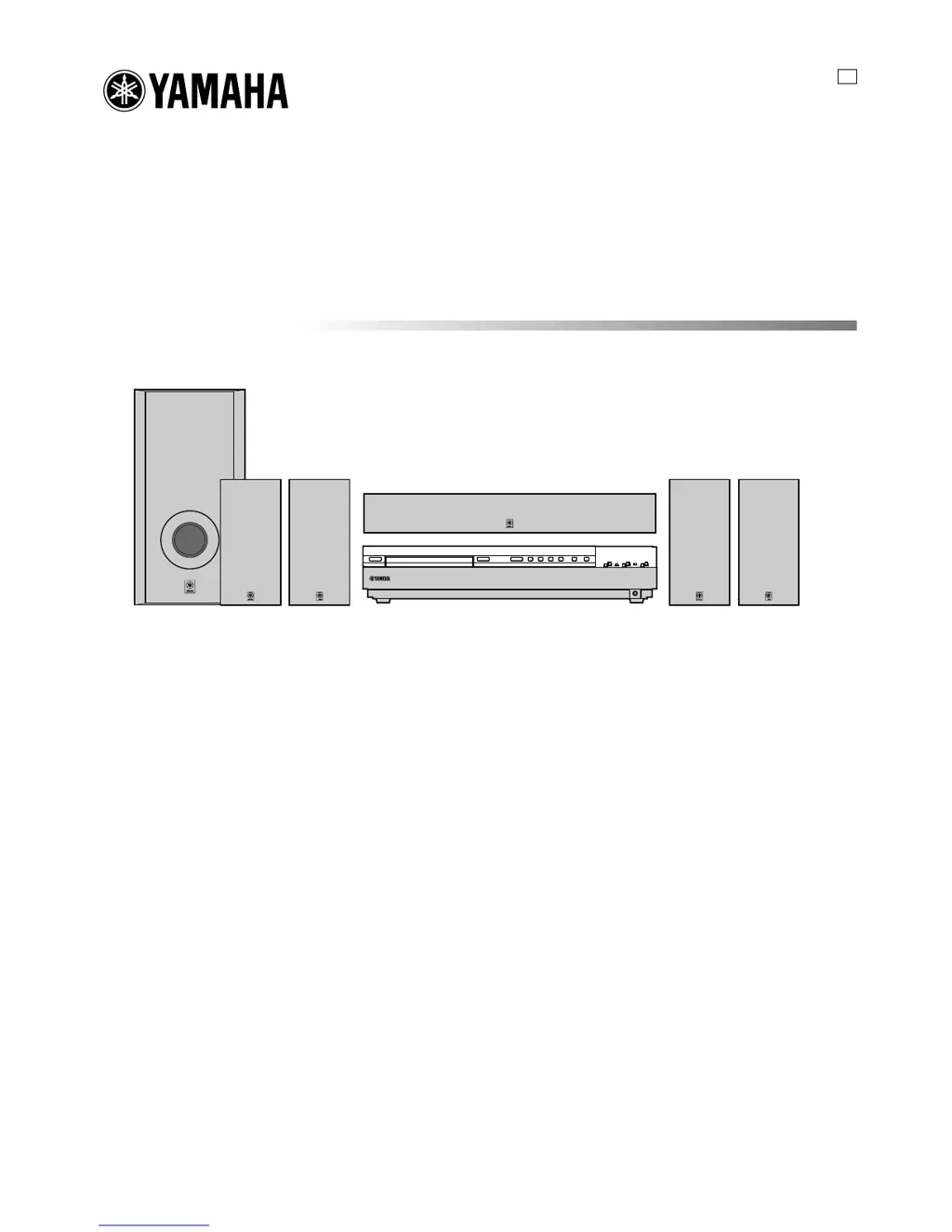
DVX-S100: DVR-S100 + NX-S100S + NX-S100C + SW-S100
OWNER’S MANUAL
U

Table of Contents

Questions and Answers

  • E
    elewisSep 18, 2025
    What to do if Yamaha Home Theater System has no sound from the subwoofer?
    • A
      Anne BakerSep 22, 2025
      If there is no sound from the subwoofer of your Yamaha Home Theater System, and a Dolby Digital or DTS signal is being played, ensure that “1D BASS” on the SET MENU is set to SWFR or BOTH. If a 2-channel source is being played, select BOTH.
  • R
    roger56Aug 25, 2025
    What to do if my Yamaha Home Theater System fails to turn on?
    • R
      rebeccajohnsonAug 25, 2025
      If your unit fails to turn on, ensure the power cord is firmly connected. If the unit has been exposed to a strong external electric shock, set it in standby mode, disconnect the power cord, plug it back in after 30 seconds, and then try operating it again.
  • L
    Lisa CohenAug 25, 2025
    Why is there sound only from the front speakers of my Yamaha Home Theater System?
    • S
      Steven SmithAug 26, 2025
      Sound might be coming only from the front speakers if the sound effect is off; press STEREO to turn it on. Also, if you're using a Dolby Surround, Dolby Digital, or DTS decoding DSP program with material not encoded with these formats, select another DSP program. Finally, if a 96-kHz sampling digital signal is being input, sound will only output from the front speakers.
  • T
    Thomas SandersAug 27, 2025
    Why is there no sound from the subwoofer of my Yamaha DVX-S100?
    • G
      George JohnsonAug 27, 2025
      If there's no sound from the subwoofer, check the “1D BASS” setting on the SET MENU. If it's set to FRONT when playing a Dolby Digital or DTS signal, select SWFR or BOTH. If it's set to SWFR or FRONT when playing a 2-channel source, select BOTH.
  • K
    Kimberly LeeSep 23, 2025
    Why Yamaha Home Theater System a source cannot be recorded by a digital recording component?
    • K
      kathrynbutlerSep 23, 2025
      If a source cannot be recorded by a digital recording component connected to the digital output jack of your Yamaha Home Theater System, ensure that the source component is connected to the digital input jacks of the unit.
  • B
    Brandy HigginsSep 23, 2025
    What to do if Yamaha DVX-S100 Home Theater System has noise interference?
    • A
      andersonjamesSep 23, 2025
      If your Yamaha Home Theater System is experiencing noise interference from digital or high-frequency equipment, move the unit further away from such equipment.
  • T
    Timothy MartinezSep 10, 2025
    What to do if Yamaha DVX-S100 Home Theater System has no sound from the center speaker?
    • D
      Donna RobinsonSep 10, 2025
      If there is no sound from the center speaker of your Yamaha Home Theater System, first check that the output level of the center speaker is not set to minimum and raise it if necessary. Also, verify that '1A CENTER' on the SET MENU is set to the appropriate mode for your center speaker, and not to NON. If you have selected one of the Hi-Fi DSP programs (1 to 4, except for 5ch Stereo), select another DSP program. Note that the source encoded with a Dolby Digital or DTS signal may not have a center channel signal.
  • N
    nharrisonSep 12, 2025
    What to do if Yamaha DVX-S100 Home Theater System picture does not appear?
    • S
      Shannon BaxterSep 12, 2025
      If the picture does not appear on your Yamaha Home Theater System, ensure that the output and input for the picture are connected to the same types of video jacks (either S VIDEO or VIDEO (composite)) for both input and output.
  • B
    Bryan BarrSep 3, 2025
    What to do if my Yamaha DVX-S100 Home Theater System does not operate properly?
    • P
      pguerreroSep 3, 2025
      If your unit isn't operating properly, the internal microcomputer may have been frozen by an external electric shock or a power supply with low voltage. Disconnect the AC power cord from the outlet and then plug it in again after about 30 seconds.
  • X
    xgarzaSep 1, 2025
    What to do if the sound suddenly goes off on my Yamaha DVX-S100?
    • D
      David BishopSep 1, 2025
      If the sound suddenly goes off, it's possible that the sleep timer has activated. Turn the power back on and play the source again.

Summary

Owners Manual

Important Safety Instructions

Graphical Symbols Explanation

Explains symbols used in safety instructions.

General Safety Warnings

Warnings for fire and electric shock prevention.

FCC Compliance Information

Operating Precautions and Cautions

Product Features Overview

Manual Conventions and Disclaimers

Explains manual conventions and disclaimers.

Package Contents and Setup

Checking Included Accessories

Verifies all items are present in the package.

Installing Remote Control Batteries

Step-by-step guide to insert batteries into the remote.

Controls and Functions

Front Panel Controls

Describes buttons and indicators on the unit's front panel.

Front Panel Display Information

Explains information shown on the front panel display.

Remote Control Operation (AMP Mode)

Explains remote control functions in AMP mode.

Remote Control Handling Precautions

Precautions for handling the remote control.

Preparation and Connection Steps

Initial Connection Procedures

Instructions before connecting system components.

Powering On the Unit

Steps to power on the unit and connected monitor.

Speaker Setup and Placement

Speaker Placement Guidelines

Recommendations for optimal speaker positioning.

Installing and Mounting Speakers

Instructions for physically installing speakers.

Mounting Speakers on Stands

How to mount speakers on commercially available stands.

Connecting Components

Video Component Connections

How to connect video devices using various jacks.

Audio Component Connections

How to connect audio devices using various jacks.

Connection Example Diagrams

Illustrative diagrams for connecting various components.

Antenna Connection Guide

How to connect FM and AM antennas for reception.

Speaker Wiring Diagram

Diagrams for connecting speakers to the DVR-S100 receiver.

Using External Speakers and Cables

Guidelines for using non-included speakers and cables.

External Amplifier Connection

How to connect an external amplifier to the unit.

Adjusting Speaker Output Levels

Using the Test Tone for Calibration

How to use the test tone for speaker level calibration.

Basic Playback Operations

Performing Basic Playback

Step-by-step guide for fundamental playback functions.

Bass Boost Feature

How to activate and use the Bass Boost feature.

Muting Audio Output

How to mute and unmute audio output.

Standby Mode and Sleep Timer

How to set the unit to standby and use the sleep timer.

Input Mode Selection

Explains different input signal modes and their indicators.

Sound Field Programs

DSP Program Features Overview

Details the available DSP sound field programs and their features.

DSP Programs for Cinema Sources

Lists DSP programs for cinema sources and their descriptions.

DSP Programs for Video Sources

Lists DSP programs for video sources and their descriptions.

Selecting PRO LOGIC II Decoding

How to select and use PRO LOGIC II decoding for 2-channel sources.

Playing Dolby Digital EX;DTS ES

How to play advanced Dolby Digital and DTS formats.

Virtual CINEMA DSP

How to use DSP programs without rear speakers.

SILENT CINEMA DSP

How to enjoy DSP sound field with headphones.

Stereo Mode Selection

How to switch sound effects on/off for stereo playback.

Displaying Input Signal Information

How to view details of the input signal.

Recording Procedures

DTS Software Recording Notes

Notes on digitally recording DTS bitstreams.

Timer Playback and Recording

How to use an external timer for playback/recording.

Disc Playback Information

Supported Disc Types

Lists disc formats supported by the unit.

DVD Region Code System

Explains DVD region code restrictions.

Disc Handling Precautions

Guidelines for proper disc handling to prevent damage.

MP3 File Playback

How to play MP3 audio files on CD-R/CD-RW.

Remote Control (DVD Mode)

Basic Disc Playback Steps

Basic Disc Playback Steps

Step-by-step guide for fundamental playback functions.

Stopping Playback and Resume Function

How to stop playback and resume from a saved point.

Disc Navigation Functions

Track Search and Skip Functions

How to search for specific content or skip tracks/chapters.

Pause and Frame Advance

How to pause playback and advance frame by frame.

Slow Motion Playback

How to play back discs in slow motion.

On-Screen Menu Navigation

Operating the Menu Bar

How to navigate and use the on-screen menu bar.

DVD-Video Disc Menu Icons

Explains icons for controlling DVD-Video playback via menu.

Playback Mode Menu Icons

Details icons for play modes like A-B repeat and repeat play.

Display and Audio Menu Icons

Details icons for display settings and audio options.

Video Menu Settings Adjustment

Options for adjusting video picture settings.

Shuttle Screen Controls Explanation

Explains shuttle screen controls for fast forward/backward.

Using Multiple Disc Functions

Navigating Disc Menus

General guide to navigating disc menus for features.

Enhancing Video Quality (Progressive)

How to improve picture quality using progressive signals.

Adjusting Screen Position (Progressive)

How to adjust screen position for progressive output.

DVD-Audio Specific Features

Specific features for DVD-Audio discs.

Playing Bonus Content (DVD-Audio)

How to play bonus content on DVD-Audio discs.

Navigating DVD-Audio Pages

How to navigate through information pages on DVD-Audio discs.

Enhancing Audio Quality (DISC DIRECT)

How to improve audio quality using DISC DIRECT.

Switching Audio, Subtitles, Angles

How to change audio, subtitle, and camera angle options.

All Group Playback (DVD-Audio)

How to play all groups on a DVD-Audio disc.

Programmed Track Playback

How to create a custom playback order of tracks.

Modifying Programmed Playback

How to modify the programmed playback order.

Random Sequence Playback

How to play tracks in a random sequence.

Canceling Random Playback

How to stop random playback.

DVD-Audio Random Play

Specific steps for random play on DVD-Audio discs.

Using Bookmarks

How to mark and return to specific points on a disc.

Repeat Playback Modes Explained

Explains different modes for repeating tracks, chapters, or discs.

Repeat A-B Functionality

How to set and play a specific segment repeatedly.

Canceling Repeat A-B

How to stop the A-B repeat function.

Setup Menu Configuration

Navigating the Setup Menu

Guide to navigating and using the system's setup menu.

Setup Menu Summary: Disc Options

Overview of settings for Disc, Audio, Subtitle, Menus, and Ratings.

Setup Menu Summary: Video Options

Overview of video settings like Black Level and NTSC Output.

Setup Menu Summary: Audio Options

Overview of audio settings like Speaker Setup and PCM Down Conversion.

Setup Menu Summary: Other Options

Overview of other settings like DVD-Video Mode and Demo.

Language Settings and Codes

How to select languages and a list of language codes.

DVD-V Ratings Setup

How to set parental control ratings for DVD playback.

PCM Down Conversion Settings

How to adjust digital audio output for compatibility.

Speaker Settings for DVD Playback

How to configure speaker settings for DVD playback.

Speaker Delay Time Adjustment

How to adjust delay time for center/rear speakers.

Speaker Balance Adjustment

How to adjust the balance of effect speakers.

Tuning Radio Stations

Manual Tuning Procedure

How to manually tune radio stations.

Automatic Tuning Procedure

How to automatically tune radio stations.

Presetting Radio Stations

How to store radio stations for quick access.

Automatic Preset Tuning Options

Options for automatic station presetting.

Manually Presetting Stations

How to manually store radio stations.

Tuning to Preset Stations

How to select a previously stored radio station.

Exchanging Preset Station Assignments

How to swap assignments of two preset stations.

Remote Control Operation (Other Devices)

Setting Manufacturer Codes

How to program the remote for other devices.

Remote Control Button Functions Table

Lists remote control functions for different components.

Detailed Setup Menu Items

Speaker Set Configuration

Configuration of speaker modes (Front, Center, Rear).

Speaker Set Mode Details

Specific settings for center, front, and rear speaker modes.

1 D Bass (LFE;Bass Output Mode)

How to direct LFE signals to subwoofer or front speakers.

2 LFE Level Adjustment

How to adjust the output level of the LFE channel.

3 Speaker Delay Time (SP DLY TIME)

How to adjust speaker delay times for sound synchronization.

4 Dynamic Range (D. RANGE)

How to adjust dynamic range for Dolby Digital signals.

5 Front Speaker Balance (L;R BALANCE)

How to adjust the balance between left and right front speakers.

6 Headphone Tone Control (HP TONE CTRL)

How to adjust bass and treble for headphones.

7 Input;Output Assignment (I;O ASSIGN)

How to assign digital input jacks to components.

8 Initial Input Mode (INPUT MODE)

How to set the default input mode for digital sources.

9 Output Source Settings (SP;PRE OUT)

How to select output for speakers or external amplifier.

Adjusting Effect Speaker Levels

Adjusting Levels in 5 ch Stereo

How to adjust levels in 5-channel stereo mode.

DSP Program Parameter Adjustments

Adjusting DSP Program Delay Time

How to adjust delay time for specific DSP programs.

PRO LOGIC II Music Parameter Tuning

How to adjust parameters for PRO LOGIC II Music DSP.

Troubleshooting Common Issues

General Unit Troubleshooting

Common problems and their solutions for the unit.

Troubleshooting Speaker Sound Issues

Solutions for problems related to speaker sound output.

Troubleshooting Disc Playback Problems

Solutions for problems related to disc playback.

Troubleshooting Display;Recognition Issues

Solutions for display errors and disc recognition problems.

Tuner Reception Troubleshooting

Solutions for FM/AM radio reception problems.

Remote Control Functionality Issues

Solutions for issues with the remote control.

Glossary of Technical Terms

Video Signal Standards (Interlace;Progressive)

Explains interlace and progressive video scanning.

Digital Audio Formats Explained (Bitstream;PCM)

Explains digital audio formats like Bitstream and PCM.

Technical Specifications

Remote Control Codes (TV;VCR)

Lists manufacturer codes for remote control programming.

Remote Control Codes (CDR;MD)

Lists manufacturer codes for CDR and MD remote control programming.

Yamaha DVX-S100 Specifications

General IconGeneral
BrandYamaha
ModelDVX-S100
CategoryHome Theater System
LanguageEnglish

Related product manuals