43
USING MULTIPLE FUNCTIONS
PLAYING A DISC
English
■ To change or add to the program
during programmed play
1 Press a repeatedly to stop programmed
play.
2 Press the cursor buttons (u, d) to select the
order of the tracks you want to play.
3 Press the numeric buttons to enter a track
number.
■ To cancel the programmed tracks
1 Press a repeatedly to stop programmed
play.
2 Press the cursor buttons (u, d) to select the
track you want to cancel.
3 Press CANCEL.
Note
• When you program a track of a Video CD (ver.2.0),
playback control is canceled during programmed play.
■ To move up and down the pages
on the program screen
Press e to move up the page, or press r to move
down the page.
■ To exit programming mode
1 Press a repeatedly to stop programmed
play.
2 Press PLAY MODE twice while pressing
SHIFT.
• When turning the power off, opening the disc tray,
or switching the input source, all the programs are
canceled.
Random play
DVD-A
VCD
CD
When you select this mode, this unit plays all tracks on a
disc in random sequence.
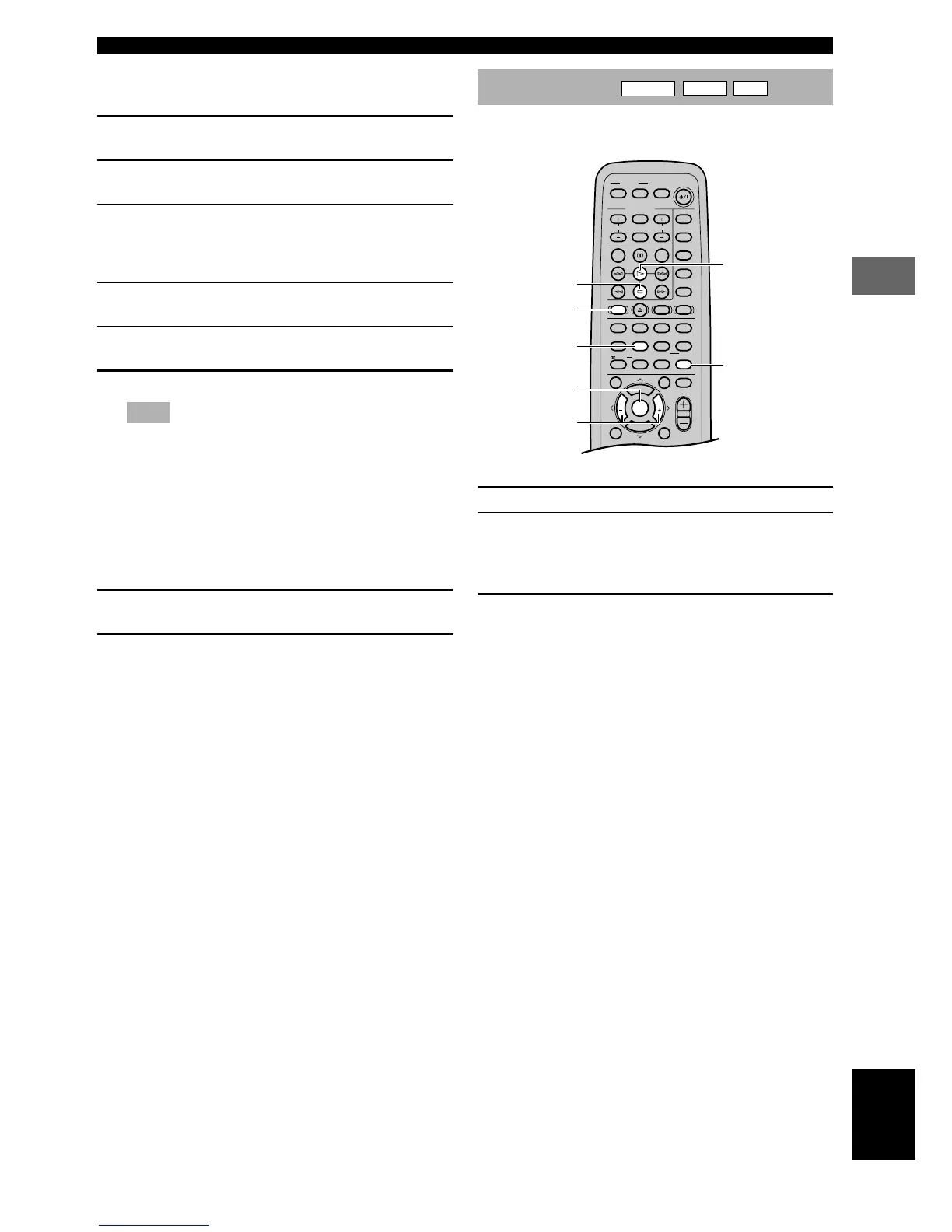
1 Press a to stop play.
2 Press PLAY MODE repeatedly while pressing
SHIFT.
The “RND” indicator lights up on the front panel
display.
3 Press w to start random play.





 To Next Page