46
USING MULTIPLE FUNCTIONS
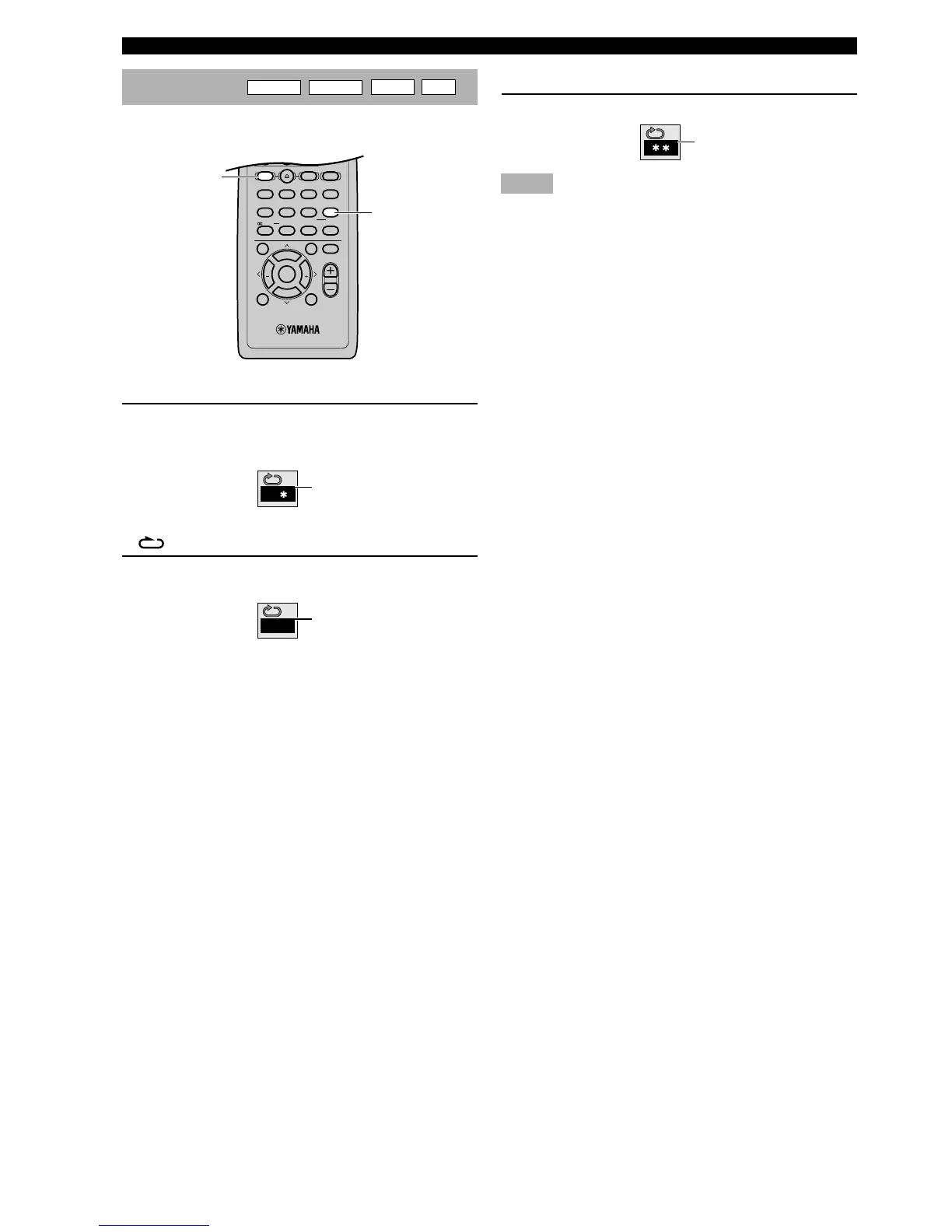
Repeat A-B
DVD-A
DVD-V
VCD
CD
This function allows you to specify two points and play
between them repeatedly.
1 Press A-B while pressing SHIFT during play
at the point where you want to start A-B
repeat.
y
•“ ” and “A-” light up on the front panel display.
2 Press A-B while pressing SHIFT at the point
where you want to end A-B repeat.
y
•“B” is added on the front panel display. The section
between the point A and B starts playing repeatedly.
This icon appears on the video
monitor.
This icon appears on the video
monitor.
■ To cancel A-B repeat
Press A-B while pressing SHIFT.
Notes
• This function may not available with some DVD-Video.
• This function works only within a title (DVD-Video) or a track
(DVD-Audio, VCD, CD).
This icon appears on the video
monitor.





 To Next Page