42
USING MULTIPLE FUNCTIONS
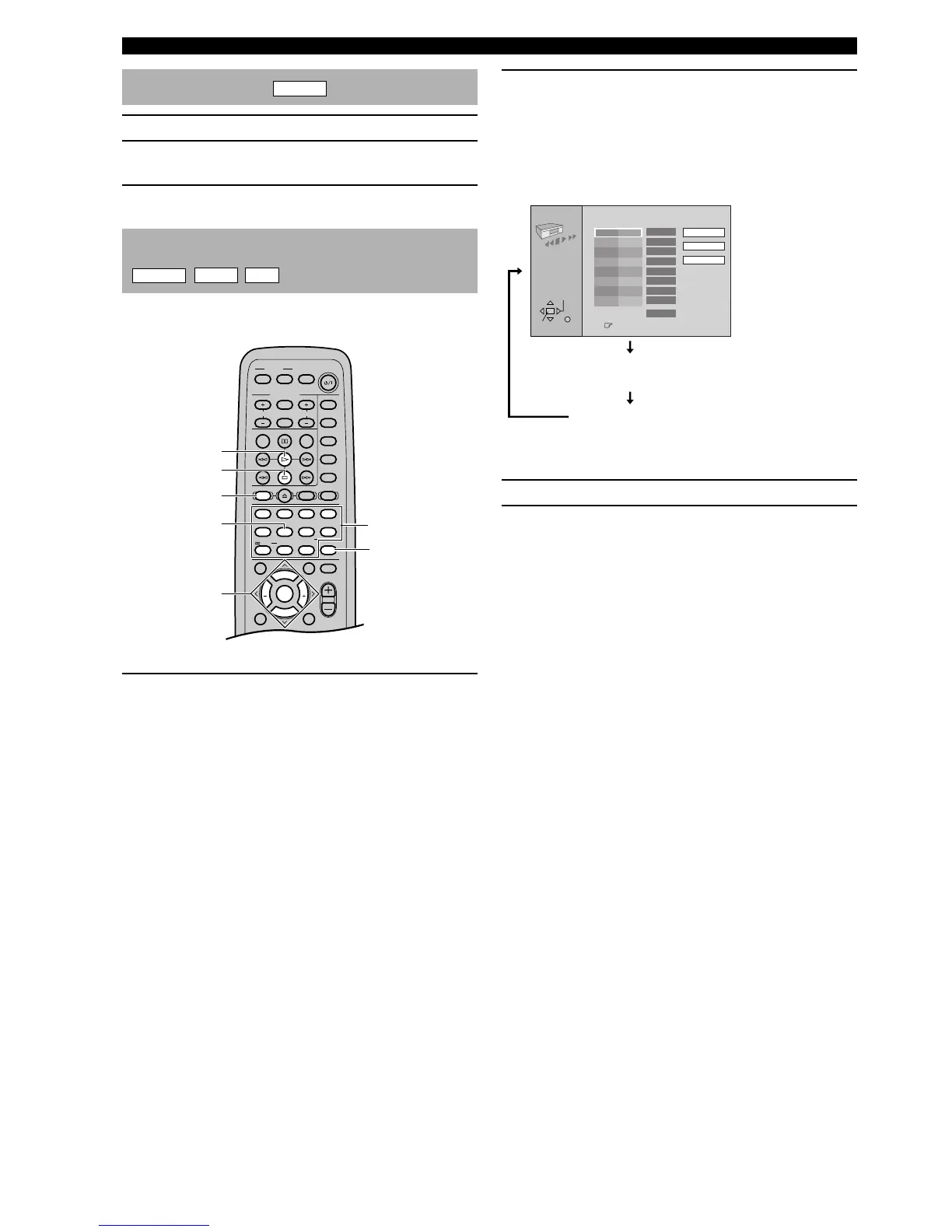
2 Press PLAY MODE repeatedly while pressing
SHIFT to select the program screen.
Each time you press PLAY MODE while pressing
SHIFT, the screen changes as follows:
y
• The “PGM” indicator lights up on the front panel display.
3 Press numeric buttons to select the track.
4 Press w to start play.
y
• You can also use the numeric buttons to select a track.
(In the case of DVD-Audio)
• The “All group play” screen is added to step 2.
• In step 4, press the cursor buttons (u, d) to select a
group and then press ENTER. Then, press the cursor
buttons (u, d) again to select a track and then press
ENTER.
• You can also use the numeric buttons to select a group
and a track.
All group play
DVD-A
1 Press a to stop play.
2 Press PLAY MODE while pressing SHIFT.
The “All group play” screen appears.
3 Press w.
Programmed play
DVD-A
VCD
CD
You can enjoy listening to your favorite tracks selected
from a disc in any desired order by programming tracks.
1 Press a to stop play.
Indication on the video monitor (example)
Program screen ( Programmed play mode)
Playing in your desired order
CANCEL
SHIFT
PLAY MODE
w
a
u, d, j, i
/ ENTER
(U.S.A. model)
Numeric buttons
PLAY MODE
Choose a track, then press ENTER.
No Track
Press PLAY to start
Play
0:00
Time
Clear
Clear all
Total time
1
ENTER
SELECT
RETURN
Random screen (Random play mode)
Playing in random sequence
Returning to normal play





 To Next Page