37
ON-SCREEN MENU
PLAYING A DISC
English
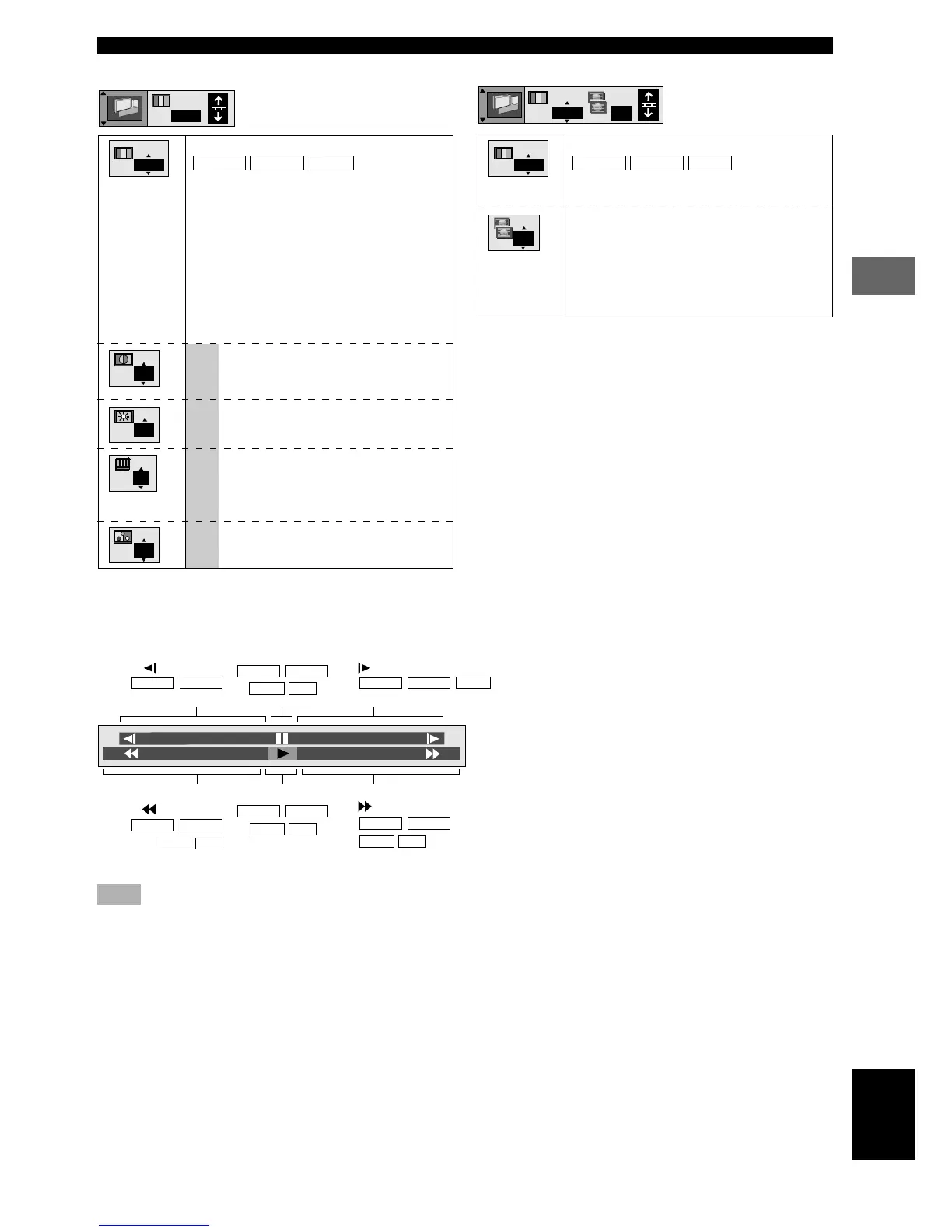
Digital picture mode
DVD-A
DVD-V
VCD
N: Normal
C: Cinema image (suited for movie viewing)
Transfer MODE
Selects the method of conversion for
progressive output to suit the type of material
being played.
Auto (normal): for viewing film material
Video: for video material
Digital picture mode
DVD-A
DVD-V
VCD
N: Normal
C: Cinema image (suited for movie viewing)
U: User mode
To change the user mode
1 Select User mode.
2 Press (j, i) to select the item you wish to
change.
3 Press (u, d) to change the setting.
The following items are displayed when
you select “U”.
U Contrast (–7 to +7)
Adjusts the contrast between light and
dark part of the picture.
Brightness (0 to +15)
Adjusts the brightness of the picture.
Sharpness (–6 to +6) (U.K., Europe,
Australia and General models)
Adjusts the horizontal resolution of the
picture.
Color (–7 to +7)
Adjusts the shade of the picture’s color.
When PROGRESSIVE is on (U.S.A. and Canada models)
■ Video menu
N
N
0
0
0
0
N
Auto
N
■ Shuttle screen
Slow-motion play
: Backward
DVD-A
DVD-V
Pause
DVD-A
DVD-V
VCD
CD
Slow-motion play
: Forward
DVD-A
DVD-V
VCD
Search
: Backward
DVD-A
DVD-V
VCD
CD
Play
DVD-A
DVD-V
VCD
CD
Search
: Forward
DVD-A
DVD-V
VCD
CD
+
100
–
100
Note
• Slow-motion only works on the video parts of DVD-Audio.
Auto










 To Next Page