Setting the input channels
Owner’s Manual
41
Patching the input port
1.
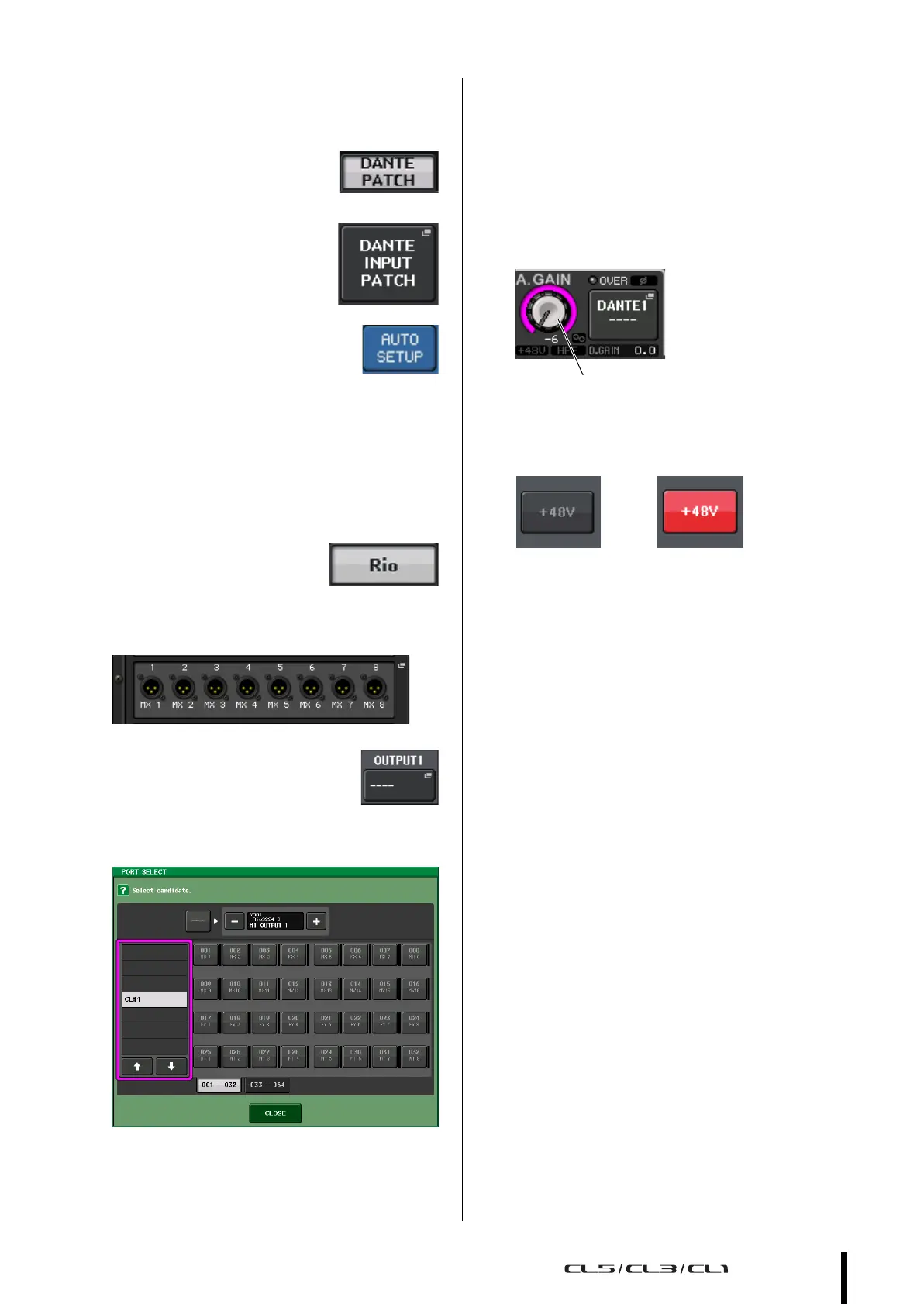
Press the I/O DEVICE button in the touchscreen.
2. In the upper part of the I/O
DEVICE screen, press the
DANTE PATCH tab.
3. In the I/O DEVICE screen,
press the DANTE INPUT
PATCH button.
4. Press the AUTO SETUP button.
5. When a confirmation dialog appears, press
the OK button.
6. Press the X symbol to close the screen.
Patching the mixer output to the I/O device
1. Press the I/O DEVICE button
in the display screen, then
press the Rio tab.
2. Press the OUTPUT display area of the I/O
device that will be the output destination.
3. Press the OUTPUT 1 button.
4. In the PORT SELECT screen, select the output
channels you want to output to the rack.
5. Press the CLOSE button.
6. In the same way, set OUTPUT 2 and
subsequent outputs, if necessary.
Setting the input channels
Switching phantom power on or off
1.
Press the [SEL] key for the channel that you
want to control in the Channel Strip section
or Centralogic section.
2. Press the GAIN knob in the SELECTED
CHANNEL section.
3. Press the +48V button in the GAIN/PATCH
popup window as necessary, depending on
the microphone you use.
NOTE
• The phantom power master switch on the I/O device must
be turned on first.
• Make sure that phantom power is turned OFF unless it is
needed.
• When turning phantom power on, pay careful attention to
the following to prevent damage or noise in the mixing
console or connected equipment.
- Turn the +48 button off if equipment that does not use
phantom power is connected to the OMNI IN jacks.
- Do not connect or disconnect a cable to or from the
OMNI IN jacks while the +48 button is on.
- Set all digital mixing console output controls to minimum
when turning phantom power ON or OFF.
Adjusting the analog gain
1. Press the [SEL] key for the channel that you
want to control in the Channel Strip section
or Centralogic section.
2. Press the [CUE] key of the same channel.
3. While checking the sound level through the
headphones and meters, adjust the channel
[GAIN] knob of the Channel Strip section.
4. Adjust the gain level for other channels in the
same way, by pressing their [SEL] and [CUE]
keys, and then rotating the [GAIN] knobs.
5. After adjustment is complete, switch the
[CUE] key off (the key LED turns off).



 To Next Page