EasyManua.ls Logo

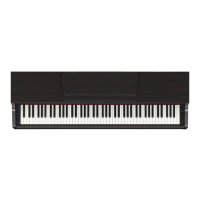
Yamaha Clavinova CLP-525 - User Manual

Yamaha Clavinova CLP-525
38 pages
Print Icon
To Next Page IconTo Next Page
Loading...
FR
EN
Owner’s Manual
Mode d’emploi
CLP
-
525
For information on assembling the keyboard stand, refer to the instructions at the end of
this manual.
Pour obtenir des informations sur l'assemblage du support du clavier, reportez-vous aux
instructions à la fin de ce manuel.
EnglishFrançais

Other manuals for Yamaha Clavinova CLP-525

Questions and Answers

  • S
    sarah84Jul 27, 2025
    What to do if the overall volume is low or no sound is heard on my Yamaha Musical Instrument?
    • S
      schmittkarenJul 27, 2025
      If you're experiencing low overall volume or no sound from your Yamaha Musical Instrument, first, adjust the [MASTER VOLUME] knob to an appropriate level. Also, ensure that headphones are not connected to the headphones jack. Finally, verify that Local Control is turned On.
  • H
    Heather RossAug 4, 2025
    What to do if noise is heard from the Yamaha Musical Instrument’s speakers when using the instrument with the application on iPhone/iPad?
    • J
      Jeremy WilliamsAug 4, 2025
      If you hear noise from your Yamaha Musical Instrument’s speakers or headphones when using the instrument with the application on iPhone/iPad, it is recommended to set 'Airplane Mode' to 'ON' on your iPhone/iPad in order to avoid noise caused by communication.
  • M
    Mary CollinsAug 11, 2025
    How to fix a Yamaha Musical Instrument that does not turn on?
    • D
      Deborah CookAug 11, 2025
      If your Yamaha Musical Instrument does not turn on, ensure the adaptor plugs are securely inserted into the socket on the instrument and into a proper AC outlet.
  • K
    Kathy WattsAug 18, 2025
    Why is a click or pop heard when the power is turned on or off on my Yamaha Musical Instrument?
    • J
      James AliAug 18, 2025
      This is normal when electrical current is being applied to the Yamaha Musical Instrument.

Summary

FCC Information and Compliance Notices

U.S.A. FCC Regulations and Warnings

Important notices, modification restrictions, and compliance regulations for the USA.

Declaration of Conformity Statement

Formal statement of compliance with FCC rules and operating conditions.

United Kingdom Power Connection Guidelines

Safety instructions for connecting the power plug and cord in the UK.

Special Message Section

Product Safety Precautions

Warnings on power supply, adapters, extension cords, and product usage to prevent hazards.

Hearing Protection and Safety Advice

Guidance on safe listening levels and general safety to prevent hearing damage.

Battery, Disposal, and Environmental Notes

Instructions for battery handling, disposal, and environmental concerns.

Precautions

Electrical Shock and Fire Warnings

Precautions to avoid injury from electrical shock, short-circuiting, damage, or fire.

Physical Injury and Damage Cautions

Precautions to avoid physical injury and damage to the instrument or property.

Connections and Notices

Connecting Components and Handling Cautions

Guidelines for connecting components and safely handling the instrument.

Panel Controls and Terminals

Control Panel Overview

Identification and basic function of control panel buttons and knobs.

Turning the Power On

Connecting the Power Adaptor

Step-by-step instructions for connecting the AC power adaptor.

Setting Up: Auto Power Off and Headphones

Playing the Piano: Volume and IAC

Playing the Piano: Pedals and Resonance

Using the Pedals

Explanation of the functions of the Damper, Sostenuto, and Soft pedals.

Playing the Piano: Metronome

Using the Metronome

Instructions for starting, stopping, and adjusting the metronome.

Playing the Piano: Touch Sensitivity

Changing the Touch Sensitivity

How to adjust how the sound responds to playing force.

Advanced Operations: Selecting Voices

Selecting Instrument Voices

How to select and change the instrument's sound voices.

Advanced Operations: Demo Songs

Advanced Operations: Reverb

Advanced Operations: Pitch Adjustment

Advanced Operations: Layering Voices

Layering Two Voices (Dual Mode)

How to combine two voices simultaneously for a richer sound.

Advanced Operations: Split Keyboard

Playing Duo Mode

How to split the keyboard for two players.

Song Playback and Practice

Song Playback and Practice: Part Practice

Practicing One-Hand Parts

How to isolate and practice individual left or right hand parts of songs.

Recording Your Performance

Recording Keyboard Performance

Steps for recording your performance as a User Song.

Recording Your Performance: Data Management

Appendix: Troubleshooting

Troubleshooting Common Problems

Solutions for issues like power loss, no sound, or pedal malfunction.

Keyboard Stand Assembly: Final Steps

Yamaha Clavinova CLP-525 Specifications

General IconGeneral
BrandYamaha
ModelClavinova CLP-525
CategoryMusical Instrument
LanguageEnglish

Related product manuals