EasyManua.ls Logo

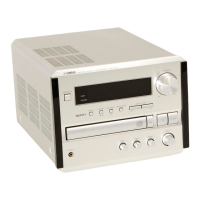
Yamaha CRX-330 - User Manual

Yamaha CRX-330
40 pages
Print Icon
To Next Page IconTo Next Page
Loading...
OWNER'S MANUAL
B
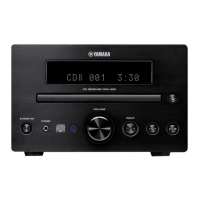
CD RECEIVER

Other manuals for Yamaha CRX-330

Questions and Answers

  • C
    Christy BarrettAug 16, 2025
    What to do if my Yamaha CRX-330 Car Receiver fails to turn on?
    • M
      Michael DawsonAug 16, 2025
      If your Yamaha Car Receiver fails to turn on or enters standby mode soon after being powered on, ensure the power cable is firmly connected. If the issue persists, the unit may have been exposed to a strong external electric shock. In this case, set the unit to standby mode, disconnect the power cable, plug it back in after 30 seconds, and then use it normally.
  • W
    Wendy CameronAug 19, 2025
    Why Yamaha Car Receiver has no sound?
    • B
      Brittany TerrellAug 19, 2025
      If you're not getting any sound from your Yamaha Car Receiver, first, make sure you've selected the correct input source using the INPUT button on the front panel or the input selection keys on the remote control. Also, check that the volume isn't turned down. Finally, ensure that the source you are playing is compatible with the unit.
  • G
    gregorywilliamsAug 22, 2025
    Why Yamaha CRX-330 Car Receiver disc playback does not start?
    • J
      Jeffrey MaddoxAug 22, 2025
      If your Yamaha Car Receiver does not start disc playback, finalize the CD-R/RW if you are using one. Make sure that the disc label is facing up. If the issue continues, try another disc to rule out a defective disc. For MP3/WMA discs, ensure that the disc contains at least 5 MP3/WMA music files.
  • J
    James OconnorAug 25, 2025
    How to fix Yamaha Car Receiver remote control that is not working?
    • F
      fmillerAug 26, 2025
      If your Yamaha Car Receiver's remote control isn't working properly, first check if the remote control sensor on the unit is exposed to direct sunlight or lighting. If so, change the lighting or the unit's orientation. Also, ensure you're within the remote control's operating range and that there are no obstacles between the remote and the unit's sensor. Finally, replace the battery with a new one.
  • H
    holsonAug 28, 2025
    Why is FM stereo reception noisy on my Yamaha Car Receiver?
    • T
      Tracy KempAug 28, 2025
      If you're experiencing noisy FM stereo reception on your Yamaha Car Receiver, begin by checking the antenna connections. If the issue persists, try using a high-quality directional FM antenna and use the manual tuning method.
  • A
    acostamarvinAug 31, 2025
    What to do if Yamaha CRX-330 Car Receiver has distortion, and clear reception cannot be obtained even with a good FM antenna?
    • M
      masonjulieAug 31, 2025
      If you are experiencing distortion and cannot get clear FM reception even with a good antenna on your Yamaha Car Receiver, adjust the antenna position to eliminate multi-path interference.
  • M
    Melissa FrenchSep 3, 2025
    Why sound is heard from the speaker on one side only on my Yamaha CRX-330 Car Receiver?
    • K
      kevin11Sep 3, 2025
      If your Yamaha Car Receiver only produces sound from one speaker, try moving the unit away from digital or radio frequency equipment to reduce interference. Also, check the cable connections to ensure they are properly connected. If the problem continues, the cables may be defective.
  • L
    loririveraSep 6, 2025
    What to do if the desired station cannot be tuned into with the automatic tuning method on Yamaha CRX-330?
    • J
      Jason BlackSep 6, 2025
      If the desired station cannot be tuned into with the automatic tuning method on your Yamaha Car Receiver, try using a high-quality directional FM antenna, or use the manual tuning method.
  • M
    Michael StewartSep 9, 2025
    Why Yamaha CRX-330 USB playback does not start?
    • B
      bmillerSep 9, 2025
      If your Yamaha Car Receiver displays a "USB playback does not start" message, reconnect the USB device. If the issue persists, the MP3 or WMA formats may not be compatible, replace the file with a correctly recorded file playable with this unit.
  • D
    Darin FarmerSep 12, 2025
    What does "Unknown iPod" mean on my Yamaha CRX-330 Car Receiver?
    • J
      Jennifer GonzalezSep 12, 2025
      If your Yamaha Car Receiver displays an "Unknown iPod" message, only iPod (Click and Wheel), iPod nano, iPod mini, and iPod Touch are supported.

Summary

Introduction and Features

Yamaha CRX-330 Key Features

Lists the main capabilities and specifications of the CD receiver.

Yamaha CRX-330 Supplied Accessories

Details the components included with the CRX-330 unit upon purchase.

Controls and Functions

Front Panel Controls and Display

Describes the unit's front panel buttons, ports, and display indicators.

Remote Control Operation

Guides on using the remote, its functions, and setup.

iPod Control via Unit

Guides on operating an iPod connected to the unit.

Remote Control Setup and Maintenance

Guides on initial setup, usage range, and battery replacement for the remote.

Preparation and Connection

Connecting Speakers and Subwoofer

Instructions for connecting speakers and a subwoofer to the unit.

Connecting Power, Headphones, USB, and iPod

Guides for connecting power cables, headphones, USB devices, and iPods.

Basic Operations

Basic Receiver Operations and Settings

How to select inputs, adjust audio, dim display, and use ECO mode.

Setting the Sleep Timer

Instructions for setting the unit to automatically turn off.

Playing Discs and USB Devices

How to play CDs, MP3/WMA files, and switch playback information.

Repeat and Shuffle Playback Modes

How to enable and use repeat and shuffle playback for discs/USB.

Tuner Operations (DAB;FM)

DAB Radio Setup and Tuning

Covers DAB antenna setup and the initial scan process.

DAB Station Information and Presets

Displays DAB station info, station order, and how to preset stations.

FM Radio Tuning Methods

Explains automatic, manual, and preset tuning for FM radio stations.

Displaying Radio Data System (RDS) Information

How to view program service, type, radio text, and clock time from RDS.

iPod Control

Operating Your iPod via the Unit

Guides on using the unit to control iPod playback in different modes.

iPod Menu Browse and Playback Control

Navigating iPod menus and controlling playback using the unit.

Troubleshooting

General Troubleshooting

Common problems and their solutions for the unit.

Troubleshooting DAB and FM Reception

Solutions for issues related to DAB and FM signal reception.

Troubleshooting iPod and USB Connectivity

Addresses problems with iPod connection, status messages, and USB playback.

Disc Playback and Remote Control Problems

Solutions for disc playback errors and remote control malfunctions.

Notes and Glossary

Disc Compatibility and Handling

Information on playable discs and proper handling to prevent damage.

MP3 and WMA File Specifications

Details supported formats, bitrates, and sampling frequencies for MP3/WMA.

Glossary of Terms and Specifications

Definitions of technical terms and detailed technical specifications.

Guarantee and Disposal

Yamaha Product Limited Guarantee

Explains the terms and conditions of the product guarantee.

Disposal Guidelines for Electronics and Batteries

Information on environmentally sound collection and disposal of electronics.

Yamaha CRX-330 Specifications

General IconGeneral
Sound Output ModeStereo
Digital Sound Processor (DSP)Yes
Tuner BandsAM/FM
CD PlaybackYes
MP3 PlaybackYes
WMA PlaybackYes
USB InputYes
AUX InputYes
BluetoothNo
Detachable FaceplateYes
Channels4 channels
Max Power Output50 Watts x 4
RMS Power Output22 Watts x 4
AAC PlaybackNo
Remote ControlYes

Related product manuals