EasyManua.ls Logo

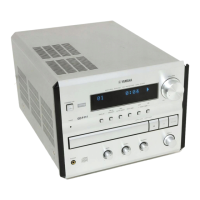
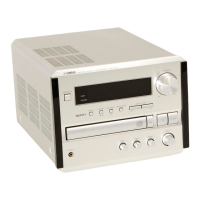
Yamaha CRX-B370D - User Manual

Yamaha CRX-B370D
112 pages
Print Icon
To Next Page IconTo Next Page
Loading...
CD Receiver
Ampli-Tuner CD
Manual de instrucciones
ES
Owners Manual
Mode d’emploi
EN
FR
CRX-B370
CRX-B370D
English
Français
Español

Table of Contents

Questions and Answers

  • J
    jasonjohnstonSep 12, 2025
    Why can't I connect my device to the Yamaha Car Receiver via Bluetooth?
    • M
      Melissa JacksonSep 13, 2025
      If you're having trouble connecting to a Bluetooth device, first verify that Bluetooth is enabled in the unit's settings. Ensure the unit isn't already connected to another Bluetooth device and that your device supports A2DP. Move the Bluetooth device closer to the unit, and ensure that devices operating on the 2.4 GHz band aren't interfering. Also, confirm that the passkey for your Bluetooth device is “0000”.
  • S
    Susan RobinsonAug 25, 2025
    Why is there noise coming from my Yamaha Car Receiver?
    • T
      Tammy SmithAug 25, 2025
      If you're hearing noise from your Yamaha Car Receiver, it could be due to a couple of things: * The unit might be too close to digital or radio-frequency equipment. Try moving it away from such devices. * The audio cable connecting the unit and the external device could be defective. Ensure the connection is firm, and if the problem continues, try using a different cable.
  • K
    Katelyn JensenAug 25, 2025
    Why is FM stereo reception noisy on my Yamaha CRX-B370D Car Receiver?
    • M
      Melissa HendricksAug 26, 2025
      If the FM stereo reception on your Yamaha Car Receiver is noisy, ensure the antenna is properly connected and try changing its position.
  • A
    Angela BruceSep 23, 2025
    What does 'USB Error' mean on my Yamaha Car Receiver?
    • O
      oortizSep 23, 2025
      If you see 'USB Error', check if the format of the files you are trying to play is supported by the unit.
  • C
    Catherine RussellSep 13, 2025
    Why is the FM stereo reception noisy on my Yamaha Car Receiver?
    • D
      Daniel DurhamSep 13, 2025
      If the FM stereo reception on your Yamaha Car Receiver is noisy, ensure the antenna is connected properly and try repositioning it. If the radio station is far away or the antenna input is poor, consider using a commercially available outdoor antenna.
  • S
    Sara TaylorSep 23, 2025
    What does 'Overcurrent' mean on my Yamaha Car Receiver?
    • B
      Brandon PollardSep 23, 2025
      If you see 'Overcurrent', the connected USB memory device is not supported. Disconnect the USB memory device, turn off the unit, and turn it on again. If this does not solve the problem, the USB memory device is not playable on the unit.
  • M
    Mary GallagherSep 6, 2025
    Why can't I view folders and files in the USB memory device on my Yamaha CRX-B370D Car Receiver?
    • J
      John OconnorSep 6, 2025
      If you can't view folders and files on the USB memory device connected to your Yamaha Car Receiver, the data in the USB memory device may be protected by encryption. Use a USB memory device without an encryption function.
  • T
    Tracy JonesSep 7, 2025
    Why can't I select a preset radio station on my Yamaha CRX-B370D Car Receiver?
    • J
      James BrownSep 7, 2025
      If you cannot select a preset radio station on your Yamaha Car Receiver, the preset (memory) may have been erased. Preset the radio stations again.
  • C
    cameron40Sep 23, 2025
    What does 'Unknown' mean on my Yamaha Car Receiver display?
    • F
      Frank KnappSep 23, 2025
      If you see 'Unknown', turn off the unit and reconnect your USB memory device. If the problem persists, try another USB memory device.
  • C
    Courtney SmithAug 30, 2025
    What to do if my Yamaha CRX-B370D remote control is not working?
    • S
      Shannon BurnettAug 31, 2025
      If your Yamaha Car Receiver's remote control isn't working, there might be a few reasons: * You may be outside of the remote's operational range, so move closer. * Direct sunlight or strong lighting could be interfering with the sensor. Try changing the unit's or lighting's orientation. * The batteries might be dead. Replace them with new ones. * There could be obstacles blocking the signal between the remote and the unit. Remove any obstructions.

Summary

Important Safety Instructions

Regulatory Information

Laser Safety

Precautions and warnings related to the laser component to prevent eye injury.

Precautions and Warnings

Laser Safety Precautions

Details on laser safety, risk of eye injury, and handling.

Power Cord Safety

Precautions regarding the power cord and its connection to the unit.

Unit Handling and Environment

Warnings against disassembly, and precautions for water and fire hazards.

Operational Guidelines

Unit Operation Safety

Precautions for wireless function and actions for unit abnormalities.

Installation and Hearing Safety

Guidelines for installation, power cord handling, and hearing protection.

Handling and Care

Component Identification

Remote Control Functions

Identifies and describes the functions of the remote control buttons.

Setup and Connections

Connecting Speakers

Instructions for connecting speakers and subwoofer to the unit.

Connecting the Antenna

Steps for connecting the FM/DAB antenna for optimal reception.

Listening to Music

Playing Music from USB Devices

How to play music files from a USB memory device.

Bluetooth Music Playback

Guide to connecting and playing music wirelessly via Bluetooth.

Advanced Playback Features

Troubleshooting Common Issues

General Problems and Solutions

Common problems and solutions for unit operation.

Bluetooth Troubleshooting

Troubleshooting issues related to Bluetooth connection and playback.

DAB Reception Problems

Troubleshooting DAB reception issues.

FM Reception Problems

Troubleshooting common problems with FM reception.

Supported Media and Formats

Technical Specifications

Yamaha CRX-B370D Specifications

General IconGeneral
TypeCar Receiver
TunerFM/AM
BluetoothYes
USB PortYes
Channels2
AUX InputYes
CD PlayerYes
Display TypeLCD
Remote ControlYes
Audio Formats SupportedMP3, WMA, AAC
Max Power Output50W x 4

Related product manuals