EasyManua.ls Logo

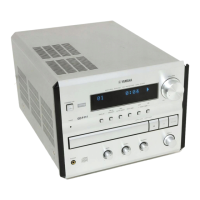
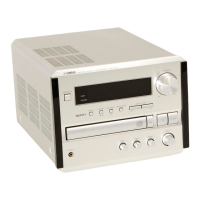
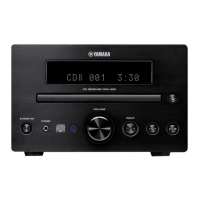
Yamaha CRX-E300 - Service Manual

Yamaha CRX-E300
86 pages
Print Icon
To Next Page IconTo Next Page
Loading...
100805
P.O.Box 1, Hamamatsu, Japan
CONTENTS
TO SERVICE PERSONNEL .......................................... 2
PREVENTION OF ELECTRO STATIC DISCHARGE ...
3~4
FRONT PANELS ............................................................ 4
REAR PANELS .......................................................... 5~6
SPECIFICATIONS...................................................... 6~7
INTERNAL VIEW ........................................................... 7
DISASSEMBLY PROCEDURES/分解手順 ........... 8~10
CD MECHANISM UNIT OPERATION CHECK/
CDメカユニット動作チェック ..................................... 11
TEST MODE/テストモード .................................. 12~15
CD TEST MODE/CDテストモード ...................... 16~17
CD STANDARD OPERATION CHART/
CD基本動作チャート .............................................. 18~21
CD ERROR MESSAGE/CDエラーメッセージ .... 22~25
AMP ADJUSTMENTS/アンプ調整 ...................... 26~27
IC DATA ................................................................. 28~37
DISPLAY DATA ........................................................... 38
BLOCK DIAGRAM ................................................. 39~40
PRINTED CIRCUIT BOARD .................................. 41~46
SCHEMATIC DIAGRAM ........................................ 47~50
REMOTE CONTROL.................................................... 51
PARTS LIST ........................................................... 52~68
SYSTEM CONTROL .............................................. 69~83
NX-E300 ....................................................................... 84
Parts List for Carbon Resistors ................................ 85
IMPORTANT NOTICE
This manual has been provided for the use of authorized YAMAHA Retailers and their service personnel.
It has been assumed that basic service procedures inherent to the industry, and more specifically YAMAHA Products, are already
known and understood by the users, and have therefore not been restated.
WARNING: Failure to follow appropriate service and safety procedures when servicing this product may result in personal
injury, destruction of expensive components, and failure of the product to perform as specified. For these reasons,
we advise all YAMAHA product owners that any service required should be performed by an authorized
YAMAHA Retailer or the appointed service representative.
IMPORTANT: The presentation or sale of this manual to any individual or firm does not constitute authorization, certification or
recognition of any applicable technical capabilities, or establish a principle-agent relationship of any form.
The data provided is believed to be accurate and applicable to the unit(s) indicated on the cover. The research, engineering, and
service departments of YAMAHA are continually striving to improve YAMAHA products. Modifications are, therefore, inevitable
and specifications are subject to change without notice or obligation to retrofit. Should any discrepancy appear to exist, please
contact the distributor's Service Division.
WARNING: Static discharges can destroy expensive components. Discharge any static electricity your body may have
accumulated by grounding yourself to the ground buss in the unit (heavy gauge black wires connect to this buss).
IMPORTANT: Turn the unit OFF during disassembly and part replacement. Recheck all work before you apply power to the unit.
SERVICE MANUAL
MINI COMPONENT SYSTEM
CRX-E300/NX-E300
CRX-E300
w
w
w
.
x
i
a
o
y
u
1
6
3
.
c
o
m
Q
Q
3
7
6
3
1
5
1
5
0
9
9
2
8
9
4
2
9
8
T
E
L
1
3
9
4
2
2
9
6
5
1
3
9
9
2
8
9
4
2
9
8
0
5
1
5
1
3
6
7
3
Q
Q
TEL 13942296513 QQ 376315150 892498299
http://www.xiaoyu163.com

Other manuals for Yamaha CRX-E300

Question and Answer IconNeed help?

Do you have a question about the Yamaha CRX-E300 and is the answer not in the manual?

Summary

Important Safety and Service Notices

Warning: Fire and Electric Shock Risk

Warns about risks from improper servicing, emphasizing authorized service.

Service Personnel Guidelines

Warning: Laser Safety Precautions

Outlines essential safety measures when servicing the laser component.

Electrostatic Discharge (ESD) Prevention

ESD Prevention Techniques

Lists 8 specific techniques to reduce component damage from static discharge.

Specifications

Disassembly Procedures

Removal of Top Cover

Step-by-step instructions for removing the top cover, including screw locations.

Removal of Front Panel Unit

Details how to disconnect cables and remove the front panel unit.

Disassembly Procedures (Continued)

Removal of MAIN (1) P.C.B.

Step-by-step instructions for disconnecting cables and removing the main PCB.

Removal of Pick-up Head

Step-by-step guide to remove the pick-up head, drive unit, and sled shaft.

Removal of CD Mechanism Unit

Outlines the process for removing the CD mechanism unit, including frame and PCB.

Removal of Tray Unit

Details the steps to remove the tray unit, chucking unit, and stopper pin.

CD Mechanism Unit Operation Check

Preparation Steps

Lists initial steps like disconnecting power and removing covers/units.

Connection and Testing Procedure

Details connecting PCBs with extension cables and performing the operation check.

Test Mode Procedures

Entering Test Mode

Explains how to activate test mode by pressing specific keys.

Test Mode Function Descriptions

Describes the functions available in test mode and their display indications.

Test Mode Details

Test Mode Data and Tuner Presets

Test Mode RAM Clear Caution

RAM Clear Caution

Warns to write down tuner presets before RAM CLEAR, as user presets will be erased.

CD Test Mode Operations

Entering CD Test Mode

Explains how to enter CD test mode using panel keys.

Test Command Functions

Lists and describes the functions corresponding to test command numbers.

CD Test Mode Commands

Test Command List

Provides a comprehensive list of test commands and their descriptions.

CD Standard Operation Flow

CD Standard Operation Flow (Continued)

CD Error Messages

Error Messages List

A table listing error numbers, status, and contents of CD errors.

Error Code Troubleshooting (X0, X1, 73)

Troubleshooting guide for errors related to data reading failures.

Error Code Troubleshooting (X7)

Troubleshooting guide for feed operation errors.

Error Code Troubleshooting (X8)

Troubleshooting guide for focus drop errors.

Error Codes AC, AD Troubleshooting

Troubleshooting guide for tray loading operation errors.

CD Error Message Troubleshooting

Error Message List Summary

Summarizes error messages and their corresponding fault locations.

Troubleshooting Data Read Errors (X0, X1, 73)

Guide for diagnosing issues when data cannot be read.

Troubleshooting Feed Operation Errors (X7)

Guide for diagnosing feed operation failures.

Troubleshooting Focus Drop Errors (X8)

Guide for diagnosing focus drop issues.

Troubleshooting Tray Loading Errors (AC, AD)

Guide for diagnosing tray loading malfunctions.

Troubleshooting System Malfunctions

Tray Fails to Come Out;Go In

Diagnoses and solutions for tray mechanism issues.

No Sound;Sound Cut During Play

Troubleshooting steps for audio output problems.

Operates as if No Disc Loaded

Diagnoses for cases where the unit acts like no disc is present.

Sound Skips (Time Display Fails)

Troubleshooting for audio skipping or time display issues.

No Search Provided (Sound Skipped After Search)

Diagnosing issues where search function fails or causes sound skips.

Troubleshooting System Malfunctions (Continued)

Tray Fails to Come Out;Go In Diagnosis

Flowchart for diagnosing tray mechanism failures.

Tray Fails to Close Completely Diagnosis

Troubleshooting guide for tray stopping midway.

No Sound;Sound Cut Diagnosis

Flowchart for diagnosing audio output issues.

Sound Skips Diagnosis

Flowchart for diagnosing sound skipping problems.

Search Failure Diagnosis

Flowchart for diagnosing search function failures.

Amplifier Adjustments

Confirmation of Idling Current

Details the procedure for measuring and confirming the idling current.

Amplifier Adjustments (Continued)

Idling Current Check and Adjustment

Explains how to check idling current and cut wires for adjustment if needed.

Block Diagram (Part 1)

Block Diagram (Part 2)

Schematic Diagram: Input Section

Schematic Diagram: Operation Section

Schematic Diagram: CD Section

Schematic Diagram: Main Power Supply and Amplifier

Remote Control Schematic and Operations

Electrical Parts List

Parts List: P.C.B. INPUT (Part 1)

Parts List: P.C.B. INPUT (Part 2)

Parts List: P.C.B. INPUT & P.C.B. OPERATION (Part 1)

Parts List: P.C.B. OPERATION & P.C.B. CD (Part 1)

Parts List: P.C.B. CD (Part 1)

Parts List: P.C.B. CD & P.C.B. MAIN (Part 1)

Parts List: P.C.B. MAIN (Part 1)

Parts List: P.C.B. MAIN (Part 2)

Parts List: P.C.B. MAIN (Part 3)

Parts List: P.C.B. MAIN (Part 4) and Operation PCB Notes

Parts List: Chip Resistors

Mechanical Parts List

Exploded View: CD Mechanism Unit

Mechanical Parts List: CD Mechanism Unit

Mechanical Parts List: Drive Unit

System Control Features

System Control Operation Details

Main System Operation: Power ON;OFF

Describes power ON/OFF processing for CRX and other units.

System Control Advanced Features

System Control Power Processing

Power ON Processing (CRX)

Details the power ON sequence initiated by the CRX.

Power ON Processing (Except CRX)

Explains power ON sequence when other units initiate it.

Power OFF Processing (CRX)

Describes the power OFF sequence managed by the CRX.

System Control Power Processing (Continued)

System Control Function and Auto Operations

System Control Function Switching Logic

Power OFF Processing (Except CRX)

Details power OFF sequence initiated by units other than CRX.

System Control Timer Operations

Timer Play Operation

Details the operation sequence for timer play functions.

Timer Recording Operation

Explains the operation sequence for timer recording functions.

System Control Timer Operations (Continued)

Timer Play Logic

Details the logic for timer play, including unit connection status.

Timer Recording Logic

Explains the logic for timer recording, including simultaneous recording.

System Control Bus Data Table

Bus Data Table: Secondary Connection and Power Commands

Table detailing bus data codes for connection status and power commands.

Bus Data Table: Timer and Function Commands

Table detailing bus data codes for timer and function commands.

Bus Data Table: Playback, Dimmer, and Edit Commands

Table for bus data codes related to playback, dimmer, and edit functions.

Bus Data Table: CD and Text Data Commands

Table for bus data codes related to CD and text data operations.

System Control Bus Data Table (Continued)

Bus Data Table: Secondary Connection and Power Commands (Continued)

Continues the table for bus data codes related to connection and power.

Bus Data Table: Timer and Function Commands (Continued)

Continues the table for bus data codes related to timer and function commands.

Bus Data Table: Playback, Dimmer, and Edit Commands (Continued)

Continues the table for bus data codes related to playback, dimmer, and edit functions.

Bus Data Table: CD and Text Data Commands (Continued)

Continues the table for bus data codes related to CD and text data operations.

Remote Control CD Functions

Remote Control CD, MD, TAPE Functions

Operation Switch Reception During Recording

Operation Switch Reception During Recording (Continued)

Yamaha CRX-E300 Specifications

General IconGeneral
CD PlayerYes
BluetoothNo
Display TypeLCD
EqualizerYes
AUX InputYes
Tuner TypeAM/FM
Audio Formats SupportedMP3, WMA

Related product manuals