EasyManua.ls Logo

Yamaha DD-5 - Page 13

Yamaha DD-5
24 pages
Print Icon
To Next Page IconTo Next Page
To Previous Page IconTo Previous Page
Loading...
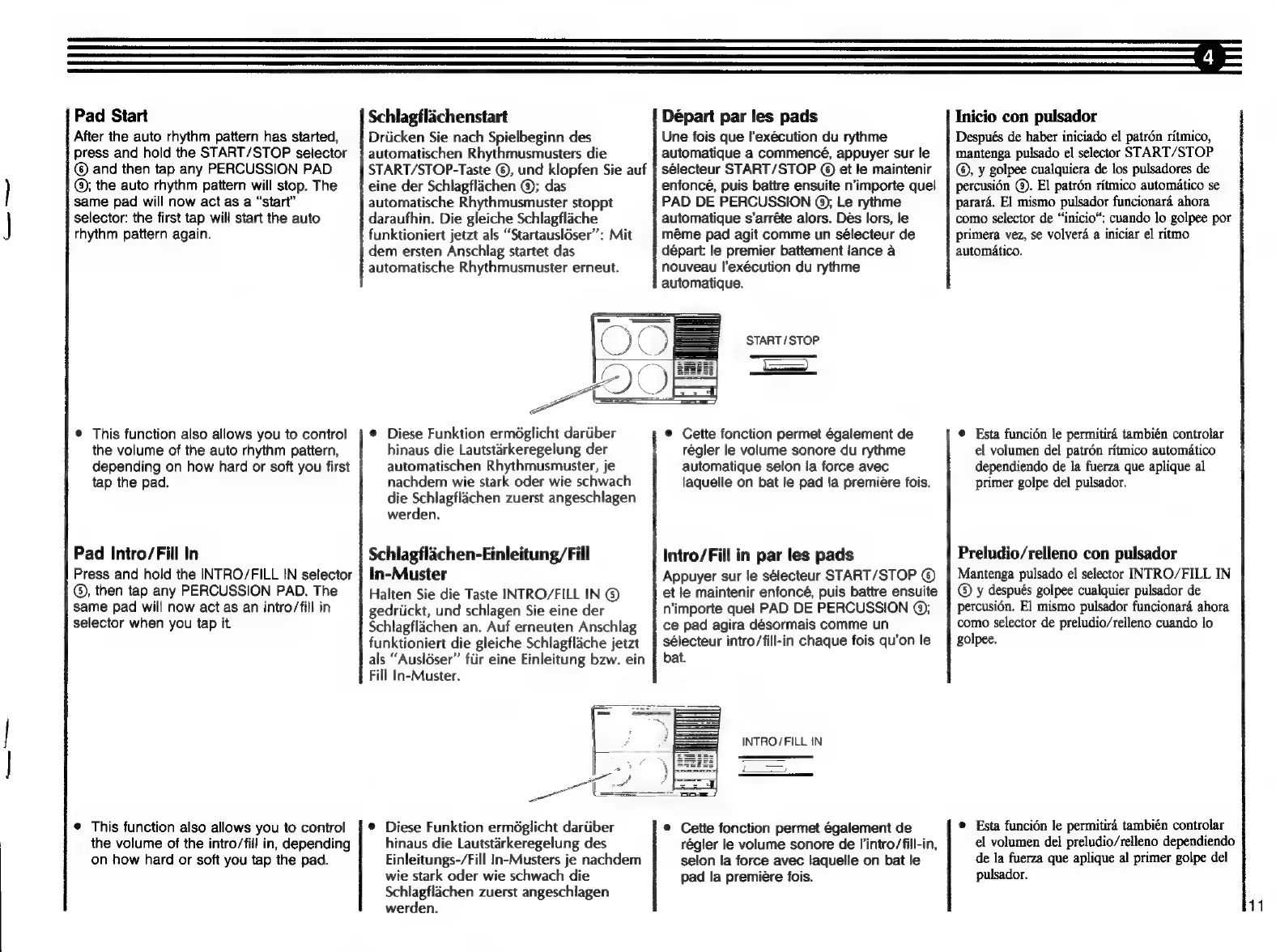
Pad
Start
After
the
auto
rhythm
pattern
has
started,
press
and
hold
the
START/STOP
selector
©
and
then
tap
any
PERCUSSION
PAD
]
@;
the
auto
rhythm
pattern
will
stop.
The
same
pad
will
now
act
as
a
"start"
]
selector:
the
first
tap
will
start
the
auto
rhythm
pattern
again.
*
This
function
also
allows
you
to
control
the
volume
of
the
auto
rhythm
pattern,
depending
on
how
hard
or
soft
you
first
tap
the
pad.
Pad
Intro/Fill
In
Press
and
hold
the
INTRO/FILL
IN
selector
(9),
then
tap
any
PERCUSSION
PAD.
The
same
pad
will
now
act
as
an
intro/fill
in
selector
when
you
tap
it
*
This
function
also
allows
you
to
control
the
volume
of
the
intro/fill
in,
depending
on
how
hard
or
soft
you
tap
the
pad.
Départ
par
les
pads
Une
fois
que
l'exécution
du
rythme
automatique
a
commencé,
appuyer
sur
le
sélecteur
START/STOP
©
et
le
maintenir
Schlagflachenstart
Drücken
Sie
nach
Spielbeginn
des
automatischen
Rhythmusmusters
die
START/STOP-Taste
©,
und
klopfen
Sie
auf
eine
der
Schlagflachen
O);
das
automatische
Rhythmusmuster
stoppt
daraufhin.
Die
gleiche
Schlagfláche
funktioniert
jetzt
als
"Startauslóser":
Mit
dem
ersten
Anschlag
startet
das
automatische
Rhythmusmuster
erneut.
PAD
DE
PERCUSSION
@)
Le
rythme
automatique
s'arréte
alors.
Des
lors,
le
méme
pad
agit
comme
un
sélecteur
de
départ:
le
premier
battement
lance
à
nouveau
l'exécution
du
rythme
automatique.
enfoncé,
puis
battre
ensuite
n'importe
quel
е
Diese
Funktion
ermöglicht
darüber
hinaus
die
Lautstárkeregelung
der
automatischen
Rhythmusmuster,
je
nachdem
wie
stark
oder
wie
schwach
die
Schlagfláchen
zuerst
angeschlagen
werden.
Schlagfláchen-Einleitung/Fill
In-Muster
Halten
Sie
die
Taste
INTRO/FILL
IN
©
gedrückt,
und
schlagen
Sie
eine
der
Schlagfláchen
an.
Auf
erneuten
Anschlag
funktioniert
die
gleiche
Schlagfláche
jetzt
als
“Auslöser”
für
eine
Einleitung
bzw.
ein
Fill
In-Muster.
е
Diese
Funktion
ermöglicht
darüber
hinaus
die
Lautstárkeregelung
des
Einleitungs-/Fill
In-Musters
je
nachdem
wie
stark
oder
wie
schwach
die
Schlagfláchen
zuerst
angeschlagen
werden.
START/STOP
¡=>
*
Cette
fonction
permet
également
de
régler
le
volume
sonore
du
rythme
automatique
selon
la
force
avec
laquelle
on
bat
le
pad
la
premiere
fois.
Intro/Fill
in
par
les
pads
Appuyer
sur
le
sélecteur
START/STOP
($)
et
le
maintenir
enfoncé,
puis
battre
ensuite
n'importe
quel
PAD
DE
PERCUSSION
©;
ce
pad
agira
désormais
comme
un
sélecteur
intro/fill-in
chaque
fois
qu'on
le
bat.
INTRO/FILL
IN
*
Cette
fonction
permet
également
de
régler
le
volume
sonore
de
l'intro/fill-in,
selon
la
force
avec
laquelle
on
bat
le
pad
la
première
fois.
Inicio
con
pulsador
Después
de
haber
iniciado
el
patrón
rítmico,
mantenga
pulsado
el
selector
START/STOP
©,
y
golpee
cualquiera
de
los
pulsadores
de
percusión
(9).
El
patrón
rítmico
automático
se
parará.
El
mismo
pulsador
funcionará
ahora
como
selector
de
"inicio:
cuando
lo
golpee
рог
primera
vez,
se
volverá
a
iniciar
el
ritmo
automático,
e
Esta
función
le
permitirá
también
controlar
el
volumen
del
patrón
rítmico
automático
dependiendo
de
la
fuerza
que
aplique
al
primer
golpe
del
pulsador,
Preludio/relleno
con
pulsador
Mantenga
pulsado
el
selector
INTRO/FILL
IN
(9
y
después
golpee
cualquier
pulsador
de
percusión.
El
mismo
pulsador
funcionará
ahora
como
selector
de
preludio/relleno
cuando
lo
golpee.
e
Esta
función
le
permitirá
también
controlar
el
volumen
del
preludio/relleno
dependiendo
de
la
fuerza
que
aplique
al
primer
golpe
del
pulsador.
11