10
2. Electric Unit Section
・Preparation
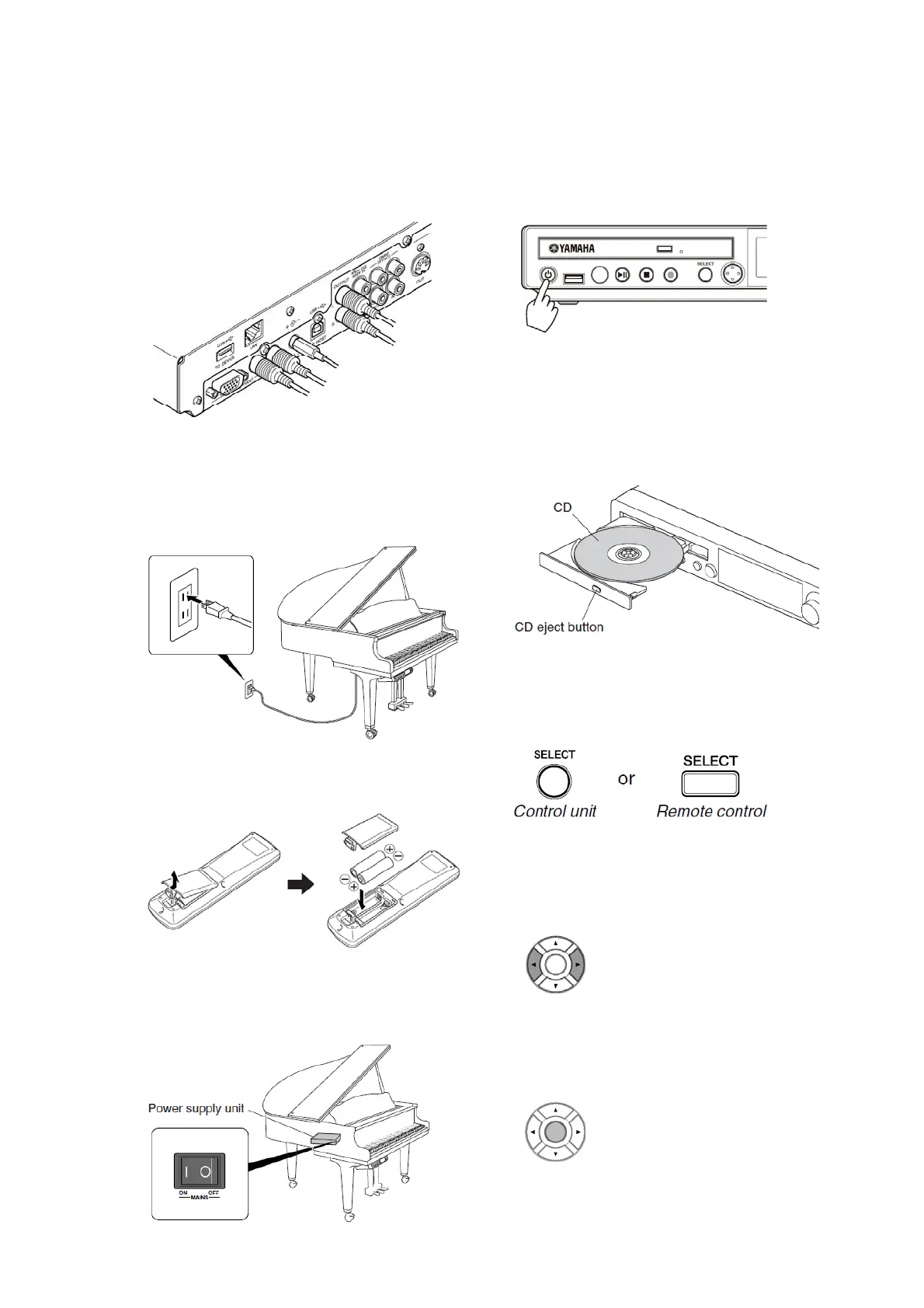
Check cable connections on the rear of
the control unit.
Check connections between AC cable
and the AC outlet.
Make sure that batteries are installed
in the remote control.
Switch on the main power on the
power supply unit.
・Turn the power on
Turn on the power switch on the
control unit.
Play the supplied CD
Open the CD drive by pressing the CD
eject button.
Place the CD in the tray then close the
tray by hand.
Press the [SELECT] button on the
remote control.
Select “CD” with the cursor button on
the remote control.
Press the [ENTER] button on the
remote control.
Press the [ENTER] button.
12







 To Next Page