EasyManua.ls Logo

Yamaha Disklavier E3 Series - Service Center Mode; Entering Service Center Mode; Piano Information Menu; Test Play Menu Options

Yamaha Disklavier E3 Series
52 pages
Print Icon
To Next Page IconTo Next Page
To Previous Page IconTo Previous Page
Loading...
21
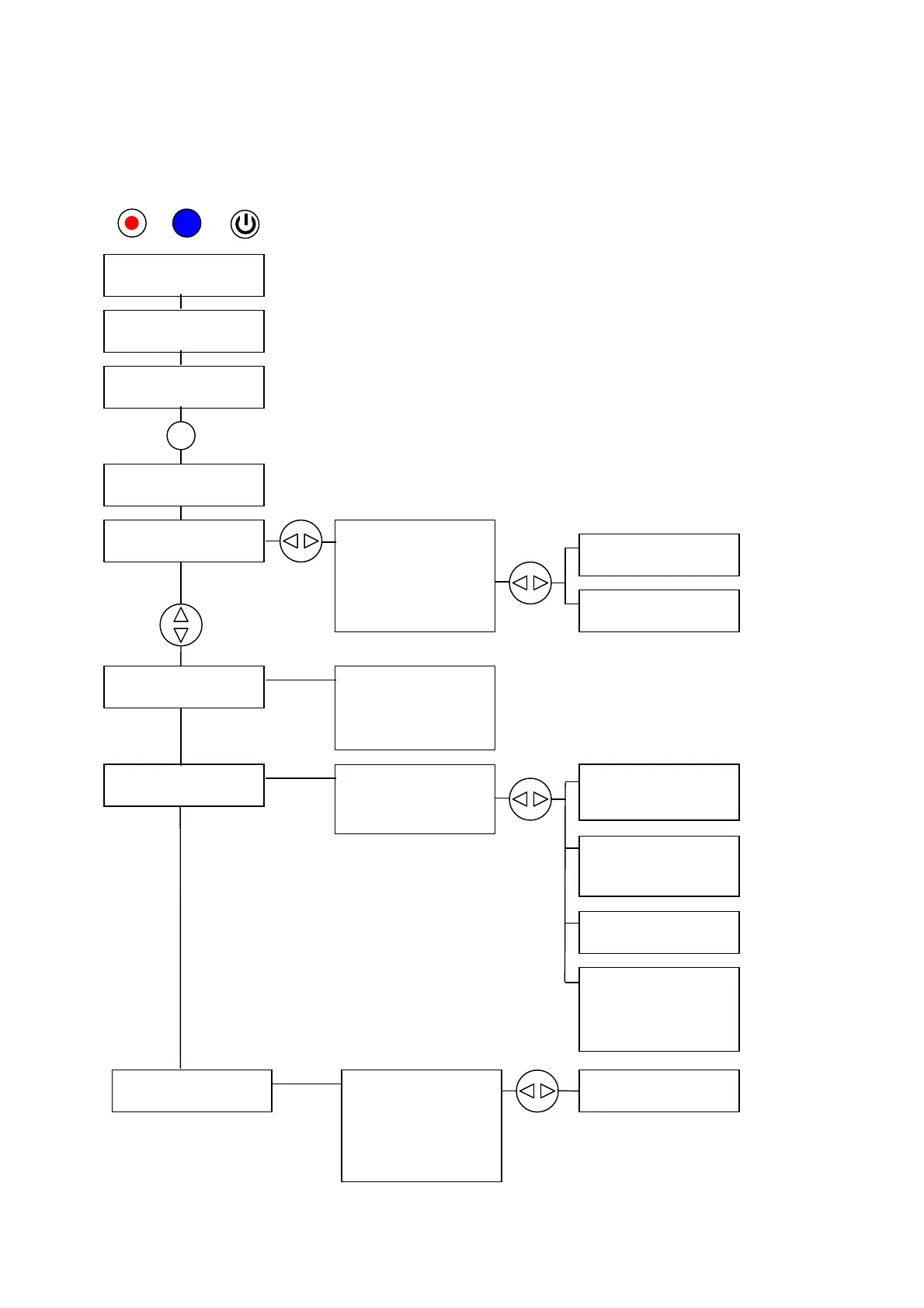
Piano Service Center
PLEASE WAIT
* *
PLEASE WAIT
Piano Service Center
CSP-E3 Ver2.02
UP HS S (ENT)
1.Piano Information
2.Test Play
3.Piano Calibration ↓
1.Piano Information
2.Test Play
3.Piano Calibration
1.Piano Information
2.Test Play
3.Piano Calibration
3-1.Calibration – Std
3-2.Pedal HP Adjust
3-3.Calibration – Full
3-4.Key ppp Adjust
3-5.Calibration - Extra
1-1.System Connection
1-2.Program Versions
1-3.Model Setting
1-4.Key Drive Info
1-5.Pedal Info
1-6.Piano Odometer
1-7.Log View
1-8.Clear History
2-1.ppp scale
2-2.repetition scale
2-3.pedal on/off
2-4.pedal half
2-5.pedal 5Hz
2-6.pedal half check
2.Test Play
3.Piano Calibration
4.Piano Test
4-1.Key Sensor AD Test
4-2.Hmr Sensor Test
4-3.KS Connection Check
4-4.Key Brightness Chk
4-5.Pedal AD Test
4-6.Calibration Check
4-7.CSP RAM test
4-8.CSP FLASH test
*: Program has sub-menu
REC & SELECT + POWER
7.Service Center Mode Menu
1-7-1.All Errors
1-7-2.All Warnings
1-7-3.Copy Log to USB
1-8-1.Clear Odometer
1-8-2.Clear Log
1-8-3.Clear All Data
3-1-1.Cal Std in Series
3-1-2.SensorCalibration
3-1-3.Pedal Calibration
3-1-4.Key Drive Std
3-5-1.Sensor Manual
3-5-2.Key Drive(OneKey)
3-5-4.Key Drive ON
3-5-5.Key Drive OFF
3-5-7.Key Drive L-ON
3-5-8.Key Drive S-ON
3-4-1.Start ppp Adjust
3-4-2.CLEAR offset data
4-6-1.Sensor Data
4-6-2.Key Drive Data
4-6-3.Pedal Data
ENT
3-3-1.Cal Ful in Series
3-3-2.SensorCalibration
3-3-3.Pedal Calibration
3-3-4.Key Drive Ful
34

Related product manuals