13
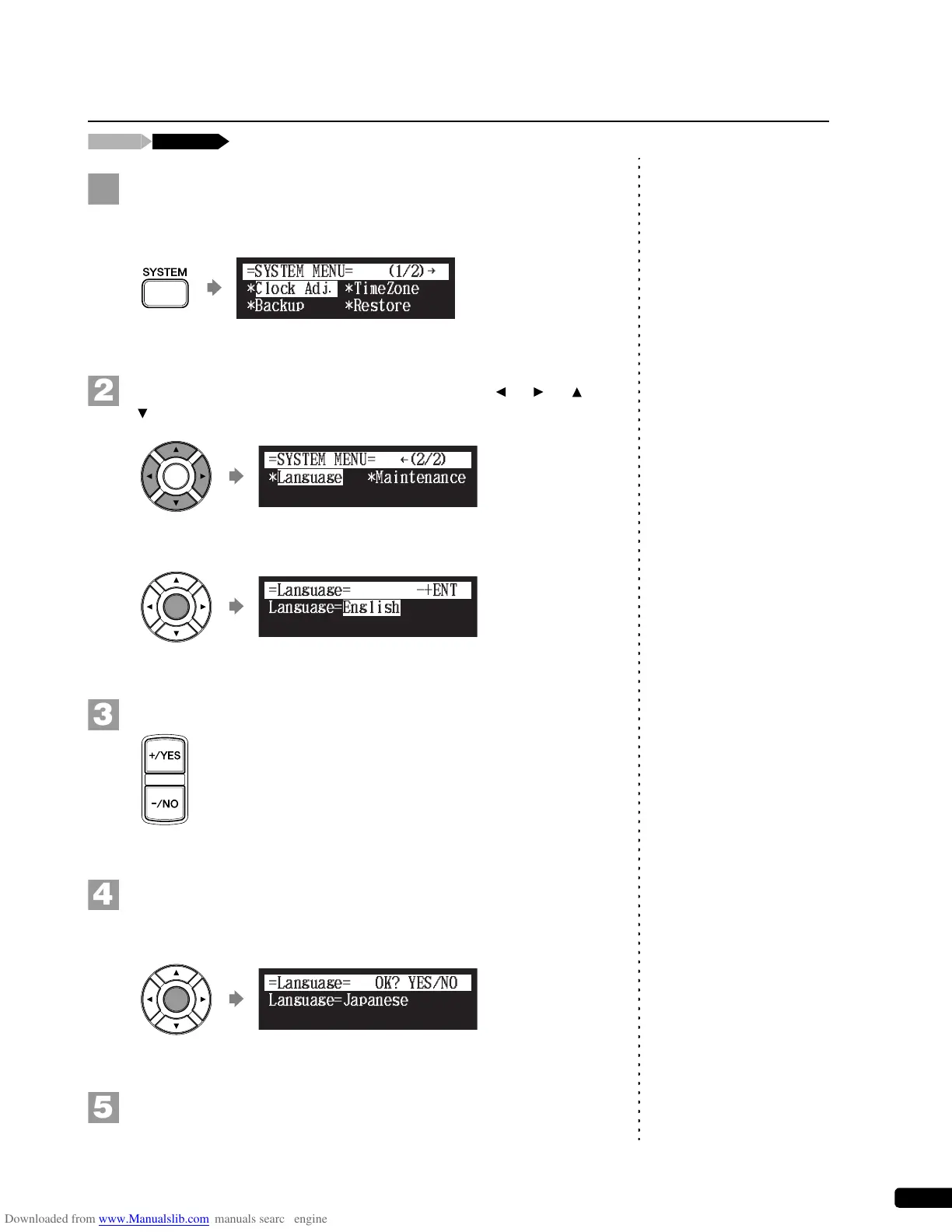
Press [SYSTEM] on the remote control.
The system menu screen appears.
Select “Language” with the cursor buttons ([ ] [ ] [ ]
[ ]), then press [ENTER].
The language setting screen appears.
Press [+/YES] and [–/NO] to select the language.
Press [ENTER].
“OK?” flashes in the first line of the screen.
Press [+/YES] to set the language, and return to the system
menu screen.
Switching the Languages for the Screen
!"#$%
{
}
Language=English
=Language=
-+ENT







 To Next Page