3
Important:
Be sure NOT to turn off the Disklavier
during the update.
First you need to update the Disklavier firmware using update program
(downloaded and saved from the website onto a USB flash memory, or
downloaded directly to the Disklavier via Internet).
Note:
For this operation you have to
download update program via Internet
in advance, and shut down the
Disklavier.
Note:
Be sure to make backups of the song
before updating.
Make sure that Disklavier is shut down.
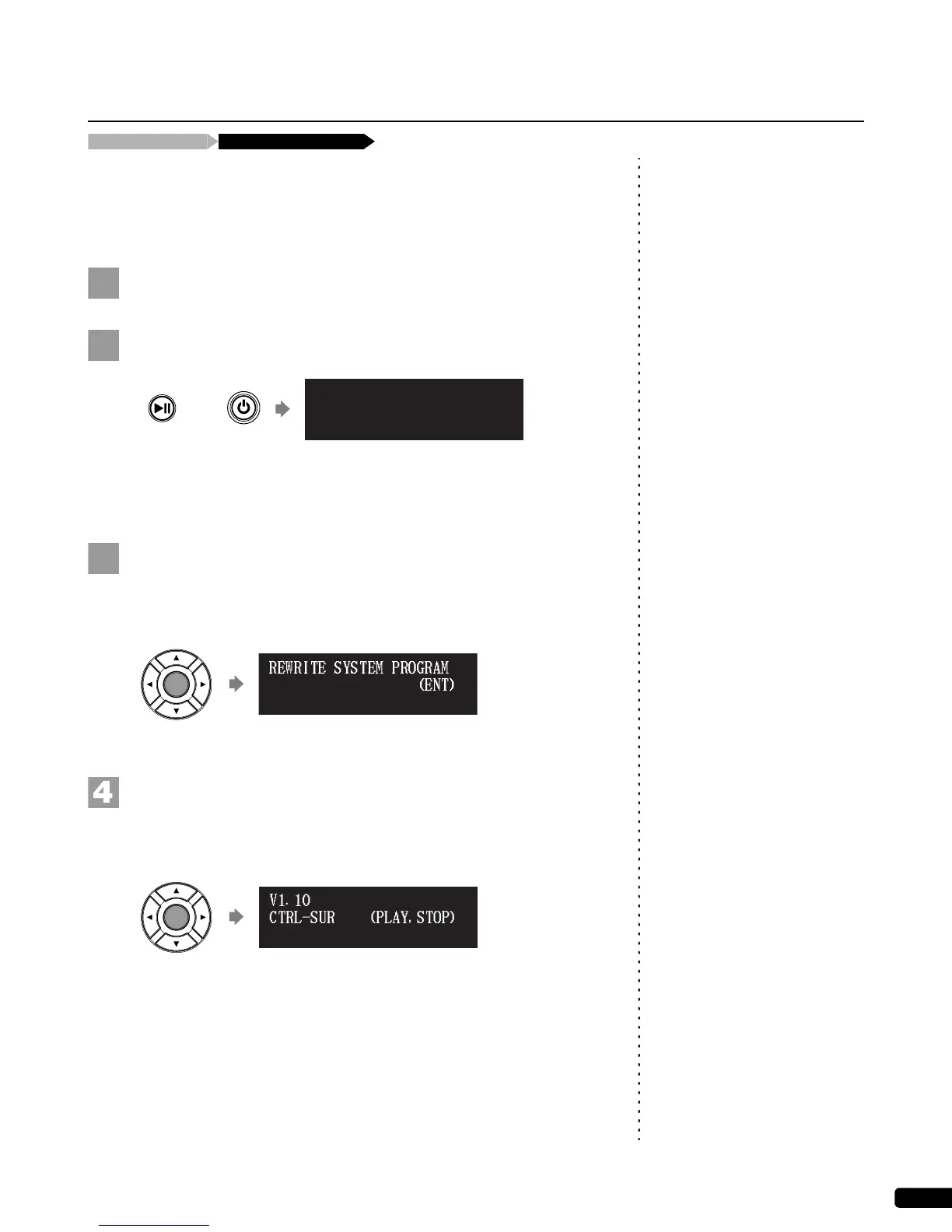
Holding [PLAY/PAUSE] on the control unit, press [ON/OFF].
The current version information of each module appears one after the
other.
Make sure that the update program is prepared, then press
[ENTER].
The starting screen appears.
Press [ENTER] again.
After a while, the update confirmation message of each module
appears.
Updating the Disklavier
Shut down the Disklavier [PLAY/PAUSE] and [ON/OFF]
CTRL system V1.10
(ENT)*UPDATE
V1.10
(PLAY,STOP)CTRL-SURE?
V2.10







 To Next Page