DM7 Console Owner’s Manual
11
5 [ENCODER MODE]
Use these keys to display the screen on the
corresponding Bay screen to switch between functions
for the encoders located below the touch screen. These
encoders feature the following two functions:
Screen Encoder function
Up to 12 parameters can be assigned to the encoders
via the touch screens.
Channel Encoder function
Parameters for 12 channels on the channel strips can be
assigned to the encoders.
6 Channel Strip sections
Enable you to adjust the main parameters for the
currently-selected channels.
7 [TOUCH AND TURN]
Control the parameter of the knob selected via the touch
screens.
8 [SHIFT]
Combine with another key to perform a certain function.
For more information, refer to the DM7 series Reference
Manual.
9 [USER DEFINED KEYS]
Enable you to control the assigned function. Use the
[BANK] to switch banks.
0 Main section
This section enables you to adjust main parameters for
the assigned channels. By default, STEREO A and
STEREO B are assigned to channel C and D
respectively.
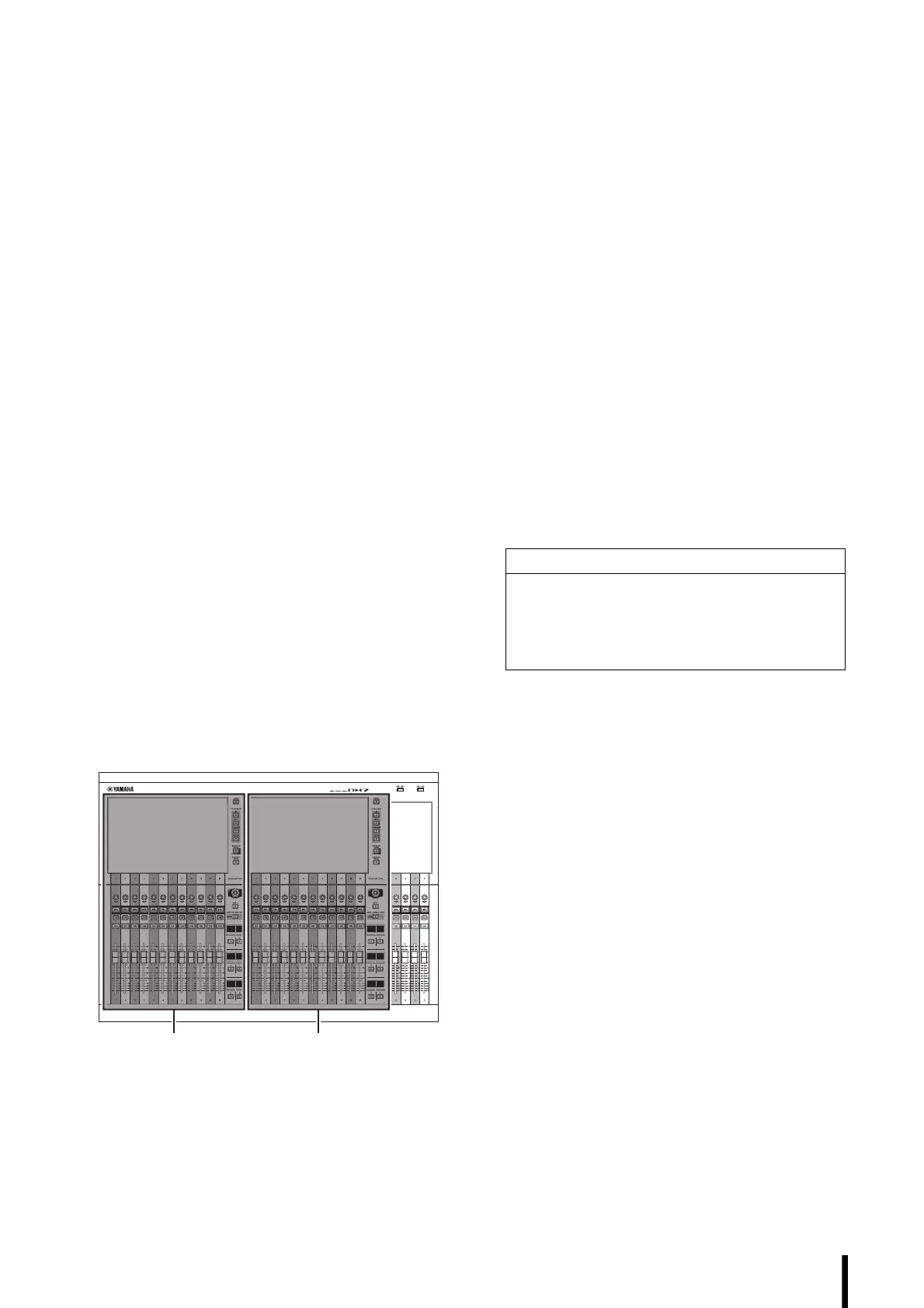
NOTE
The shaded areas in the following illustration are called
Bay L (DM7 only) and Bay C respectively.
A LED lighting bar
Illuminates the operation panel in a dark place. For
more information, refer to the DM7 series Reference
Manual.
B USB connectors
These are USB Type-A connectors.
Use these connectors to connect a USB storage device
such as a USB flash drive.
• Supported USB flash drive format
The FAT16/FAT32 formats are supported.
• Preventing accidental erasure
Some USB flash drives feature write protection that
prevents data from being erased inadvertently. If your
USB flash drive contains important data, we suggest
that you use write protection to prevent accidental
erasure.
On the other hand, you will need to make sure that your
USB flash drive’s write-protect setting is turned off
before you save data onto the flash drive.
For the latest information on what USB flash drives can
be used with the system, visit the Yamaha Pro Audio
website at:
https://www.yamahaproaudio.com/
NOTICE
Do not remove the USB flash drive from the USB
connector or turn off the power to the unit while the unit
is accessing data, e.g., saving, loading or deleting
data. Doing so may damage your flash drive, or may
damage the data in the unit or on your media device.



 To Next Page