DME Setup Manual 13
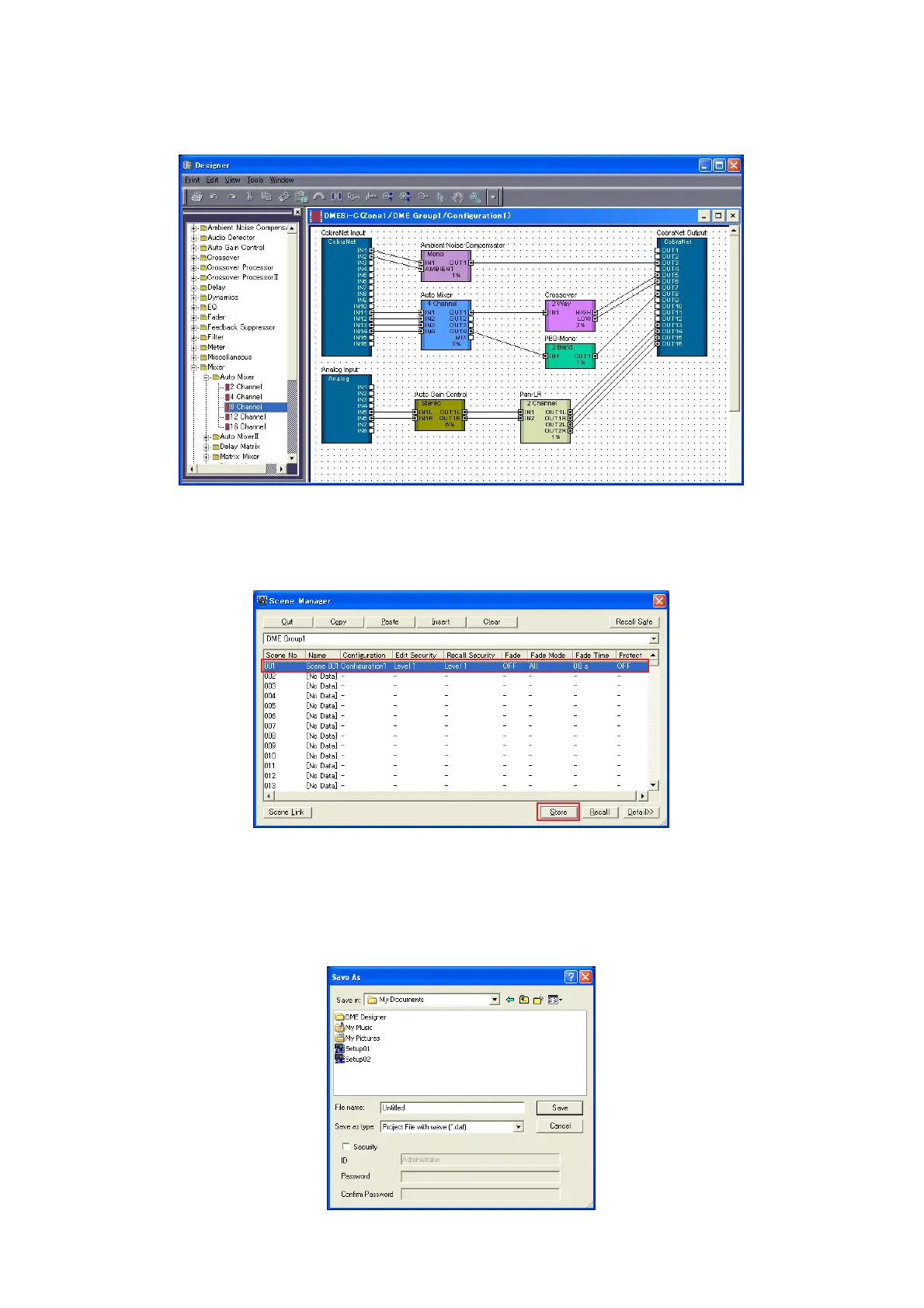
3 As necessary double-click placed DME object to open the DME configuration window.
Individual audio components can be placed and wired together as necessary to create “configurations” in the configuration
window. For this example you can leave the configuration empty. Refer to the DME Designer manual for detailed information
on creating configurations.
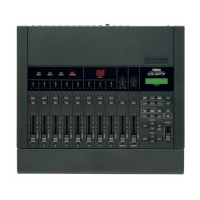
4 Select the [Scene Manager] item from the main panel window [Tools] menu to open the Scene Manager
dialog box.
The specified configuration parameter settings can be saved as a “scene” via the Scene Manager dialog box.
5 Select the row containing the scene you want to save, and click the [Store] button.
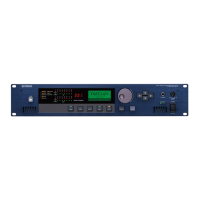
6 Configurations and other settings can be saved as project files (“.daf” extension) by selecting the [Save
As] command from the main panel window [File] menu.


 To Next Page