DME Setup Manual 15
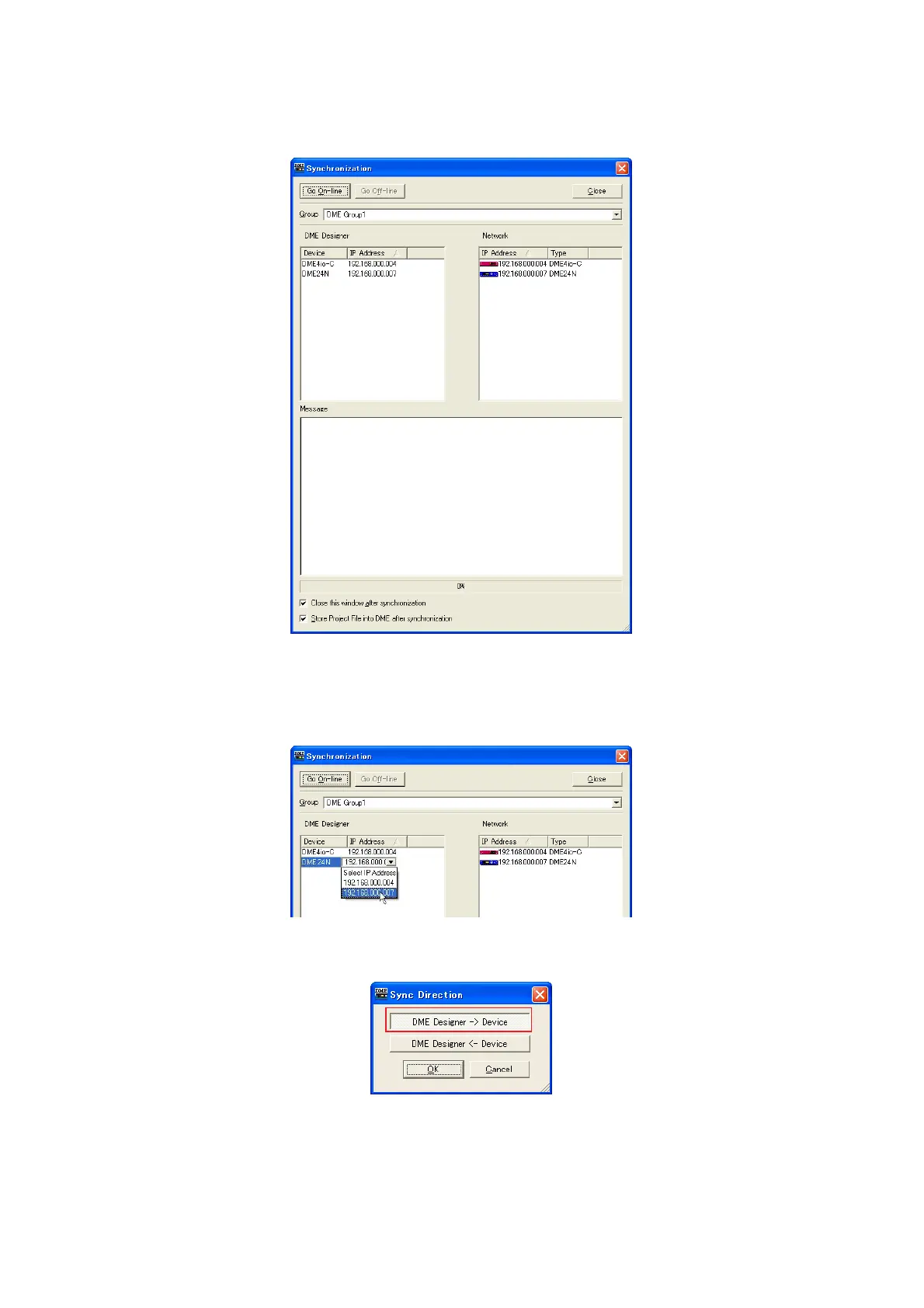
7 Click the [Synchronization] item in the main panel window [Tools] menu to open the Synchronization
dialog box.
DME objects placed in the DME Designer application will be displayed in the [DME Designer] list on the left, and DME
devices connected to the network will be displayed in the [Network] list on the right.
n If multiple Device Groups have been set up, select the Device Group to be synchronized from the [Group] list.
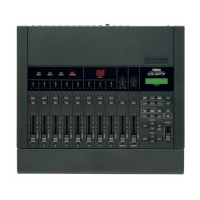
8 Click the [DME Designer] list [IP Address] field, and select the IP address corresponding to the DME
device.
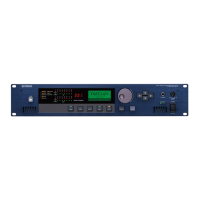
9 Click the [Go On-line] button, and a dialog box confirming the sync direction will appear.


 To Next Page