EasyManua.ls Logo

Yamaha DX21 - TEST 4: A;D and Footswitch Check

Yamaha DX21
29 pages
Print Icon
To Next Page IconTo Next Page
To Previous Page IconTo Previous Page
Loading...
DX21
TEST
4:
A/D
and
Footswitch
check
For
this
test
you
operate
the
controls
as
indicated
by
the
LCD
display.
Once
the
control
is
operated
throughout
its
range
LCD
display
will
indicate
the
next
control
that
to
be
checked.
If
a
control
or
controller
is
malfunctioning
then
the
test
will
not
advance
to
the
next
control.
It
should
also
be
noted
that
all
controls
and
controllers
must
be
checked
for
the
Test
Routine
continue
on
to
the
next
test.
This
test
checks
the
following
controls
and
controllers
listed
below:
1.
The
PITCH
BEND
control
2.
The
MOD.
WHEEL
control
3.
The
DATA
ENTRY
control
4.
The
FOOT
VOL.
controller
5.
The
BREATH
controller
6.
The
SUSTAIN
footswitch
7.
The
PORTAMENTO
footswitch
The
test
routine
automatically
increments
to
the
TEST
5,
once
all
checks
have
been
completed.
TEST
5:
Keyboard
check
Test
5
checks
the
keyboard
contacts.
The
LCD
dis¬
plays
the
keys
to
be
depressed
and
once
the
key
is
depressed
and
released
the
LCD
will
indicate
the
next
key
to
be
depressed.
No
error
message
occurs
when
a
key
contact
is
bad
or
a
key
is
depressed
in
error.
Once
all
key
contacts
have
been
verified
by
depressing
and
releasing
the
appropriate
keys,
the
Test
Routine
advances
to
TEST
6,
the
Panel
Switch
check.
TEST
6:
Panel
Switch
check
For
this
test,
press
the
switch
indicated
by
the
LCD
display.
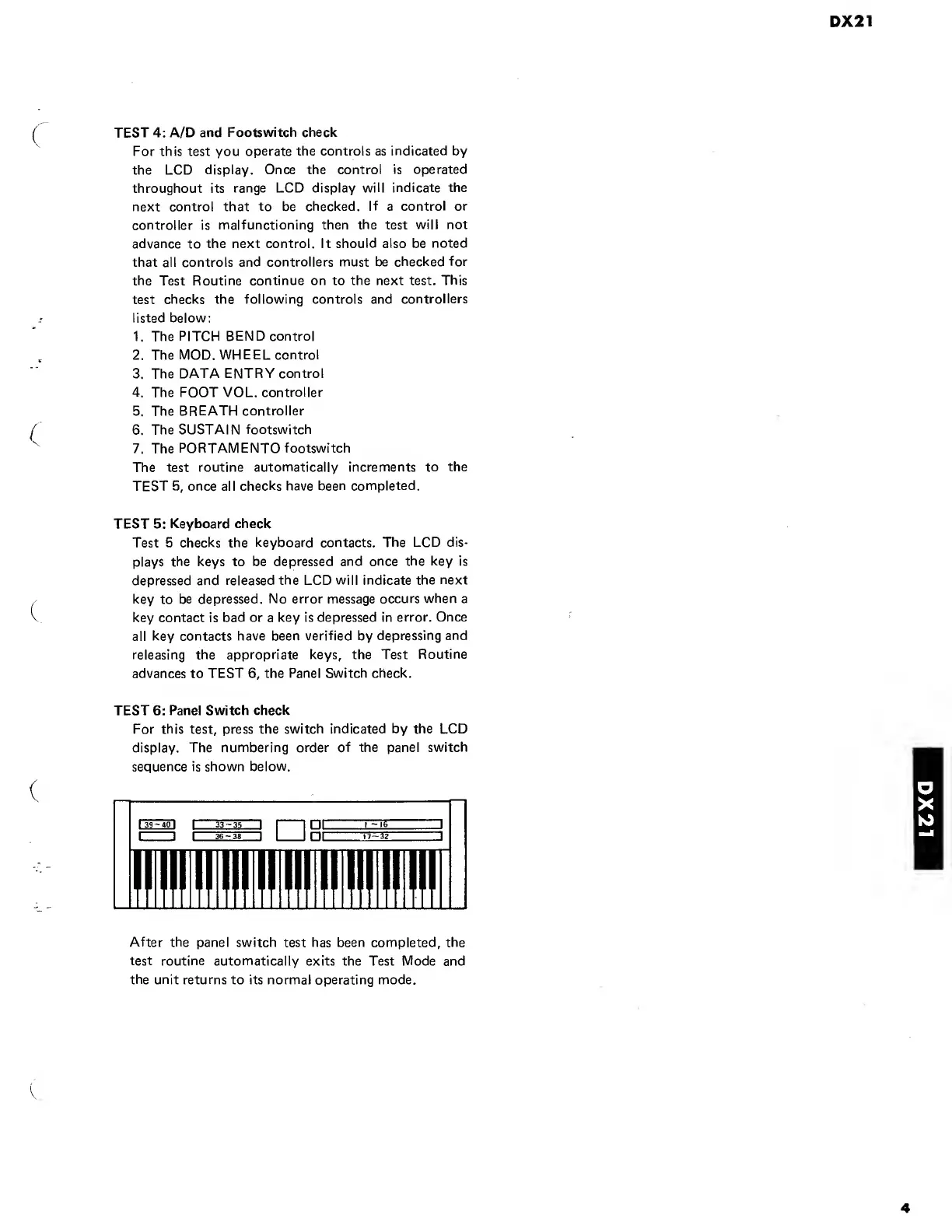
The
numbering
order
of
the
panel
switch
sequence
is
shown
below.
After
the
panel
switch
test
has
been
completed,
the
test
routine
automatically
exits
the
Test
Mode
and
the
unit
returns
to
its
normal
operating
mode.
4
DX21

Other manuals for Yamaha DX21

Related product manuals