EasyManua.ls Logo

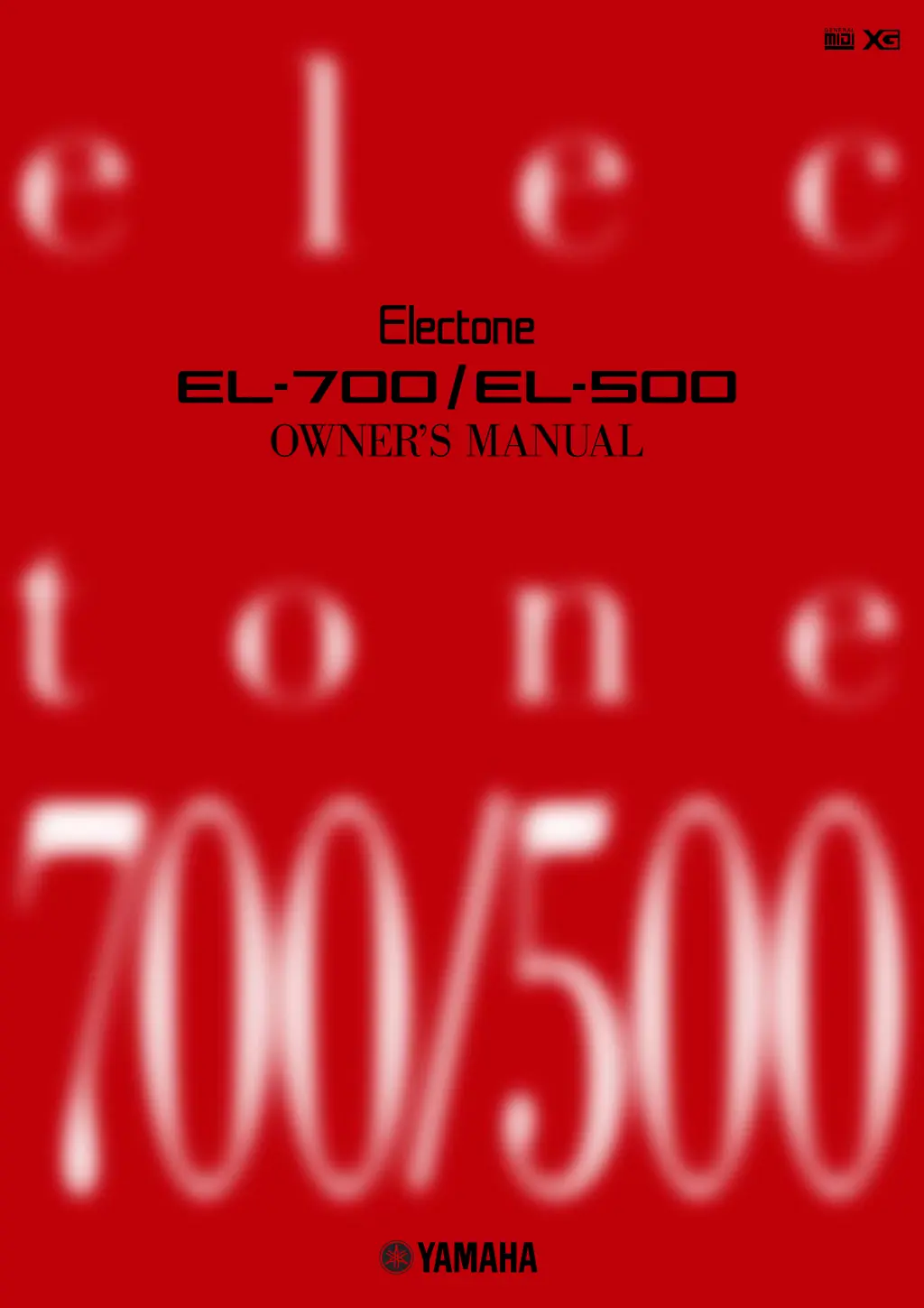
Yamaha Electone EL-500 - User Manual

Yamaha Electone EL-500
184 pages
Print Icon
To Next Page IconTo Next Page
Loading...

Table of Contents

Questions and Answers

Summary

Special Message Section

Safety and Regulatory Information

Covers safety markings, battery notice, disposal, and important notices.

Environmental Commitment and Specifications

Details environmental issues, notices, name plate location, and spec changes.

Precautions

General Warnings

Essential safety warnings to prevent injury, damage, fire, or electrical shock.

General Cautions

Precautions to prevent physical injury or damage to the instrument and property.

Included Items

Panel Layout Overview

EL-700 Panel Layout

Diagram illustrating the layout and controls of the EL-700 panel.

LCD Display and Display Select

EL-700 LCD Display

Illustration of the EL-700 LCD display and its controls.

Others

Illustration of other components relevant to display and controls.

EL-500 Panel Layout

EL-500 Panel Layout Diagram

Diagram illustrating the layout and controls of the EL-500 panel.

Main Features

Electones Key Capabilities Overview

Overview of the Electone's key capabilities and functions.

Quick Introductory Guide

Getting Started: Initial Setup

Basic steps to begin playing the Electone, including power connection.

Basic Registrations Overview

Introduces five factory preset registrations for different music styles.

Using the Registration Menu Disk

Explains how to select registrations from the included Registration Menu Disk.

Selecting Registrations from Menu

Details how to select registrations using Data Control buttons from the LCD display.

Basic Operation: Registration Setup

Setting Up Voices and Rhythms

Outlines the steps for setting up voices, rhythms, and effects for playing.

Using the LCD Display

Selecting Voices and Rhythms

Guide on selecting voices and rhythms using panel buttons and LCD.

Data Control and Page Buttons

Explains the function and usage of Data Control and Page buttons for navigation.

LCD Operation Summary

Summary of LCD Operation Steps

Summarizes the process of calling up, selecting pages, and changing settings via the LCD.

LCD Controls and Adjustments

Hold, Coarse, and Contrast Controls

Explains the Hold, Coarse, and Contrast controls for LCD operation.

Voice List Overview

Orchestral Voices

Lists orchestral voices available on the Electone.

Voice List Overview

Lead and Bass Voices

Lists lead and bass voices available on the Electone.

Voice Sections and Selection

Selecting Voices from the Panel

Instructions on selecting voices using panel buttons for different keyboard sections.

Voice Sections and Controls

Adjusting Voice Volume (Coarse;Fine)

Explains how to set the volume for voice sections using Coarse and Fine controls.

Voice Sections: Features

To Lower and Mute Functions

Details the "To Lower" function and the Mute function for voice sections.

Dotted Button Voice Selection

Using Dotted Buttons for Voices

Explains the use of dotted buttons for accessing more voices and user-created voices.

Dotted Button Voice Selection

Selecting User Voices

Guide on selecting user-created voices from Voice Edit or Voice Disks.

Voice Menus and Listings

Voice Menu Overview

Lists available voices and their button/page assignments in various categories.

Detailed Voice Descriptions

Orchestral Voice Details (Strings to Oboe)

Detailed listing of Orchestral voices, their feet, effect, and comments.

Detailed Voice Descriptions

Orchestral Voice Details (Oboe to Guitar)

Detailed listing of Orchestral voices, their feet, effect, and comments.

Detailed Voice Descriptions

Orchestral Voice Details (Guitar to Cosmic)

Detailed listing of Orchestral voices, their feet, effect, and comments.

Flute Voices (EL-700 Only)

Creating Custom Flute Voices

Step-by-step guide on how to create custom flute voices using footage settings.

Flute Voices (EL-700 Only): Editing

Attack and Volume Pages

Details attack footages, length, mode, and volume settings for flute voices.

Flute Voices (EL-700 Only): Saving

Saving Created Flute Voices

Instructions on how to save created flute voices to user memory space.

Flute Voices (EL-700 Only): Using Voices

Using Preset and User Flute Voices

Guide on how to call up and select factory preset and user-created flute voices.

Voice Controls and Effects

Accessing Voice Condition and Effect Pages

How to access and use Voice Condition and Effect Set pages for controls and effects.

Reverb, Sustain, Tremolo;Chorus Pages

Instructions on accessing pages for Reverb, Sustain, and Tremolo/Chorus effects.

Voice Controls and Effects: Condition Pages

Selecting Voice Condition Pages

How to call up and use Voice Condition pages, focusing on Touch Tone.

Touch Tone Functionality

Explains the Touch Tone function for expressive control over volume and timbre.

Voice Controls and Effects: Parameters

Feet, Pan, Reverb, Volume Controls

Details FEET, PAN, REVERB, and fine VOLUME controls in Voice Condition Page 2.

Effect Type Selection

Explains how to select and apply effect types using Effect Set pages.

Voice Controls and Effects: Modulation and Tone

Vibrato Control

Describes the Vibrato function, including preset and user settings.

Brilliance Adjustment

Explains the Brilliance control for adjusting voice tone brightness.

Voice Controls and Effects: Lead Voice & Effects

Slide and Tune Controls (Lead Voice)

Details the SLIDE and TUNE controls, exclusive to Lead voices.

Selecting Effects from Effect Set Pages

How to select and apply effects using the Effect Set pages.

Voice Controls and Effects: Modulation and Echo

Tremolo, Chorus, and Symphonic;Celeste Effects

Explains TREMOLO/CHORUS and SYMPHONIC/CELESTE effects.

Delay Effect Details

Details the DELAY effect, including time, feedback, and balance parameters.

Voice Controls and Effects: Delay and Flanger

Delay Effect Parameters

Details parameters for DELAY effect: Time, Feedback, Balance, and Mode.

Flanger Effect Functionality

Explains the FLANGER effect and its parameters: Speed, Feedback, and Depth.

Voice Controls and Effects: Flanger and Distortion

Flanger Effect Parameters

Details parameters for FLANGER effect: Speed, Feedback, and Depth.

Distortion Effect Functionality

Explains the DISTORTION effect and its parameters: Level and Hi Pass.

Panel Controls: Reverb

Reverb Effect Adjustment

Instructions on how to adjust the reverb effect and call up Reverb pages.

Panel Controls: Reverb (Page 2)

Reverb Application to Voice Sections

Details reverb effect application to individual voice sections on REVERB Page 2.

Panel Controls: Reverb (Page 3)

Reverb for Pedal, Rhythm, Accompaniment

Explains reverb application to Pedal, Rhythm, and Accompaniment sections on REVERB Page 3.

Sustain Effect Control

Sustain Functionality and Length

Details how to use the Sustain effect and its length settings for different keyboards.

Tremolo;Chorus Effect

Tremolo Operation Guide

Explains how to turn on and operate the Tremolo effect for panel and flute voices.

Tremolo;Chorus Effect: Activation

Turning on Tremolo Effect (Standby)

Steps to turn on Tremolo effect in standby condition for various voice sections.

Tremolo;Chorus Effect: Control

Setting Tremolo and Chorus Modes

Details how to set Tremolo speed and Chorus mode globally.

Realtime Tremolo Control

How to control Tremolo effect in real-time using panel or footswitch.

Rhythm and Accompaniment

Selecting Rhythms from Panel Controls

How to select and play rhythms using the panel buttons and LCD.

Rhythm and Accompaniment: Basic Controls

Starting, Stopping, and Intros

Explains how to start, stop, and use intro/ending features for rhythms.

Setting Rhythm Volume

How to set the volume for rhythms using panel controls.

Rhythm and Accompaniment: Tempo and Fills

Setting the Rhythm Tempo

Details how to adjust the rhythm tempo using the TEMPO Dial and display.

Using Fill In Patterns

Explains how to use Fill In patterns for rhythmic breaks and introductions.

Rhythm Condition Pages: Parameters

Accessing Rhythm Condition Pages

How to select and access Rhythm Condition pages for adjusting rhythm parameters.

Auto Variation, Percussion Settings

Explains Auto Variation, Reverb, Balance, and Volume settings for percussion.

Accompaniment Volume Control

Details accompaniment volume settings.

Rhythm Instrument Settings

Instrument Page Parameters

Explains settings for instrument name, pitch, pan, reverb, and volume.

Instrument Assignment and Presets

Describes selecting instrument assignment types and using copy presets.

Rhythm Selection: Dotted Buttons and Users

Selecting Rhythms via Dotted Buttons

How to select rhythms using dotted buttons in the Rhythm section.

Rhythm Selection: Dotted Buttons and Users

Recalling User Rhythms

Steps to select and play user-created rhythms from the LCD display.

Rhythm Menus Overview

List of Available Rhythms

Lists all 66 available rhythms for the Electone across various categories.

Automatic Accompaniment (A.B.C.)

Selecting A.B.C. Functions

How to select Auto Bass Chord functions from the Rhythm Condition page.

A.B.C. Modes and Memory

Explains A.B.C. modes and memory functions for accompaniment.

Auto Bass Chord (A.B.C.): Chord Recognition

Single Finger Mode Chord Recognition

Lists chords recognized in Single Finger mode for Auto Bass Chord.

Fingered Chord Mode Chord Recognition

Lists chords recognized in Fingered Chord mode for Auto Bass Chord.

Accompaniment Controls

Accompaniment Type Selection

Describes the four types of rhythmic and melodic accompaniment patterns.

Accompaniment Volume Setting

How to set the volume for the accompaniment.

Keyboard Percussion Function

Using Preset Keyboard Percussion

How to use the 43 preset drum and percussion sounds from the Lower keyboard/Pedalboard.

Keyboard Percussion: Preset Assignments

Preset Percussion Key Assignments

Displays assignments for preset percussion sounds on Lower Keyboard and Pedalboard.

User Keyboard Percussion Setup

Using User Keyboard Percussion

How to assign and save drum/percussion sounds to keys/pedals.

User Keyboard Percussion: Editing

Instrument Assignment and Clearing

How to assign instruments to keys/pedals and clear assignments.

User Percussion Sound Categories

Lists categories for user percussion sounds.

User Keyboard Percussion: Management

Erasing Instrument Assignments

How to erase single or all instrument assignments from user percussion setups.

User Keyboard Percussion: Advanced Functions

Copying Presets to User Locations

How to copy Preset Keyboard Percussion to User locations.

User Keyboard Percussion: Advanced Functions

Copying Between User Locations

How to copy User Keyboard Percussion setups from one User location to another.

Melody On Chord (M.O.C.) Function

Selecting M.O.C. Function and Modes

How to select and use the Melody On Chord function and its modes.

Knee Lever Control for M.O.C.

How to control Melody On Chord operation using the Knee Lever.

Registration Memory Management

Storing Registrations to Memory

How to store custom panel settings to Registration Memory buttons.

Non-Memorizable Settings

Lists settings and functions not savable to Registration Memory.

Registration Memory Management: Selection and Saving

Selecting and Disabling Registrations

How to select stored registrations and use the D (Disable) button.

Saving Registration Data to Disk

Instructions for saving registration data to a floppy disk using the Music Disk Recorder.

Registration Memory: Shifting

Using Registration Shift

How to change registrations using the Right Footswitch via Registration Shift functions.

Registration Memory: Shifting Modes

Registration Shift Modes (Jump;User)

Explains the Jump and User modes for controlling registration shifts.

Registration Memory: Editing Sequences

Editing Registration Sequences with Controls

How to use cursor and data controls to edit registration sequences in the Edit page.

Registration Memory: Editing Operations

Inserting, Deleting, and Clearing Sequences

Methods for inserting, deleting, and clearing registration data within a sequence.

Registration Memory: Management and Reset

Resetting to Factory Preset (Power On Reset)

How to perform a Power On Reset to delete all settings and return to factory defaults.

Music Disk Recorder: Precautions

Disk Handling Precautions

Important precautions for handling floppy disks and the disk drive.

Music Disk Recorder: Maintenance and Data

Disk Drive Care and Data Protection

Guidelines for cleaning the disk drive and protecting data with write-protect tabs.

Floppy Disk Handling and Backup

Best practices for handling floppy disks and recommendations for data backup.

Music Disk Recorder: Disk Formatting

Formatting a Blank Disk

Steps to format a blank disk before recording.

Music Disk Recorder: Recording Songs

Recording a Complete Song

Step-by-step guide on how to record a song performance.

Music Disk Recorder: Recording Management

Handling Recording Errors and Retrying

Instructions for retrying or stopping recording if a mistake occurs.

Music Disk Recorder: Song and Operation Details

Naming Recorded Songs

How to edit and set a name for recorded songs.

Outline of MDR Operation

Overview of the types of data recorded by the Music Disk Recorder.

Music Disk Recorder: Multi-Part Recording

Recording Individual Parts Separately

How to record Upper, Lower, Pedal, and Control data independently.

Music Disk Recorder: Lead;Percussion Recording

Separate Recording for Lead;Percussion Parts

How to record Lead Voice and Keyboard Percussion parts separately.

Music Disk Recorder: Playback and Editing

Custom Playback Function

How to play back songs using the CUSTOM PLAY button for specific parts.

Punch-in Recording Technique

How to re-record specific parts of a song using punch-in recording.

Music Disk Recorder: Registration Recording

Recording Registrations and Bulk Data

How to record registrations and bulk data without recording a performance.

Music Disk Recorder: Registration Recall and Replacement

Recalling Recorded Registrations

How to load recorded registrations and bulk data back to the Electone.

Replacing Existing Registrations

How to change registrations in an existing song without altering performance data.

Music Disk Recorder: Song Playback

Playing Back a Recorded Song

How to play back a recorded song.

Playing Back Specific Recorded Parts

How to play back only specific parts of a recorded performance.

Music Disk Recorder: Repeat Playback

Repeating Song Playback

How to repeatedly play back a single song or all songs on a disk.

Music Disk Recorder: XG Song Data

Playing Back XG Song Data

How to play back commercially available XG song data.

Music Disk Recorder: XG Data Conversion

XG Easy Convertor Function

How to convert Electone song data to XG format data.

Other Electone Functions

Custom Playback Function

How to play back songs without resetting registrations and other data.

Read and Auto Increment Feature

Method to call up registration data and select the next song number automatically.

Playback Control: Pause;FF;FR

Controls for pausing, fast forwarding, and fast reversing playback.

Other Electone Functions: Tempo Control

Changing Song Tempo during Playback

How to change song tempo during MDR playback using SHIFT and TEMPO buttons.

Other Electone Functions: Song Copying

Copying Songs Within a Disk

How to copy data from one song number to another within the same disk.

Other Electone Functions: Song Copying Between Disks

Copying Songs Between Different Disks

How to copy data between two different disks.

Other Electone Functions: Disk Management

Deleting Songs from Disk

How to delete a song from a disk.

Duplicating Floppy Disks

How to duplicate a floppy disk by copying its contents.

Other Electone Functions: Disk Copy Process

Steps for Performing Disk Copy

Steps involved in performing a disk copy operation.

Other Electone Functions: Memory and Disks

Checking Remaining Disk Memory

How to check available memory for additional recording on a disk.

Using Voice and Pattern Disks

Information on using optional Voice and Pattern Disks.

Copy Protection Information

Explains copy-protected disks and messages that appear.

Voice Editing: Basic Process

Selecting and Editing a Voice

Introduction to the Voice Edit feature and selecting a voice to edit.

Voice Editing: The EDIT Page

Understanding the EDIT Page

Explains the EDIT page, algorithms, and operators used in voice editing.

Operator On;Off Control

Steps to turn off operators, except for Operator 1, during sound editing.

Voice Editing: FM Operator Parameters

Editing FM Operators: OL and AR

How to adjust Output Level (OL) and Attack Rate (AR) parameters for FM Operators.

Voice Editing: FM Operator Tuning

Editing FM Operators: RR and Operator 2

How to adjust Release Rate (RR) and Operator 2 levels for FM Operators.

Understanding Operator Relationships

Explains how Operator levels affect tone and volume.

Voice Editing: AWM Operator Parameters

Editing AWM Operator: Low and High Settings

How to adjust LOW and HIGH settings for the AWM Operator.

Voice Editing: Saving Your Creations

Saving Custom Voices

Instructions on how to save a newly created voice to user memory.

Voice Editing: Saving Your Creations

Naming and Confirming Voice Saves

How to name a saved voice and confirm the save operation.

Voice Edit: Exiting and Recalling

Quitting the Voice Edit Function

How to exit the Voice Edit function.

Recalling Saved User Voices

How to recall a saved user voice using the dotted buttons' Voice Menu.

Voice Edit: Using Voice Disks

Loading Voices from a Voice Disk

How to load voices from optional Voice Disks to user voices.

Voice Editing Basics: Core Concepts

Understanding Operators

Explains AWM and FM Operators, their structure, and function.

Modulators, Carriers, and Algorithms

Defines modulators, carriers, and algorithms used in voice editing.

Voice Editing Basics: AWM Operator Details

AWM Operator Parameter Settings

Details parameters for AWM Operators: OL, AR, DR, RR, Low, High.

Voice Editing Basics: FM Operator Details

FM Operator Parameter Settings

Details parameters for FM Operators: OL, AR, D1R, D1L, D2R, RR.

Voice Editing Basics: Envelope and Feedback

Envelope Parameters Explained

Explains how envelope parameters control sound levels over time.

Understanding Feedback

Defines feedback and its role in adding harmonic complexity.

Voice Editing Basics: Editing Guidelines

General Guidelines for Operator Editing

Provides guidelines for editing operators, showing relationships between parameters.

Voice Editing Examples

Practical Voice Editing Examples

Illustrates specific uses of voice edit controls with examples like Banjo, Jazz Organ, Synth Lead.

Rhythm Programming Overview

Outline of Rhythm Pattern Programming

Overview of steps for programming custom rhythms and sequences.

Rhythm Pattern Program: Getting Started

Entering the Rhythm Pattern Program

Steps to access and start the Rhythm Pattern Program function.

Rhythm Pattern Program: Creating Rhythms

Copying and Creating Rhythms

How to copy preset rhythms to create new ones or modify existing ones.

Rhythm Pattern Program: Percussion Sounds

Percussion Sounds Assignment to Keys

Lists percussion sounds assigned to keys for Rhythm Pattern Program.

Rhythm Pattern Program: Extended Set

Extend(ed) Set Percussion Sounds

Details percussion sounds in the Extend(ed) set for rhythm programming.

Rhythm Programming Methods

Step Write vs. Real Time Write

Explains the two methods for programming rhythms: Step Write and Real Time Write.

Selecting Write Mode and Timing Settings

How to select write modes and set basic timing using Beat and Quantize values.

Rhythm Programming Methods: Sound Entry

Using the Metronome and Entering Sounds

How to use the metronome and enter percussion sounds using Step or Real Time Write.

Rhythm Pattern Program: Step Write Editing

Editing Rhythms with Step Write

Detailed steps for entering sounds using Step Write mode.

Rhythm Pattern Program: Editing Tools

Replacing Instruments and Clearing Tracks

How to replace instruments and clear percussion sounds from a rhythm pattern.

Rhythm Pattern Program: Editing Workflow

Step Controls, Rhythm Clock, and Accents

Using step controls, rhythm clock, and accent section for editing.

Rhythm Pattern Program: Real Time Write Editing

Editing Rhythms with Real Time Write

Steps for entering percussion sounds using Real Time Write mode.

Rhythm Programming: Accompaniment Features

Selecting Accompaniment Patterns

How to select and save accompaniment patterns for custom rhythms.

Using the Lower Rhythmic Function

How to add custom backings using the Lower Rhythmic function.

Rhythm Programming: Lower Rhythmic Backings

Creating Custom Lower Rhythmic Backings

Steps to create custom backings using the Lower Rhythmic function and selecting voices.

Rhythm Pattern Program: Saving Patterns

Saving Created Rhythm Patterns

How to save newly created rhythms to User pattern numbers and variations.

Rhythm Pattern Program: Exiting

Quitting the Rhythm Pattern Program

How to exit the Rhythm Pattern Program function.

Rhythm Pattern Program: Recalling User Rhythms

Recalling User Rhythm Patterns

How to select and play user-created rhythms from panel controls.

Rhythm Pattern Program: Using Pattern Disks

Selecting Rhythms from Pattern Disks

How to load rhythms from optional Pattern Disks to User rhythms.

Rhythm Sequence Program: Basics

Selecting a Rhythm Sequence

Steps to select a sequence number and view the sequence display.

Rhythm Sequence Program: Programming

Programming a Rhythm Sequence

How to enter rhythms (Preset or User) into a sequence measure by measure.

Rhythm Sequence Program: Patterns and Entries

Rhythm Pattern Number Reference

A table listing all rhythm patterns and their corresponding numbers.

Entering Intro, Fill In, Ending Patterns

How to enter Intro, Fill In, or Ending patterns into a sequence.

Rhythm Sequence Program Editing

Cursor and Data Controls for Sequences

How to use cursor and data controls to enter/delete pattern numbers in a sequence.

Rhythm Sequence Program: Operations

Exiting the Rhythm Sequence Program

How to exit the Rhythm Sequence Program.

Playing Rhythm Sequences

How to play back created rhythm sequences using panel buttons.

Rhythm Sequence Program: Sequential Playback

Playing All Sequences in Order

How to play back multiple rhythm sequences automatically in order.

Rhythm Sequence Program: Footswitch and Data Management

Sequence Control via Footswitch

How to start/stop sequences using the Left Footswitch.

Saving and Loading Rhythm Sequence Data

How to save and load rhythm pattern and sequence data to/from disk.

Footswitches, Knee Lever, and Expression Pedals

Footswitch Functions and Selection

Explains the functions of Right and Left Footswitches and how to select Left Footswitch pages.

Footswitches: Rhythm and Glide Control

Using Footswitch for Rhythm Control

How to use the Left Footswitch for rhythm controls like Stop, Ending, and Fill In.

Using Footswitch for Glide Control

How to use the Left Footswitch for Glide control on selected voice sections.

Footswitches, Knee Lever: Tremolo and Sustain

Using Footswitch for Tremolo Control

How to use the Left Footswitch to control Tremolo effect.

Knee Lever Control for Sustain

How to use the Knee Lever to control the Sustain effect.

Footswitches, Knee Lever: Melody On Chord and Lead Slide

Knee Lever Control for Melody On Chord

How to use the Knee Lever to control Melody On Chord function.

Knee Lever Control for Lead Slide

How to use the Knee Lever to control the Lead Slide effect.

Expression Pedals: Second Pedal Functions

Second Expression Pedal Features

Explains the Pitch Bend and Tempo control functions of the 2nd Expression Pedal.

Expression Pedals: Tempo Control Details

Tempo Control Parameters

Details the MODE and TEMPO controls for the expression pedal.

Transpose and Pitch Controls

Changing Key and Fine Tuning

How to change the instrument's key and fine-tune the tuning using Transpose and Pitch.

Pitch Tuning Temperament

Information on how each voice is tuned with temperament.

MIDI: Introduction and Setup

MIDI Overview and Page Selection

Introduction to MIDI and how to select the MIDI page for control.

MIDI Transmit Channels

How to set MIDI channels for transmitting data from keyboards and pedalboard.

MIDI Receive Channels

Details the fixed MIDI receive channels for Electone voices.

MIDI Control Options: Modes and Touch

Internal;External Control Modes

Explains controls for Lead voices, timing sync, and expression pedal functions via MIDI.

Lead Initial Touch Control

Details Lead Initial Touch control settings, unrelated to MIDI.

Accessory Jacks and Connections

Input and Output Jacks

Describes input jacks for connecting rhythm machines and external audio devices, and output jacks.

Headphones, Microphone, and MIDI

Details headphone jack, microphone input, and MIDI connections.

TO HOST Terminal and Selection

Explains the TO HOST terminal for PC connection and host selection.

Appendix: MIDI and PC Connections

MIDI Overview and PC Connection Examples

Explains MIDI, connections via MIDI/TO HOST, and PC connection examples.

Appendix: MIDI Device Control

Controlling External Devices with Electone

How to use the Electone to control external MIDI devices.

Controlling Electone with External Devices

How to use external MIDI devices to control the Electone.

Appendix: MIDI Message Types

MIDI Channel Messages Explained

Explains Note On/Off, Velocity, Program Change, and Control Change messages.

MIDI System Messages Explained

Explains System Exclusive and System Common messages for data exchange.

Appendix: MIDI System Exclusive Data Transfer

Exchanging Registration Data with PC

Examples of sending/receiving registration data to/from a PC using sequencing software.

Appendix: MIDI Data Transfer to;from PC

Receiving Registration Data from PC

How to send registration data from a PC to the Electone.

Changing Registration Memory via PC

How to change registration memory buttons using Program Change messages from PC.

Appendix: XG Tone Generator Functionality

Using the Electone as an XG Tone Generator

How to use the Electone as an XG tone generator by sending System Exclusive messages.

Appendix: MIDI Data Format - EL Mode

Channel Messages in EL Mode

Detailed table of MIDI channel messages transmitted and received in EL Mode.

Appendix: MIDI Data Format - XG Mode

Channel Messages in XG Mode

Detailed table of MIDI channel messages transmitted and received in XG Mode.

Appendix: MIDI Data Format - Messages

Realtime and System Exclusive Messages

Explains realtime and system exclusive MIDI messages.

Appendix: MIDI Data Format - Electone Exclusive

Electone Exclusive MIDI Codes

Lists Electone-exclusive MIDI codes for various functions and data types.

Appendix: MIDI Parameter Reference

MIDI Codes: Switches and Volume

MIDI codes for switches, volume, flute voice, to lower, and brilliance parameters.

Appendix: MIDI Parameter Reference

MIDI Codes: Sustain, Percussion, Tremolo, Sequence

MIDI codes for Sustain, Keyboard Percussion, Disable, Tremolo, and Rhythm Sequence.

Appendix: MIDI Parameter Reference

MIDI Parameters for Voices and EL MIDI

MIDI parameters for voice sections and EL-specific MIDI settings.

Appendix: MIDI Parameter Reference

MIDI Parameters for Flute Voices and Effects

MIDI parameters for Flute Voices and voice section effects.

Appendix: MIDI Parameter Reference

MIDI Parameters for Keyboard, Rhythm, Sequence

MIDI parameters for Keyboard, Rhythm, and Rhythm Sequence functions.

Appendix: MIDI Parameter Reference

MIDI Parameters for Accompaniment and Chords

MIDI parameters for Accompaniment, Auto Bass Chord, and Melody On Chord.

Appendix: MIDI Parameter Reference

MIDI Parameters for System and Effects

MIDI parameters for system settings, overall effects, and external MDR controls.

Appendix: MIDI Implementation Chart

MIDI Implementation Chart (EL Mode)

Chart detailing MIDI functions, transmit/receive capabilities in EL Mode.

Appendix: MIDI Implementation Chart (XG Mode)

MIDI Implementation Chart (XG Mode)

Chart detailing MIDI functions, transmit/receive capabilities in XG Mode.

Troubleshooting: General and Voice Issues

Troubleshooting General Operation

Solutions for common issues like LEDs not lighting, noise, or panel malfunctions.

Troubleshooting Voices and Rhythms

Troubleshooting steps for voice selection, polyphony, pedal voices, and pitch discrepancies.

Troubleshooting: Effects and Memory Issues

Troubleshooting Effects and Rhythm Issues

Solutions for issues with Lead/Pedal voices, pitch, voice quality, rhythms, Touch Tone, Tremolo, and Reverb.

Troubleshooting Accompaniment and Registration Memory

Troubleshooting for Accompaniment, Melody On Chord, and Registration Memory limitations.

Troubleshooting: Editing and Recording Issues

Troubleshooting Voice Editing and Rhythm Programming

Solutions for issues during voice editing and rhythm pattern programming.

Troubleshooting Music Disk Recorder

Troubleshooting for recording, playback, song copy, and rhythm start/stop problems.

Appendix: Product Specifications

Keyboard and Voice Specifications

Details keyboard, voice generation, and voice edit specifications.

Effect and Condition Specifications

Specifications for effects like Reverb, Sustain, Tremolo, Vibrato, Delay, Flanger, Distortion.

Rhythm and Accompaniment Specifications

Specifications for rhythms, variations, and accompaniment controls.

Appendix: Specification Summary

Rhythm, Accompaniment, and Memory Specs

Summary of specs for Rhythm Program, Percussion, Accompaniment, M.O.C., Registration Memory, MDR, Footswitch, Knee Lever, etc.

Other Component Specifications

Details on Pitch Bend, LCD, Controls, Fittings, Sound System, Dimensions, and Weight.

Summary

Special Message Section

Safety and Regulatory Information

Covers safety markings, battery notice, disposal, and important notices.

Environmental Commitment and Specifications

Details environmental issues, notices, name plate location, and spec changes.

Precautions

General Warnings

Essential safety warnings to prevent injury, damage, fire, or electrical shock.

General Cautions

Precautions to prevent physical injury or damage to the instrument and property.

Included Items

Panel Layout Overview

EL-700 Panel Layout

Diagram illustrating the layout and controls of the EL-700 panel.

LCD Display and Display Select

EL-700 LCD Display

Illustration of the EL-700 LCD display and its controls.

Others

Illustration of other components relevant to display and controls.

EL-500 Panel Layout

EL-500 Panel Layout Diagram

Diagram illustrating the layout and controls of the EL-500 panel.

Main Features

Electones Key Capabilities Overview

Overview of the Electone's key capabilities and functions.

Quick Introductory Guide

Getting Started: Initial Setup

Basic steps to begin playing the Electone, including power connection.

Basic Registrations Overview

Introduces five factory preset registrations for different music styles.

Using the Registration Menu Disk

Explains how to select registrations from the included Registration Menu Disk.

Selecting Registrations from Menu

Details how to select registrations using Data Control buttons from the LCD display.

Basic Operation: Registration Setup

Setting Up Voices and Rhythms

Outlines the steps for setting up voices, rhythms, and effects for playing.

Using the LCD Display

Selecting Voices and Rhythms

Guide on selecting voices and rhythms using panel buttons and LCD.

Data Control and Page Buttons

Explains the function and usage of Data Control and Page buttons for navigation.

LCD Operation Summary

Summary of LCD Operation Steps

Summarizes the process of calling up, selecting pages, and changing settings via the LCD.

LCD Controls and Adjustments

Hold, Coarse, and Contrast Controls

Explains the Hold, Coarse, and Contrast controls for LCD operation.

Voice List Overview

Orchestral Voices

Lists orchestral voices available on the Electone.

Voice List Overview

Lead and Bass Voices

Lists lead and bass voices available on the Electone.

Voice Sections and Selection

Selecting Voices from the Panel

Instructions on selecting voices using panel buttons for different keyboard sections.

Voice Sections and Controls

Adjusting Voice Volume (Coarse;Fine)

Explains how to set the volume for voice sections using Coarse and Fine controls.

Voice Sections: Features

To Lower and Mute Functions

Details the "To Lower" function and the Mute function for voice sections.

Dotted Button Voice Selection

Using Dotted Buttons for Voices

Explains the use of dotted buttons for accessing more voices and user-created voices.

Dotted Button Voice Selection

Selecting User Voices

Guide on selecting user-created voices from Voice Edit or Voice Disks.

Voice Menus and Listings

Voice Menu Overview

Lists available voices and their button/page assignments in various categories.

Detailed Voice Descriptions

Orchestral Voice Details (Strings to Oboe)

Detailed listing of Orchestral voices, their feet, effect, and comments.

Detailed Voice Descriptions

Orchestral Voice Details (Oboe to Guitar)

Detailed listing of Orchestral voices, their feet, effect, and comments.

Detailed Voice Descriptions

Orchestral Voice Details (Guitar to Cosmic)

Detailed listing of Orchestral voices, their feet, effect, and comments.

Flute Voices (EL-700 Only)

Creating Custom Flute Voices

Step-by-step guide on how to create custom flute voices using footage settings.

Flute Voices (EL-700 Only): Editing

Attack and Volume Pages

Details attack footages, length, mode, and volume settings for flute voices.

Flute Voices (EL-700 Only): Saving

Saving Created Flute Voices

Instructions on how to save created flute voices to user memory space.

Flute Voices (EL-700 Only): Using Voices

Using Preset and User Flute Voices

Guide on how to call up and select factory preset and user-created flute voices.

Voice Controls and Effects

Accessing Voice Condition and Effect Pages

How to access and use Voice Condition and Effect Set pages for controls and effects.

Reverb, Sustain, Tremolo;Chorus Pages

Instructions on accessing pages for Reverb, Sustain, and Tremolo/Chorus effects.

Voice Controls and Effects: Condition Pages

Selecting Voice Condition Pages

How to call up and use Voice Condition pages, focusing on Touch Tone.

Touch Tone Functionality

Explains the Touch Tone function for expressive control over volume and timbre.

Voice Controls and Effects: Parameters

Feet, Pan, Reverb, Volume Controls

Details FEET, PAN, REVERB, and fine VOLUME controls in Voice Condition Page 2.

Effect Type Selection

Explains how to select and apply effect types using Effect Set pages.

Voice Controls and Effects: Modulation and Tone

Vibrato Control

Describes the Vibrato function, including preset and user settings.

Brilliance Adjustment

Explains the Brilliance control for adjusting voice tone brightness.

Voice Controls and Effects: Lead Voice & Effects

Slide and Tune Controls (Lead Voice)

Details the SLIDE and TUNE controls, exclusive to Lead voices.

Selecting Effects from Effect Set Pages

How to select and apply effects using the Effect Set pages.

Voice Controls and Effects: Modulation and Echo

Tremolo, Chorus, and Symphonic;Celeste Effects

Explains TREMOLO/CHORUS and SYMPHONIC/CELESTE effects.

Delay Effect Details

Details the DELAY effect, including time, feedback, and balance parameters.

Voice Controls and Effects: Delay and Flanger

Delay Effect Parameters

Details parameters for DELAY effect: Time, Feedback, Balance, and Mode.

Flanger Effect Functionality

Explains the FLANGER effect and its parameters: Speed, Feedback, and Depth.

Voice Controls and Effects: Flanger and Distortion

Flanger Effect Parameters

Details parameters for FLANGER effect: Speed, Feedback, and Depth.

Distortion Effect Functionality

Explains the DISTORTION effect and its parameters: Level and Hi Pass.

Panel Controls: Reverb

Reverb Effect Adjustment

Instructions on how to adjust the reverb effect and call up Reverb pages.

Panel Controls: Reverb (Page 2)

Reverb Application to Voice Sections

Details reverb effect application to individual voice sections on REVERB Page 2.

Panel Controls: Reverb (Page 3)

Reverb for Pedal, Rhythm, Accompaniment

Explains reverb application to Pedal, Rhythm, and Accompaniment sections on REVERB Page 3.

Sustain Effect Control

Sustain Functionality and Length

Details how to use the Sustain effect and its length settings for different keyboards.

Tremolo;Chorus Effect

Tremolo Operation Guide

Explains how to turn on and operate the Tremolo effect for panel and flute voices.

Tremolo;Chorus Effect: Activation

Turning on Tremolo Effect (Standby)

Steps to turn on Tremolo effect in standby condition for various voice sections.

Tremolo;Chorus Effect: Control

Setting Tremolo and Chorus Modes

Details how to set Tremolo speed and Chorus mode globally.

Realtime Tremolo Control

How to control Tremolo effect in real-time using panel or footswitch.

Rhythm and Accompaniment

Selecting Rhythms from Panel Controls

How to select and play rhythms using the panel buttons and LCD.

Rhythm and Accompaniment: Basic Controls

Starting, Stopping, and Intros

Explains how to start, stop, and use intro/ending features for rhythms.

Setting Rhythm Volume

How to set the volume for rhythms using panel controls.

Rhythm and Accompaniment: Tempo and Fills

Setting the Rhythm Tempo

Details how to adjust the rhythm tempo using the TEMPO Dial and display.

Using Fill In Patterns

Explains how to use Fill In patterns for rhythmic breaks and introductions.

Rhythm Condition Pages: Parameters

Accessing Rhythm Condition Pages

How to select and access Rhythm Condition pages for adjusting rhythm parameters.

Auto Variation, Percussion Settings

Explains Auto Variation, Reverb, Balance, and Volume settings for percussion.

Accompaniment Volume Control

Details accompaniment volume settings.

Rhythm Instrument Settings

Instrument Page Parameters

Explains settings for instrument name, pitch, pan, reverb, and volume.

Instrument Assignment and Presets

Describes selecting instrument assignment types and using copy presets.

Rhythm Selection: Dotted Buttons and Users

Selecting Rhythms via Dotted Buttons

How to select rhythms using dotted buttons in the Rhythm section.

Rhythm Selection: Dotted Buttons and Users

Recalling User Rhythms

Steps to select and play user-created rhythms from the LCD display.

Rhythm Menus Overview

List of Available Rhythms

Lists all 66 available rhythms for the Electone across various categories.

Automatic Accompaniment (A.B.C.)

Selecting A.B.C. Functions

How to select Auto Bass Chord functions from the Rhythm Condition page.

A.B.C. Modes and Memory

Explains A.B.C. modes and memory functions for accompaniment.

Auto Bass Chord (A.B.C.): Chord Recognition

Single Finger Mode Chord Recognition

Lists chords recognized in Single Finger mode for Auto Bass Chord.

Fingered Chord Mode Chord Recognition

Lists chords recognized in Fingered Chord mode for Auto Bass Chord.

Accompaniment Controls

Accompaniment Type Selection

Describes the four types of rhythmic and melodic accompaniment patterns.

Accompaniment Volume Setting

How to set the volume for the accompaniment.

Keyboard Percussion Function

Using Preset Keyboard Percussion

How to use the 43 preset drum and percussion sounds from the Lower keyboard/Pedalboard.

Keyboard Percussion: Preset Assignments

Preset Percussion Key Assignments

Displays assignments for preset percussion sounds on Lower Keyboard and Pedalboard.

User Keyboard Percussion Setup

Using User Keyboard Percussion

How to assign and save drum/percussion sounds to keys/pedals.

User Keyboard Percussion: Editing

Instrument Assignment and Clearing

How to assign instruments to keys/pedals and clear assignments.

User Percussion Sound Categories

Lists categories for user percussion sounds.

User Keyboard Percussion: Management

Erasing Instrument Assignments

How to erase single or all instrument assignments from user percussion setups.

User Keyboard Percussion: Advanced Functions

Copying Presets to User Locations

How to copy Preset Keyboard Percussion to User locations.

User Keyboard Percussion: Advanced Functions

Copying Between User Locations

How to copy User Keyboard Percussion setups from one User location to another.

Melody On Chord (M.O.C.) Function

Selecting M.O.C. Function and Modes

How to select and use the Melody On Chord function and its modes.

Knee Lever Control for M.O.C.

How to control Melody On Chord operation using the Knee Lever.

Registration Memory Management

Storing Registrations to Memory

How to store custom panel settings to Registration Memory buttons.

Non-Memorizable Settings

Lists settings and functions not savable to Registration Memory.

Registration Memory Management: Selection and Saving

Selecting and Disabling Registrations

How to select stored registrations and use the D (Disable) button.

Saving Registration Data to Disk

Instructions for saving registration data to a floppy disk using the Music Disk Recorder.

Registration Memory: Shifting

Using Registration Shift

How to change registrations using the Right Footswitch via Registration Shift functions.

Registration Memory: Shifting Modes

Registration Shift Modes (Jump;User)

Explains the Jump and User modes for controlling registration shifts.

Registration Memory: Editing Sequences

Editing Registration Sequences with Controls

How to use cursor and data controls to edit registration sequences in the Edit page.

Registration Memory: Editing Operations

Inserting, Deleting, and Clearing Sequences

Methods for inserting, deleting, and clearing registration data within a sequence.

Registration Memory: Management and Reset

Resetting to Factory Preset (Power On Reset)

How to perform a Power On Reset to delete all settings and return to factory defaults.

Music Disk Recorder: Precautions

Disk Handling Precautions

Important precautions for handling floppy disks and the disk drive.

Music Disk Recorder: Maintenance and Data

Disk Drive Care and Data Protection

Guidelines for cleaning the disk drive and protecting data with write-protect tabs.

Floppy Disk Handling and Backup

Best practices for handling floppy disks and recommendations for data backup.

Music Disk Recorder: Disk Formatting

Formatting a Blank Disk

Steps to format a blank disk before recording.

Music Disk Recorder: Recording Songs

Recording a Complete Song

Step-by-step guide on how to record a song performance.

Music Disk Recorder: Recording Management

Handling Recording Errors and Retrying

Instructions for retrying or stopping recording if a mistake occurs.

Music Disk Recorder: Song and Operation Details

Naming Recorded Songs

How to edit and set a name for recorded songs.

Outline of MDR Operation

Overview of the types of data recorded by the Music Disk Recorder.

Music Disk Recorder: Multi-Part Recording

Recording Individual Parts Separately

How to record Upper, Lower, Pedal, and Control data independently.

Music Disk Recorder: Lead;Percussion Recording

Separate Recording for Lead;Percussion Parts

How to record Lead Voice and Keyboard Percussion parts separately.

Music Disk Recorder: Playback and Editing

Custom Playback Function

How to play back songs using the CUSTOM PLAY button for specific parts.

Punch-in Recording Technique

How to re-record specific parts of a song using punch-in recording.

Music Disk Recorder: Registration Recording

Recording Registrations and Bulk Data

How to record registrations and bulk data without recording a performance.

Music Disk Recorder: Registration Recall and Replacement

Recalling Recorded Registrations

How to load recorded registrations and bulk data back to the Electone.

Replacing Existing Registrations

How to change registrations in an existing song without altering performance data.

Music Disk Recorder: Song Playback

Playing Back a Recorded Song

How to play back a recorded song.

Playing Back Specific Recorded Parts

How to play back only specific parts of a recorded performance.

Music Disk Recorder: Repeat Playback

Repeating Song Playback

How to repeatedly play back a single song or all songs on a disk.

Music Disk Recorder: XG Song Data

Playing Back XG Song Data

How to play back commercially available XG song data.

Music Disk Recorder: XG Data Conversion

XG Easy Convertor Function

How to convert Electone song data to XG format data.

Other Electone Functions

Custom Playback Function

How to play back songs without resetting registrations and other data.

Read and Auto Increment Feature

Method to call up registration data and select the next song number automatically.

Playback Control: Pause;FF;FR

Controls for pausing, fast forwarding, and fast reversing playback.

Other Electone Functions: Tempo Control

Changing Song Tempo during Playback

How to change song tempo during MDR playback using SHIFT and TEMPO buttons.

Other Electone Functions: Song Copying

Copying Songs Within a Disk

How to copy data from one song number to another within the same disk.

Other Electone Functions: Song Copying Between Disks

Copying Songs Between Different Disks

How to copy data between two different disks.

Other Electone Functions: Disk Management

Deleting Songs from Disk

How to delete a song from a disk.

Duplicating Floppy Disks

How to duplicate a floppy disk by copying its contents.

Other Electone Functions: Disk Copy Process

Steps for Performing Disk Copy

Steps involved in performing a disk copy operation.

Other Electone Functions: Memory and Disks

Checking Remaining Disk Memory

How to check available memory for additional recording on a disk.

Using Voice and Pattern Disks

Information on using optional Voice and Pattern Disks.

Copy Protection Information

Explains copy-protected disks and messages that appear.

Voice Editing: Basic Process

Selecting and Editing a Voice

Introduction to the Voice Edit feature and selecting a voice to edit.

Voice Editing: The EDIT Page

Understanding the EDIT Page

Explains the EDIT page, algorithms, and operators used in voice editing.

Operator On;Off Control

Steps to turn off operators, except for Operator 1, during sound editing.

Voice Editing: FM Operator Parameters

Editing FM Operators: OL and AR

How to adjust Output Level (OL) and Attack Rate (AR) parameters for FM Operators.

Voice Editing: FM Operator Tuning

Editing FM Operators: RR and Operator 2

How to adjust Release Rate (RR) and Operator 2 levels for FM Operators.

Understanding Operator Relationships

Explains how Operator levels affect tone and volume.

Voice Editing: AWM Operator Parameters

Editing AWM Operator: Low and High Settings

How to adjust LOW and HIGH settings for the AWM Operator.

Voice Editing: Saving Your Creations

Saving Custom Voices

Instructions on how to save a newly created voice to user memory.

Voice Editing: Saving Your Creations

Naming and Confirming Voice Saves

How to name a saved voice and confirm the save operation.

Voice Edit: Exiting and Recalling

Quitting the Voice Edit Function

How to exit the Voice Edit function.

Recalling Saved User Voices

How to recall a saved user voice using the dotted buttons' Voice Menu.

Voice Edit: Using Voice Disks

Loading Voices from a Voice Disk

How to load voices from optional Voice Disks to user voices.

Voice Editing Basics: Core Concepts

Understanding Operators

Explains AWM and FM Operators, their structure, and function.

Modulators, Carriers, and Algorithms

Defines modulators, carriers, and algorithms used in voice editing.

Voice Editing Basics: AWM Operator Details

AWM Operator Parameter Settings

Details parameters for AWM Operators: OL, AR, DR, RR, Low, High.

Voice Editing Basics: FM Operator Details

FM Operator Parameter Settings

Details parameters for FM Operators: OL, AR, D1R, D1L, D2R, RR.

Voice Editing Basics: Envelope and Feedback

Envelope Parameters Explained

Explains how envelope parameters control sound levels over time.

Understanding Feedback

Defines feedback and its role in adding harmonic complexity.

Voice Editing Basics: Editing Guidelines

General Guidelines for Operator Editing

Provides guidelines for editing operators, showing relationships between parameters.

Voice Editing Examples

Practical Voice Editing Examples

Illustrates specific uses of voice edit controls with examples like Banjo, Jazz Organ, Synth Lead.

Rhythm Programming Overview

Outline of Rhythm Pattern Programming

Overview of steps for programming custom rhythms and sequences.

Rhythm Pattern Program: Getting Started

Entering the Rhythm Pattern Program

Steps to access and start the Rhythm Pattern Program function.

Rhythm Pattern Program: Creating Rhythms

Copying and Creating Rhythms

How to copy preset rhythms to create new ones or modify existing ones.

Rhythm Pattern Program: Percussion Sounds

Percussion Sounds Assignment to Keys

Lists percussion sounds assigned to keys for Rhythm Pattern Program.

Rhythm Pattern Program: Extended Set

Extend(ed) Set Percussion Sounds

Details percussion sounds in the Extend(ed) set for rhythm programming.

Rhythm Programming Methods

Step Write vs. Real Time Write

Explains the two methods for programming rhythms: Step Write and Real Time Write.

Selecting Write Mode and Timing Settings

How to select write modes and set basic timing using Beat and Quantize values.

Rhythm Programming Methods: Sound Entry

Using the Metronome and Entering Sounds

How to use the metronome and enter percussion sounds using Step or Real Time Write.

Rhythm Pattern Program: Step Write Editing

Editing Rhythms with Step Write

Detailed steps for entering sounds using Step Write mode.

Rhythm Pattern Program: Editing Tools

Replacing Instruments and Clearing Tracks

How to replace instruments and clear percussion sounds from a rhythm pattern.

Rhythm Pattern Program: Editing Workflow

Step Controls, Rhythm Clock, and Accents

Using step controls, rhythm clock, and accent section for editing.

Rhythm Pattern Program: Real Time Write Editing

Editing Rhythms with Real Time Write

Steps for entering percussion sounds using Real Time Write mode.

Rhythm Programming: Accompaniment Features

Selecting Accompaniment Patterns

How to select and save accompaniment patterns for custom rhythms.

Using the Lower Rhythmic Function

How to add custom backings using the Lower Rhythmic function.

Rhythm Programming: Lower Rhythmic Backings

Creating Custom Lower Rhythmic Backings

Steps to create custom backings using the Lower Rhythmic function and selecting voices.

Rhythm Pattern Program: Saving Patterns

Saving Created Rhythm Patterns

How to save newly created rhythms to User pattern numbers and variations.

Rhythm Pattern Program: Exiting

Quitting the Rhythm Pattern Program

How to exit the Rhythm Pattern Program function.

Rhythm Pattern Program: Recalling User Rhythms

Recalling User Rhythm Patterns

How to select and play user-created rhythms from panel controls.

Rhythm Pattern Program: Using Pattern Disks

Selecting Rhythms from Pattern Disks

How to load rhythms from optional Pattern Disks to User rhythms.

Rhythm Sequence Program: Basics

Selecting a Rhythm Sequence

Steps to select a sequence number and view the sequence display.

Rhythm Sequence Program: Programming

Programming a Rhythm Sequence

How to enter rhythms (Preset or User) into a sequence measure by measure.

Rhythm Sequence Program: Patterns and Entries

Rhythm Pattern Number Reference

A table listing all rhythm patterns and their corresponding numbers.

Entering Intro, Fill In, Ending Patterns

How to enter Intro, Fill In, or Ending patterns into a sequence.

Rhythm Sequence Program Editing

Cursor and Data Controls for Sequences

How to use cursor and data controls to enter/delete pattern numbers in a sequence.

Rhythm Sequence Program: Operations

Exiting the Rhythm Sequence Program

How to exit the Rhythm Sequence Program.

Playing Rhythm Sequences

How to play back created rhythm sequences using panel buttons.

Rhythm Sequence Program: Sequential Playback

Playing All Sequences in Order

How to play back multiple rhythm sequences automatically in order.

Rhythm Sequence Program: Footswitch and Data Management

Sequence Control via Footswitch

How to start/stop sequences using the Left Footswitch.

Saving and Loading Rhythm Sequence Data

How to save and load rhythm pattern and sequence data to/from disk.

Footswitches, Knee Lever, and Expression Pedals

Footswitch Functions and Selection

Explains the functions of Right and Left Footswitches and how to select Left Footswitch pages.

Footswitches: Rhythm and Glide Control

Using Footswitch for Rhythm Control

How to use the Left Footswitch for rhythm controls like Stop, Ending, and Fill In.

Using Footswitch for Glide Control

How to use the Left Footswitch for Glide control on selected voice sections.

Footswitches, Knee Lever: Tremolo and Sustain

Using Footswitch for Tremolo Control

How to use the Left Footswitch to control Tremolo effect.

Knee Lever Control for Sustain

How to use the Knee Lever to control the Sustain effect.

Footswitches, Knee Lever: Melody On Chord and Lead Slide

Knee Lever Control for Melody On Chord

How to use the Knee Lever to control Melody On Chord function.

Knee Lever Control for Lead Slide

How to use the Knee Lever to control the Lead Slide effect.

Expression Pedals: Second Pedal Functions

Second Expression Pedal Features

Explains the Pitch Bend and Tempo control functions of the 2nd Expression Pedal.

Expression Pedals: Tempo Control Details

Tempo Control Parameters

Details the MODE and TEMPO controls for the expression pedal.

Transpose and Pitch Controls

Changing Key and Fine Tuning

How to change the instrument's key and fine-tune the tuning using Transpose and Pitch.

Pitch Tuning Temperament

Information on how each voice is tuned with temperament.

MIDI: Introduction and Setup

MIDI Overview and Page Selection

Introduction to MIDI and how to select the MIDI page for control.

MIDI Transmit Channels

How to set MIDI channels for transmitting data from keyboards and pedalboard.

MIDI Receive Channels

Details the fixed MIDI receive channels for Electone voices.

MIDI Control Options: Modes and Touch

Internal;External Control Modes

Explains controls for Lead voices, timing sync, and expression pedal functions via MIDI.

Lead Initial Touch Control

Details Lead Initial Touch control settings, unrelated to MIDI.

Accessory Jacks and Connections

Input and Output Jacks

Describes input jacks for connecting rhythm machines and external audio devices, and output jacks.

Headphones, Microphone, and MIDI

Details headphone jack, microphone input, and MIDI connections.

TO HOST Terminal and Selection

Explains the TO HOST terminal for PC connection and host selection.

Appendix: MIDI and PC Connections

MIDI Overview and PC Connection Examples

Explains MIDI, connections via MIDI/TO HOST, and PC connection examples.

Appendix: MIDI Device Control

Controlling External Devices with Electone

How to use the Electone to control external MIDI devices.

Controlling Electone with External Devices

How to use external MIDI devices to control the Electone.

Appendix: MIDI Message Types

MIDI Channel Messages Explained

Explains Note On/Off, Velocity, Program Change, and Control Change messages.

MIDI System Messages Explained

Explains System Exclusive and System Common messages for data exchange.

Appendix: MIDI System Exclusive Data Transfer

Exchanging Registration Data with PC

Examples of sending/receiving registration data to/from a PC using sequencing software.

Appendix: MIDI Data Transfer to;from PC

Receiving Registration Data from PC

How to send registration data from a PC to the Electone.

Changing Registration Memory via PC

How to change registration memory buttons using Program Change messages from PC.

Appendix: XG Tone Generator Functionality

Using the Electone as an XG Tone Generator

How to use the Electone as an XG tone generator by sending System Exclusive messages.

Appendix: MIDI Data Format - EL Mode

Channel Messages in EL Mode

Detailed table of MIDI channel messages transmitted and received in EL Mode.

Appendix: MIDI Data Format - XG Mode

Channel Messages in XG Mode

Detailed table of MIDI channel messages transmitted and received in XG Mode.

Appendix: MIDI Data Format - Messages

Realtime and System Exclusive Messages

Explains realtime and system exclusive MIDI messages.

Appendix: MIDI Data Format - Electone Exclusive

Electone Exclusive MIDI Codes

Lists Electone-exclusive MIDI codes for various functions and data types.

Appendix: MIDI Parameter Reference

MIDI Codes: Switches and Volume

MIDI codes for switches, volume, flute voice, to lower, and brilliance parameters.

Appendix: MIDI Parameter Reference

MIDI Codes: Sustain, Percussion, Tremolo, Sequence

MIDI codes for Sustain, Keyboard Percussion, Disable, Tremolo, and Rhythm Sequence.

Appendix: MIDI Parameter Reference

MIDI Parameters for Voices and EL MIDI

MIDI parameters for voice sections and EL-specific MIDI settings.

Appendix: MIDI Parameter Reference

MIDI Parameters for Flute Voices and Effects

MIDI parameters for Flute Voices and voice section effects.

Appendix: MIDI Parameter Reference

MIDI Parameters for Keyboard, Rhythm, Sequence

MIDI parameters for Keyboard, Rhythm, and Rhythm Sequence functions.

Appendix: MIDI Parameter Reference

MIDI Parameters for Accompaniment and Chords

MIDI parameters for Accompaniment, Auto Bass Chord, and Melody On Chord.

Appendix: MIDI Parameter Reference

MIDI Parameters for System and Effects

MIDI parameters for system settings, overall effects, and external MDR controls.

Appendix: MIDI Implementation Chart

MIDI Implementation Chart (EL Mode)

Chart detailing MIDI functions, transmit/receive capabilities in EL Mode.

Appendix: MIDI Implementation Chart (XG Mode)

MIDI Implementation Chart (XG Mode)

Chart detailing MIDI functions, transmit/receive capabilities in XG Mode.

Troubleshooting: General and Voice Issues

Troubleshooting General Operation

Solutions for common issues like LEDs not lighting, noise, or panel malfunctions.

Troubleshooting Voices and Rhythms

Troubleshooting steps for voice selection, polyphony, pedal voices, and pitch discrepancies.

Troubleshooting: Effects and Memory Issues

Troubleshooting Effects and Rhythm Issues

Solutions for issues with Lead/Pedal voices, pitch, voice quality, rhythms, Touch Tone, Tremolo, and Reverb.

Troubleshooting Accompaniment and Registration Memory

Troubleshooting for Accompaniment, Melody On Chord, and Registration Memory limitations.

Troubleshooting: Editing and Recording Issues

Troubleshooting Voice Editing and Rhythm Programming

Solutions for issues during voice editing and rhythm pattern programming.

Troubleshooting Music Disk Recorder

Troubleshooting for recording, playback, song copy, and rhythm start/stop problems.

Appendix: Product Specifications

Keyboard and Voice Specifications

Details keyboard, voice generation, and voice edit specifications.

Effect and Condition Specifications

Specifications for effects like Reverb, Sustain, Tremolo, Vibrato, Delay, Flanger, Distortion.

Rhythm and Accompaniment Specifications

Specifications for rhythms, variations, and accompaniment controls.

Appendix: Specification Summary

Rhythm, Accompaniment, and Memory Specs

Summary of specs for Rhythm Program, Percussion, Accompaniment, M.O.C., Registration Memory, MDR, Footswitch, Knee Lever, etc.

Other Component Specifications

Details on Pitch Bend, LCD, Controls, Fittings, Sound System, Dimensions, and Weight.

Yamaha Electone EL-500 Specifications

General IconGeneral
BrandYamaha
ModelElectone EL-500
CategoryMusical Instrument
LanguageEnglish

Related product manuals