Need help?
Do you have a question about the Yamaha EMT-10 and is the answer not in the manual?
Guidelines for using the EMT-10 with only the Yamaha Power Adaptor PA-4 or PA-5.
Instructions for powering the EMT-10 with other EM-Series units using a single PA-5 adaptor.
Details on powering three EM-Series units with one PA-5, considering total current limits.
Steps for attaching holders and mounting plates to the EMT-10 for keyboard placement.
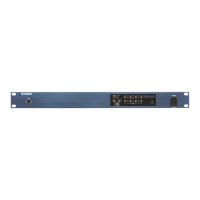
Overview of controls on the front panel, including volume, pitch, voice selection, and variator functions.
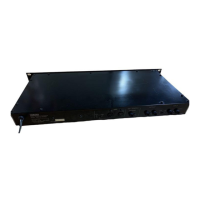
Details of MIDI, audio, and power jacks on the rear panel for connectivity.
Explains the purpose of MIDI IN, OUT, and THRU jacks for data transmission.
Illustrates connecting the EMT-10 to a keyboard for sound generation.
Guide for using sequencers or recorders with multiple EMT-10 units for ensemble performance.
Steps for connecting the EMT-10 and keyboard, and powering on the unit.
Instructions on selecting voices, playing notes, adjusting volume, and using effects.
Details on choosing voices, their types, and polyphonic modes.
How to use the volume lever to control sound output.
Explains how keyboard and EMT-10 sounds combine and how to change keyboard voices.
How to adjust voice brightness and attack time using BRIGHT/MELLOW and SLOW/FAST buttons.
How to control volume based on key velocity for touch-sensitive keyboards.
How to adjust pitch by cents using the PITCH buttons.
How to transpose pitch in half-step units using MIDI button combinations.
How to shift pitch by octaves using MIDI button combinations.
How to switch between 4-note and 8-note polyphony for specific voices.
How to play bass notes with the left hand and other voices with the right hand simultaneously.
Adjusting the touch curve for specific keyboard models to optimize volume response.
Configuring bass notes to sound at the input pitch or one octave lower.
Selecting whether to receive only even, odd, or all note numbers for performance.
Default MIDI settings including Send/Receive Channels, Mode, and message handling.
Procedure for changing MIDI Send and Receive Channels using panel buttons.
How to automatically set MIDI channels and OMNI mode by holding the MIDI button on power-on.
Configuring OMNI ON/OFF, Program Change, and Control Change message reception.
How voice changes are transmitted via MIDI and processed by receiving units.
Transmitting current panel settings to a recorder or other device.
Sending and receiving voice variator settings via MIDI.
Sending and receiving polyphonic mode status for specific voices.
MIDI transmission formats for touch curve and bass octave down settings.
MIDI data formats for selecting received note groupings.
Requests for panel data, name data, and panel data reception.
Troubleshooting steps when no sound is produced from the unit.
Causes for notes stopping and solutions, including MIDI function interactions.
Resolving issues where bass notes stop sounding when 4-note mode is selected.
Understanding why the fifth note may not sound when five sustained voices are played concurrently.
Explanation of how pitch and octave shifts affect notes outside the soundable range.
Lists the types of percussive, sustained, and bass voices available.
Details on sound generation technology and the unit's soundable note range.
Information on concurrency soundable notes and available modes like Bass Split.
Summary of effects, accessory jacks, power supply requirements, and maximum current.
Specifications for external dimensions, weight, and included accessories.
Default settings for basic channel, mode, and message alteration.
Details on note number, true voice, velocity, note ON/OFF messages.
Information on control change messages (Sustain, Damper) and program changes.
Overview of system exclusive messages and common system messages like clock and tune.
Details on auxiliary messages (Local ON/OFF, All Notes Off) and general notes.
Information regarding FCC rules for Class B computing devices and interference prevention.
Statement on digital apparatus meeting Canadian Class B limits for radio noise emissions.
Certification of the AWM Sound Expander EMT-10 for electromagnetic compatibility in Germany.
 General
| Brand | Yamaha |
|---|---|
| Model | EMT-10 |
| Category | Recording Equipment |
| Language | English |

 To Next Page