EasyManua.ls Logo

Yamaha HTR-6080 - User Manual

Yamaha HTR-6080
125 pages
Print Icon
To Next Page IconTo Next Page
Loading...
YAMAHA ELECTRONICS CORPORATION, USA
6660 ORANGETHORPE AVE., BUENA PARK, CALIF. 90620, U.S.A.
YAMAHA CANADA MUSIC LTD.
135 MILNER AVE., SCARBOROUGH, ONTARIO M1S 3R1, CANADA
YAMAHA ELECTRONIK EUROPA G.m.b.H.
SIEMENSSTR. 22-34, 25462 RELLINGEN BEI HAMBURG, GERMANY
YAMAHA ELECTRONIQUE FRANCE S.A.
RUE AMBROISE CROIZAT BP70 CROISSY-BEAUBOURG 77312 MARNE-LA-VALLEE CEDEX02, FRANCE
YAMAHA ELECTRONICS (UK) LTD.
YAMAHA HOUSE, 200 RICKMANSWORTH ROAD WATFORD, HERTS WD18 7GQ, ENGLAND
YAMAHA SCANDINAVIA A.B.
J A WETTERGRENS GATA 1, BOX 30053, 400 43 VÄSTRA FRÖLUNDA, SWEDEN
YAMAHA MUSIC AUSTRALIA PTY, LTD.
17-33 MARKET ST., SOUTH MELBOURNE, 3205 VIC., AUSTRALIA
©
2007 All rights reserved.
HTR-6080
Printed in Malaysia WK01920
HTR-6080
AV R e c e i ve r
OWNER’S MANUAL
U
HTR-6080_U-cv.mif Page 1 Thursday, February 8, 2007 3:30 PM

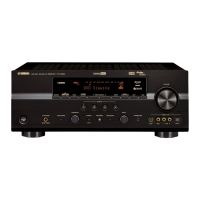
Table of Contents

Questions and Answers

  • N
    Nicole HolderSep 23, 2025
    How to get sound from the subwoofer on Yamaha HTR-6080 Stereo Receiver?
    • M
      Matthew DuranSep 23, 2025
      If you're not hearing sound from the subwoofer on your Yamaha Stereo Receiver when playing a Dolby Digital or DTS signal, and “LFE/BASS OUT” in “SET MENU” is set to “FRONT”, make an appropriate setting following the operating instructions for your component.
  • T
    Terri MonroeAug 23, 2025
    What to do if Yamaha HTR-6080 Stereo Receiver sound suddenly goes off?
    • D
      Devin RamirezAug 23, 2025
      If the sound on your Yamaha Stereo Receiver suddenly cuts out, it could be due to the protection circuitry being activated. First, ensure the speaker impedance setting is correct. Then, check that the speaker wires are not touching each other before turning the unit back on.
  • L
    Lori HopkinsAug 25, 2025
    Why is there no sound from the center speaker on my Yamaha HTR-6080 Stereo Receiver?
    • D
      dwatersAug 26, 2025
      If you're not hearing sound from the center speaker on your Yamaha Stereo Receiver, first, ensure the unit is turned on and the source is playing. Check that the sound isn't muted by pressing [L]MUTE or [J]VOLUME +/– on the remote control. Verify the cable connections and replace defective cables if necessary. Adjust the “SPEAKER LEVEL” settings and ensure “CENTER SP” in “SET MENU” is set to “SML” or “LRG”. If a HiFi DSP program (except for “7ch Stereo”) is selected, try another sound field program. Also, turn on the sound field programs by pressing [D]STRAIGHT.
  • J
    Jake HunterAug 27, 2025
    What to do if Yamaha HTR-6080 Stereo Receiver has no sound from connected HDMI component?
    • J
      Jennifer YoderAug 27, 2025
      If you're not getting sound from a connected HDMI component on your Yamaha Stereo Receiver, the HDMI component may not accept multi-channel audio signals. Convert the multi-channel audio signals to 2-channel audio signals at the source component, such as a DVD player.
  • Z
    Zachary BlankenshipAug 27, 2025
    How to fix Yamaha HTR-6080 Stereo Receiver if there is no sound from center, surround or surround back speakers when FRONT B speakers are activated?
    • M
      Mr. Gregory GrahamAug 28, 2025
      If there is no sound from the center, surround, or surround back speakers when the FRONT B speakers are activated on your Yamaha Stereo Receiver, ensure “FRONT B” in “SPEAKER SET” is set to “FRONT” and “EXTRA SP ASSIGN” is set to “PRESENCE”.
  • Y
    yodermatthewSep 18, 2025
    How to enable surround back speakers on Yamaha Stereo Receiver?
    • J
      Joel HubbardSep 18, 2025
      If you're not hearing sound from the surround back speakers on your Yamaha Stereo Receiver, and the unit is in “STRAIGHT” mode playing a monaural source, set “SUR.B L/R SP” in “SET MENU” to a setting other than “NONE”.
  • S
    Suzanne TaylorSep 15, 2025
    How to get sound from surround speakers on Yamaha Stereo Receiver?
    • K
      Kathryn MorrisonSep 15, 2025
      If you are not hearing sound from the surround speakers on your Yamaha Stereo Receiver, press [D]STRAIGHT on the front panel so that “STRAIGHT” disappears from the front panel display. You may be using a source or program combination that does not output sound from all channels.
  • P
    Parker Brown Jr.Sep 16, 2025
    What to do if Yamaha Stereo Receiver doesn't record a source?
    • J
      Jeffery FlowersSep 16, 2025
      If a source cannot be recorded by an analog component connected to the AUDIO OUT (REC) jacks on your Yamaha Stereo Receiver, ensure the source component is connected to the analog AUDIO IN jacks of the unit.
  • M
    melissafrancisSep 6, 2025
    Why is sound only heard from one side of my Yamaha HTR-6080 Stereo Receiver?
    • S
      Scott SaundersSep 6, 2025
      If you're only hearing sound from one side on your Yamaha Stereo Receiver, and only the center speaker outputs substantial sound, it may be because you are playing a monaural source with a CINEMA DSP program. In this case, the source signal is directed to the center channel, with the front and surround speakers outputting effect sounds.
  • G
    gcombsSep 3, 2025
    How to fix noisy FM stereo reception on Yamaha Stereo Receiver?
    • G
      garciajamesSep 3, 2025
      If you're experiencing noisy FM stereo reception on your Yamaha Stereo Receiver, check the antenna connections to ensure they are secure. The issue may be due to the distance from the transmitter or poor antenna input.

Summary

IMPORTANT SAFETY INSTRUCTIONS

Explanation of Graphical Symbols

Explains symbols used for warnings and instructions in the manual.

FCC INFORMATION (for US customers)

Outlines FCC compliance requirements and warnings for U.S. customers.

GETTING STARTED

Installing batteries in the remote control

Step-by-step guide for inserting batteries into the remote control for proper operation.

Quick start guide

Preparation: Check the items

Lists essential supplied accessories and items not included for initial setup.

CONNECTIONS

Rear panel

Overview of all input and output jacks and terminals on the rear of the unit.

Setting the speaker impedance

OPTIMIZING THE SPEAKER SETTING FOR YOUR LISTENING ROOM

Using AUTO SETUP

Guides through the automatic speaker setup process using the optimizer microphone for acoustic optimization.

Selecting the SCENE templates

PLAYBACK

Basic procedure

Explains the fundamental steps for playing audio and video sources through the unit.

FM;AM TUNING

Automatic tuning

Details the process for automatically tuning into strong FM/AM radio stations.

Manual tuning

Explains how to manually tune FM/AM radio stations, especially for weak signals.

ADVANCED SOUND CONFIGURATIONS

Changing sound field parameter settings

Guide to adjusting specific parameters of selected sound field programs to customize the audio experience.

CUSTOMIZING THIS UNIT (MANUAL SETUP)

Sound menu 1 SOUND MENU

Covers manual adjustments for speaker settings, sound quality, and tone.

Input menu 2 INPUT MENU

Details how to reassign input/output jacks, select input modes, and rename sources.

Option menu 3 OPTION MENU

Allows manual adjustment of optional system parameters like display and memory settings.

Remote control features

Using the remote control for the SCENE feature

Explains how to use the remote to control SCENE features and linked components.

Advanced setup

Using the advanced setup

Explains how to access and navigate the advanced setup menu for system customization.

TROUBLESHOOTING

General

Provides common troubleshooting steps for general operational issues and problems.

RESETTING THE SYSTEM

Front panel

Remote control

List of remote control codes

Yamaha HTR-6080 Specifications

General IconGeneral
BrandYamaha
ModelHTR-6080
CategoryStereo Receiver
LanguageEnglish

Related product manuals