EasyManua.ls Logo

Yamaha RX-797 - Service Manual

Yamaha RX-797
46 pages
Print Icon
To Next Page IconTo Next Page
Loading...
SERVICE MANUAL
This manual has been provided for the use of authorized YAMAHA Retailers and their service personnel.
It has been assumed that basic service procedures inherent to the industry, and more specifically YAMAHA Products, are already
known and understood by the users, and have therefore not been restated.
WARNING: Failure to follow appropriate service and safety procedures when servicing this product may result in personal
injury, destruction of expensive components, and failure of the product to perform as specified. For these reasons,
we advise all YAMAHA product owners that any service required should be performed by an authorized YAMAHA
Retailer or the appointed service representative.
IMPORTANT: The presentation or sale of this manual to any individual or firm does not constitute authorization, certification or
recognition of any applicable technical capabilities, or establish a principle-agent relationship of any form.
The data provided is believed to be accurate and applicable to the unit(s) indicated on the cover. The research, engineering, and service
departments of YAMAHA are continually striving to improve YAMAHA products. Modifications are, therefore, inevitable and
specifications are subject to change without notice or obligation to retrofit. Should any discrepancy appear to exist, please contact the
distributor's Service Division.
WARNING: Static discharges can destroy expensive components. Discharge any static electricity your body may have
accumulated by grounding yourself to the ground buss in the unit (heavy gauge black wires connect to this buss).
IMPORTANT: Turn the unit OFF during disassembly and part replacement. Recheck all work before you apply power to the unit.
IMPORTANT NOTICE
100979
SERVICE MANUAL
STEREO RECEIVER
IC DATA . . . . . . . . . . . . . . . . . . . . . . . . . . . . . . . . 17–18
DISPLAY DATA . . . . . . . . . . . . . . . . . . . . . . . . . . . . . 19
PRINTED CIRCUIT BOARD . . . . . . . . . . . . . . . . 20–28
PIN CONNECTION DIAGRAM . . . . . . . . . . . . . . . . . 29
BLOCK DIAGRAM . . . . . . . . . . . . . . . . . . . . . . . . . . . 30
SCHEMATIC DIAGRAM . . . . . . . . . . . . . . . . . . . 31–34
PARTS LIST . . . . . . . . . . . . . . . . . . . . . . . . . . . . . 35–43
REMOTE CONTROL RAX100/RAX101 . . . . . . . . . . 44
REMOTE CONTROL RAX17 . . . . . . . . . . . . . . . . . . 45
REMOTE CONTROL RAX18 . . . . . . . . . . . . . . . . . . 46
CONTENTS
TO SERVICE PERSONNEL . . . . . . . . . . . . . . . . . . . . 2
IMPEDANCE SELECTOR . . . . . . . . . . . . . . . . . . . . . . 3
FRONT PANELS . . . . . . . . . . . . . . . . . . . . . . . . . . . . . 3
REAR PANELS . . . . . . . . . . . . . . . . . . . . . . . . . . . . 4–5
REMOTE CONTROL PANELS . . . . . . . . . . . . . . . . . . 5
SPECIFICATIONS . . . . . . . . . . . . . . . . . . . . . . . . . . 6–7
INTERNAL VIEW . . . . . . . . . . . . . . . . . . . . . . . . . . . . . 7
DISASSEMBLY PROCEDURES . . . . . . . . . . . . . . . . . 8
SELF DIAGNOSIS FUNCTION . . . . . . . . . . . . . . . 9–15
AMP ADJUSTMENT . . . . . . . . . . . . . . . . . . . . . . . . . 16
DPX-1200
RX-797
RX-797
© 2005 YAMAHA CORPORATION. All rights reseved.
This manual is copyrighted by YAMAHA and may not be copied or
redistributed either in print or electronically without permission.
’05.10

Other manuals for Yamaha RX-797

Questions and Answers

  • H
    Henry ColeSep 7, 2025
    Why is the sound degraded on my Yamaha Stereo Receiver with headphones?
    • D
      Daniel PattersonSep 7, 2025
      If the sound is degraded when listening with headphones connected to the CD player or tape deck connected to your Yamaha Stereo Receiver, ensure that the power of the unit is turned on.
  • J
    James HawkinsAug 25, 2025
    What to do if my Yamaha Stereo Receiver has no sound?
    • G
      gonzalesamberAug 25, 2025
      If you're experiencing no sound from your Yamaha Stereo Receiver, first, ensure all input and output cables are correctly connected; if the problem persists, the cables may be defective. Next, select the appropriate input source using the INPUT selector on the front panel or the remote control. Also, verify that the SPEAKERS A/B switches are properly set and speaker connections are secure.
  • J
    Jacob JonesAug 25, 2025
    Why is there no sound coming from my Yamaha RX-797 Stereo Receiver?
    • K
      Katherine BishopAug 26, 2025
      If there's no sound from your Yamaha Stereo Receiver, check all input and output cable connections to ensure they are properly connected. If the problem persists, the cables might be defective. Make sure you've selected the appropriate input source using the INPUT selector on the front panel or the remote control. Verify that the SPEAKERS A/B switches are correctly set. Also, ensure that your speaker connections are secure.
  • C
    Carla RyanSep 16, 2025
    Why does my Yamaha Stereo Receiver have no bass and ambience?
    • J
      Joseph DavisSep 16, 2025
      If you're experiencing a lack of bass and no ambience with your Yamaha Stereo Receiver, ensure that the + and – wires are connected correctly at both the amplifier and the speakers. Connect the speaker wires to the correct + and – phase.
  • P
    Preston AlvaradoSep 23, 2025
    Why does my Yamaha RX-797 have crackling and hissing noises?
    • K
      Kimberly HinesSep 23, 2025
      If you are experiencing continuous crackling and hissing noises on your Yamaha Stereo Receiver, the noises may result from lightning, fluorescent lamps, motors, thermostats, or other electrical equipment. Try using an outdoor antenna and a ground wire. This may help somewhat, but it is difficult to eliminate all noise.
  • J
    Jennifer WongSep 12, 2025
    Why can't I tune into a station with my Yamaha Stereo Receiver?
    • A
      Alejandro GraySep 12, 2025
      If the desired station cannot be tuned in with the automatic tuning method on your Yamaha Stereo Receiver, it may be due to a weak signal or loose antenna connections. Tighten the AM loop antenna connections and orient it for the best reception. You can also try using the manual tuning method.
  • J
    Jill KimSep 2, 2025
    Why the desired station cannot be tuned in with the automatic tuning method (AM) on Yamaha Stereo Receiver?
    • B
      Brenda WatsonSep 3, 2025
      If the desired station cannot be tuned in with the automatic tuning method (AM) on your Yamaha Stereo Receiver, the signal may be weak or the antenna connections may be loose. Tighten the AM loop antenna connections and orient it for the best reception. You can also try using the manual tuning method.
  • B
    barrettrichardSep 3, 2025
    Why are there continuous crackling and hissing noises on Yamaha Stereo Receiver?
    • W
      Wesley RodgersSep 3, 2025
      If you are experiencing continuous crackling and hissing noises on your Yamaha Stereo Receiver, the noises may result from lightning, fluorescent lamps, motors, thermostats, or other electrical equipment. Try using an outdoor antenna and a ground wire, but note that it is difficult to eliminate all noise.
  • M
    middletongloriaSep 23, 2025
    Why don't bass, treble, balance and loudness controls work on Yamaha RX-797?
    • J
      Jessica PhelpsSep 23, 2025
      If using the BASS, TREBLE, BALANCE, and LOUDNESS controls does not affect the tonal quality on your Yamaha Stereo Receiver, the CD DIRECT AMP or the PURE DIRECT button may be turned on. Turn off the CD DIRECT AMP or the PURE DIRECT button to use those controls.
  • A
    alexanderbakerAug 29, 2025
    Why is a “humming” sound can be heard on Yamaha RX-797?
    • R
      Ryan RodriguezAug 29, 2025
      If you hear a “humming” sound from your Yamaha Stereo Receiver, ensure the audio plugs are firmly connected and that the cables are not defective. If you're using a turntable, make the GND connection between the turntable and the unit.

Summary

TO SERVICE PERSONNEL

Critical Components Information

Identifies and emphasizes components requiring exact specification replacement.

Leakage Current Measurement

Procedure to verify insulation and safety after servicing.

IMPEDANCE SELECTOR

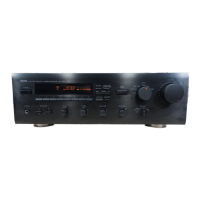
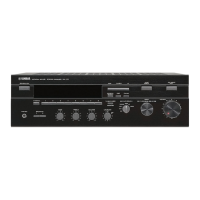
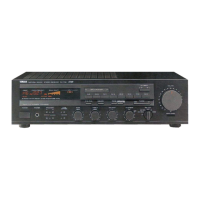
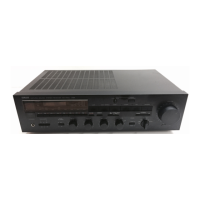
FRONT PANELS

REAR PANELS

REMOTE CONTROL PANELS

RAX100 (U, C models)

Illustration of the RAX100 remote control layout.

RAX101 (R, A, G, E, L models)

Illustration of the RAX101 remote control layout.

RAX17 (U, C models)

Illustration of the RAX17 remote control layout.

RAX18 (R, A, G, E, L models)

Illustration of the RAX18 remote control layout.

SPECIFICATIONS

AUDIO SECTION

Output power, damping factor, input sensitivity, and tone control specifications.

VIDEO SECTION

Video signal types, levels, and frequency response characteristics.

FM SECTION

Tuning range, sensitivity, selectivity, and signal-to-noise ratio for FM reception.

AM SECTION

Tuning range, sensitivity, and signal-to-noise ratio for AM reception.

GENERAL

Power supply, power consumption, and AC outlet specifications.

INTERNAL VIEW

DISASSEMBLY PROCEDURES

SELF DIAGNOSIS FUNCTION

DISPLAY CHECK

FACTORY PRESET

Controls initialization of backup RAM, including protection history management.

AD DATA CHECK

XM STATUS

Displays information related to XM Radio data reception.

PROTECTION SETTING

PROTECTION HISTORY

Displays past protection triggers and their causes.

SOFT SWITCH

MICROPROCESSOR INFORMATION

Shows microprocessor version, checksum, and software module status.

AMP ADJUSTMENT

IC DATA

DISPLAY DATA

PIN CONNECTION

Pinout details for the display module's connections.

GRID ASSIGNMENT

Mapping of display segments to input signals.

ANODE CONNECTION

Connections related to the display's anode structure.

PRINTED CIRCUIT BOARD

PIN CONNECTION DIAGRAM

ICs

Pinout details for integrated circuits used in the unit.

Diodes

Pinout and identification for various diodes.

Transistors

Pinout and identification for various transistors.

FETs

Pinout and identification for field-effect transistors.

BLOCK DIAGRAM

SCHEMATIC DIAGRAM (FUNCTION)

SCHEMATIC DIAGRAM (OPERATION)

SCHEMATIC DIAGRAM (MAIN)

SCHEMATIC DIAGRAM (XM)

PARTS LIST

ELECTRICAL PARTS

List of electronic components like capacitors, resistors, ICs, and transistors.

P.C.B. FUNCTION

P.C.B. FUNCTION & OPERATION

P.C.B. OPERATION & MAIN

P.C.B. MAIN

P.C.B. MAIN & XM

CHIP RESISTORS

Parts List for Carbon Resistors

Detailed list of carbon resistors with various wattage types.

EXPLODED VIEW

MECHANICAL PARTS

REMOTE CONTROL RAX100;RAX101

SCHEMATIC DIAGRAM

Circuit diagram for the RAX100/RAX101 remote controls.

DATA CODE LIST

Table of IR codes for various functions on the remote controls.

REMOTE CONTROL RAX17

SCHEMATIC DIAGRAM

Circuit diagram for the RAX17 remote control.

YAMAHA RAX17 IR CODE TABLE

List of IR command codes for the RAX17 remote.

REMOTE CONTROL RAX18

SCHEMATIC DIAGRAM

Circuit diagram for the RAX18 remote control.

YAMAHA RAX18 IR CODE TABLE

List of IR command codes for the RAX18 remote.

Yamaha RX-797 Specifications

General IconGeneral
Impedance8 ohms
Signal-to-Noise Ratio100 dB (CD)
Speaker Load Impedance4 ohms to 16 ohms
Tuner SectionFM/AM
Power Output100W per channel (8 ohms, 20Hz-20kHz, 0.015% THD)
Frequency Response10 Hz-100 kHz +0, -3 dB
Total Harmonic Distortion0.015%
Tuning RangeFM
Input Sensitivity200mV (line)

Related product manuals