EasyManua.ls Logo

Yamaha KX-W321 - User Manual

Yamaha KX-W321
18 pages
Print Icon
To Next Page IconTo Next Page
Loading...
KX-W421
KX-W321
OWNER’S MANUAL
MODE D’EMPLOI
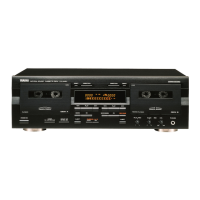
Natural Sound Stereo Cassette Deck
Platine à cassette stéréo de la série “Natural Sound”
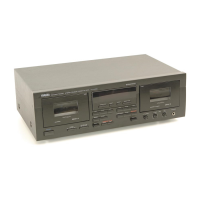
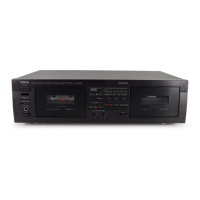
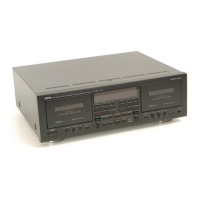
NATURAL SOUND CASSETTE DECK KX-W421
DOLBY NR
OFF/ B/ C
REC LEVELBALANCEPLAY TRIM
PHONES
STANDBY/ON
MODE
O / p / / RELAY
PLAYBACK
DECK A
L R MIN MAX
—+
CLOSE % % CLOSE
DIRECTION RESETRESET DIRECTION
!
&
SEARCH
!⁄
&
MUTE/SEARCH
PLAYPLAY
REC/PAUSE
EJECT EJECT
NORMAL HIGH
DUBBING A # B
00
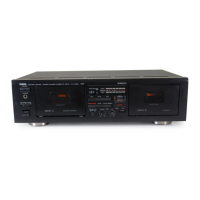
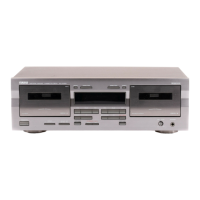
NATURAL SOUND CASSETTE DECK KX-W321
DOLBY NR
OFF/ B/ C
REC LEVEL
PHONES
STANDBY/ON
MODE
O / p / / RELAY
PLAYBACK
DECK A
RECORD/PLAYBACK
DECK B
MIN MAX
RECORD/PLAYBACK
DECK B
DIRECTION RESETRESET DIRECTION
!
&
SEARCH
!⁄
&
MUTE/SEARCH
REC/PAUSE
EJECT EJECT
NORMAL HIGH
DUBBING A # B
CLOSE % % CLOSE
PLAYPLAY
U C A

Questions and Answers

  • M
    Michelle JacksonAug 18, 2025
    Why is there excessive noise coming from my Yamaha KX-W321 Cassette Player?
    • J
      Jacob ChaneyAug 19, 2025
      Excessive noise in your Yamaha Cassette Player can stem from several sources. The head may be dirty or magnetized, requiring cleaning or demagnetization with a head demagnetizer. The tape could be worn out or of poor quality, so try a better tape. Also, check input and output connections, ensuring they are properly inserted. Finally, external electrical noise from appliances like TVs or electric blankets can interfere, so move the deck away from such devices.
  • S
    Stephanie MendezAug 21, 2025
    Why is the recorded sound distorted on my Yamaha KX-W321 Cassette Player?
    • D
      Darrell SchaeferAug 21, 2025
      Distorted sound when recording with your Yamaha Cassette Player can be due to several factors. The tape itself might be bad—stretched or deformed—so try replacing it with a fresh one. A warped cassette shell can also cause distortion, necessitating a tape replacement. Additionally, if the recording level is too high, it can lead to distortion; check the input level with the signal level meter and use a lower recording level.
  • L
    lindakempAug 23, 2025
    Why do the sounds become faint on my Yamaha KX-W321 Cassette Player?
    • A
      adrianrodgersAug 23, 2025
      Faint or inaudible sounds from your Yamaha Cassette Player can arise from a few common issues. The head may be dirty, so cleaning it is a good first step. Alternatively, the head could be magnetized, requiring demagnetization using a head demagnetizer. Lastly, the tape itself might be damaged or of poor quality; try using a different tape to see if that resolves the issue.
  • S
    scampbellAug 26, 2025
    What to do if my Yamaha KX-W321 Cassette Player fails to record?
    • S
      Susan ParkAug 26, 2025
      If your Yamaha Cassette Player fails to record, there are a couple of things to check. First, ensure the REC LEVEL control isn't set too low; adjust it accordingly. Second, see if the protective tabs on the cassette tape are broken off. If they are, either change the tape or cover the protective hole with adhesive tape.
  • E
    Emily GloverAug 28, 2025
    How to fix a Yamaha KX-W321 when the tape doesn’t move?
    • J
      john64Aug 28, 2025
      If the tape isn’t moving during recording or playback on your Yamaha Cassette Player, first ensure that the power plug is properly plugged in. If the power is correctly connected, the issue might be with the cassette itself. A warped or damaged cassette shell can prevent proper operation; avoid playing damaged tapes.
  • A
    Alex MaldonadoAug 30, 2025
    Why is the playback sound muffled on my Yamaha KX-W321 Cassette Player?
    • O
      owarnerAug 30, 2025
      A muffled playback sound with inaudible high frequencies on your Yamaha Cassette Player can occur for several reasons. If a normally-recorded tape is played back in Dolby NR, switch to the OFF position. Dirty or magnetized heads can also cause this issue, so clean the heads and demagnetize them with a head demagnetizer.
  • G
    Gerald FinleySep 1, 2025
    What to do if the REC/PAUSE button doesn't function on my Yamaha KX-W321 Cassette Player?
    • S
      spencerdarleneSep 1, 2025
      If the REC/PAUSE button on your Yamaha Cassette Player isn't working, there are a couple of possible reasons. Make sure a cassette tape is loaded into the unit. If a tape is loaded, check if the protective tabs on the cassette are broken off. If they are, either change the tape or cover the protective hole with adhesive tape.
  • G
    George RobertsonSep 3, 2025
    What causes excessive wow (wavering sound) on my Yamaha Cassette Player?
    • N
      Nicholas NicholsSep 4, 2025
      Excessive wow, or wavering of the sound, from your Yamaha Cassette Player can be caused by a dirty capstan, pinch roller, or poor tape quality. Try cleaning the capstan and pinch roller, or switch to a better tape. Also, if the tape is wound unevenly, rewind it.
  • A
    allenvictorSep 6, 2025
    Why is my Yamaha KX-W321 playing, but there's no sound?
    • H
      Haley EstesSep 6, 2025
      If your Yamaha Cassette Player is playing back a tape but no sound is audible, the issue likely lies in the connection between the deck and your stereo amplifier/receiver. Check these connections to ensure they are secure.
  • A
    Ashley Scott DDSSep 8, 2025
    Why are high frequencies emphasized when playing tapes on my Yamaha KX-W321 Cassette Player?
    • H
      Heather HartSep 8, 2025
      If the high frequencies in the playback sound are emphasized and unpleasant, and the noise level (hiss) is high on your Yamaha Cassette Player, it may be because a Dolby NR-recorded tape is being played back in the OFF position. Try playing it back in the appropriate Dolby NR position.

Summary

Safety Instructions

Read and Retain Instructions

Read all safety and operating instructions and retain them for future reference.

Environmental and Installation Precautions

Guidelines for ventilation, heat, water, moisture, and proper installation.

Power and Cleaning Guidelines

Instructions for power source connection, cord protection, and cleaning the unit.

Servicing and Fault Handling

Procedures for servicing, handling damage, and preventing electrical hazards.

Warning Symbols Explanation

Explanation of graphical symbols indicating electrical hazards and important information.

FCC Information

Unit Modification and Cable Requirements

Avoid unauthorized modifications and use supplied cables for FCC compliance.

FCC Interference Management

Product complies with FCC Class B; manage interference by relocating or using filters.

General Operating Instructions

Manual and Installation Location

Read the manual carefully and select a suitable installation location.

Safety and Maintenance Precautions

Prevent shock, clean with dry cloth, care for heads, and use troubleshooting.

Voltage Selector and Plug Handling

Set voltage selector correctly and handle power plugs properly.

Customer Specific Information

Copyright Law and Canadian Safety

Be aware of copyright laws and follow Canadian electrical safety standards.

Features

Key Features Overview

Highlights include quality heads, Dolby NR, Auto Tape Selector, and Play Trim.

Advanced Recording and Playback Functions

Functions like Dolby HX Pro, Relay Playback, Selection Search, and Dubbing are detailed.

Display and Control Features

Includes Peak Level Meters with Peak Hold and Remote Control Capability.

Connections

Rear Panel Audio Connections

Connect amplifier/receiver to rear panel jacks using paired cables for audio signals.

AC Power Connection

Connect the power cord to an AC wall outlet or the amplifier/receiver's AC outlet.

Notes on This Manual

Manual Conventions and Examples

Manual uses DECK B for common operations; KX-W421 is shown in examples.

Playback Operation

Preparation for Playback

Turn on the unit and set the amplifier/receiver to the cassette deck function mode.

Basic Playback Steps

Insert cassette, close compartment, select Dolby NR, and press PLAY.

Tape Direction and Control

Select tape direction, fast forward, rewind, stop, and eject.

Tape Counter Usage

Use the tape counter to aid in locating a point on a tape by resetting it.

Recording

Preparation for Recording

Turn on the unit and set the amplifier/receiver to cassette deck function mode.

Basic Recording Steps

Insert cassette, select Dolby NR, mode, direction, and adjust levels.

Recording Level and Balance Adjustment

Adjust REC LEVEL and REC BALANCE for optimal recording levels and sound.

Stopping and Pausing Recording

Press STOP to end recording; press REC/PAUSE to pause and PLAY to resume.

Recording Operations

Rec Mute Operation

Insert a blank space during recording using MUTE/SEARCH.

Rec Return Operation

Return to the start point of recording using PLAY or tape counter.

Dolby HX Pro Bias Servo System

Automatically controls bias for reduced distortion and improved frequency response.

Synchronized Recording Function

Utilize CD synchronized recording with a compatible CD player.

Dubbing

Dubbing from Deck A to Deck B

Load tapes and set MODE, DIRECTION, and DUBBING speed for dubbing.

Dubbing Speed and Quality

Select NORMAL or HIGH speed for dubbing; NORMAL offers higher quality.

Stopping and Operations During Dubbing

Methods for stopping dubbing and available operations like Rec Return.

Play Trim Control for Dubbing

Adjust PLAY TRIM for frequency response compensation before dubbing.

Cassette Tapes

Cassette Tape Formulations

Overview of Normal, Chrome, Ferrichrome, and Metal tape types.

Auto Tape Selector Detection

How the deck automatically adjusts for tape type using detector slots.

Protecting Your Recordings

How to use erasure protection holes to protect recorded tapes.

Taking Up Slack in Tape

Procedure to remove tape slack before inserting cassettes to prevent damage.

Storing Cassettes

Guidelines for storing cassettes away from sunlight, humidity, and magnetic fields.

Maintenance

Cleaning the Tape Path

Periodic cleaning of heads, capstan, and pinch rollers for optimal performance.

Demagnetization

Use a demagnetizer after 20-30 hours to prevent loss of high frequencies.

Optional Remote Control Transmitter

Remote Control Operation

How to operate the unit remotely and its operational range.

Troubleshooting

Tape Movement and Operation Issues

Solutions for tape not moving, REC/PAUSE failure, and abnormal unit operation.

Sound Quality Issues

Troubleshooting faint, distorted, or noisy sound, and excessive wow.

Playback and Recording Failures

Resolving issues like no sound during playback, tape stopping, and recording failures.

Search and Frequency Issues

Fixing search errors and addressing emphasized high frequencies and noise.

Specifications

General Specifications

Details on power supply, consumption, dimensions, weight, and accessories.

Performance Specifications

Technical data including Type, Motors, Heads, Transport, Wow/Flutter, and S/N ratio.

Frequency Response and Distortion

Technical data on frequency response for different tape types and harmonic distortion.

Input;Output and Channel Specs

Details on input sensitivity, output levels, and channel separation.

Yamaha KX-W321 Specifications

General IconGeneral
TypeDouble Cassette Deck
Track System4-track, 2-channel stereo
Tape Speed4.8 cm/s
Signal-to-Noise Ratio58dB
Power SupplyAC 120V, 60Hz
MotorDC Servo Motor
Frequency Response (Normal Tape)30Hz to 16kHz
Frequency Response (Metal Tape)30Hz to 18kHz
Wow and Flutter0.08% (WRMS)
Wow and Flutter (WRMS)0.07%
InputsLine In
OutputsLine Out
Heads2 x Playback, 2 x Record, 2 x Erase
Frequency Response (Chrome Tape)30Hz to 17kHz

Related product manuals