EasyManua.ls Logo

Yamaha M-5000 - User Manual

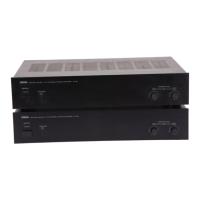
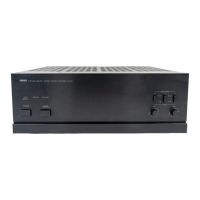
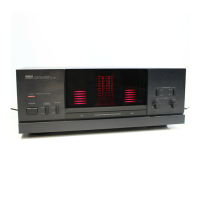
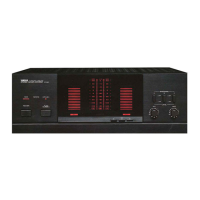
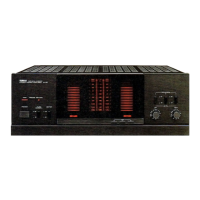
Yamaha M-5000
68 pages
Print Icon
To Next Page IconTo Next Page
Loading...
Owner´s Manual
Mode d´emploi
Power Amplifier
Amplificateur de Puissance
Français
English

Table of Contents

Questions and Answers

  • J
    James WadeJul 28, 2025
    How to fix Yamaha M-5000 Amplifier if power does not turn on?
    • C
      Catherine CarrollJul 28, 2025
      If your Yamaha Amplifier isn't powering on, there are a few potential reasons. First, ensure the power cord is fully connected to both the AC IN connector on the rear panel and the AC outlet. Also, check that the speaker wires aren't touching each other or shorting against the rear panel, as this can activate the protection circuitry. Finally, if the unit experienced a strong electrical shock, try turning it off, disconnecting the power cord for 30 seconds, and then plugging it back in.
  • D
    Devin SmithAug 1, 2025
    What to do if Yamaha M-5000 Amplifier is on but no sound is heard?
    • D
      Dale ConnerAug 1, 2025
      If your Yamaha Amplifier is on but producing no sound, several things could be the cause. Ensure the speaker wires are correctly connected and not causing a short circuit. Verify that the SPEAKERS selector isn't set to OFF, and that it's in the appropriate position. Also, check that the INPUT selector matches the input source you're using.
  • K
    Kelly BushAug 6, 2025
    What to do if the sound is suddenly muted on my Yamaha Amplifier?
    • C
      Christine WilsonAug 6, 2025
      If the sound on your Yamaha Amplifier suddenly mutes, it might be due to the protection circuitry being activated because of a short circuit, so make sure the speaker wires are not touching or shorting. Also, verify that the speakers are properly connected and that the cables aren't defective.
  • P
    pjonesAug 11, 2025
    Why is the STANDBY/ON indicator flashing on my Yamaha M-5000 Amplifier?
    • M
      Marcus OdonnellAug 11, 2025
      If the STANDBY/ON indicator on your Yamaha Amplifier is flashing, it indicates a problem. This could be due to a short circuit, so check the speaker wires to ensure they are not touching each other or shorting against the rear panel. If the problem persists, disconnect the power cord and contact an authorized Yamaha dealer or service center, as there may be an issue with the internal circuitries.
  • D
    Darlene GibbsAug 17, 2025
    Why is a “humming” noise heard from my Yamaha Amplifier?
    • A
      Antonio MataAug 17, 2025
      A humming noise from your Yamaha Amplifier can be caused by using both balanced and unbalanced cables simultaneously between two components. To resolve this, avoid using both types of cables at the same time, as this creates a ground loop that generates static and noise.
  • M
    Mr. Mitchell PughAug 21, 2025
    How to restore bass and ambience on Yamaha M-5000?
    • J
      James WilliamsAug 21, 2025
      A lack of bass and ambience in your Yamaha Amplifier's output can occur if the + and - wires are connected in reverse at either the amplifier or the speakers. Ensure that the speaker wires are connected with the correct polarity.

Summary

Power Amplifier M-5000 Owners Manual

Front Panel Controls

Power Switch and Indicator

Controls the unit's power status and indicates operation mode.

Speaker Selector

Manages speaker output selection for connected speakers.

Meter and Input Selectors

Details meter display functions, selector, and input source selection.

Rear Panel Overview

Mode and Power Settings

Covers mode selection, auto standby switch, and feet adjustment.

Connection Methods

Preamplifier Connectivity

Instructions for connecting a preamplifier using balanced or unbalanced cables.

Trigger Power Synchronization

Synchronize power control with other components using trigger cables.

Power Cord Connection

Troubleshooting Common Issues

Yamaha M-5000 Specifications

General IconGeneral
TypeStereo Power Amplifier
Rated Output Power150W + 150W (8 ohms, 20Hz-20kHz, 0.07% THD)
Frequency Response5Hz-100kHz (+0dB/-3dB)
Frequency Response (dB)+0 dB, -3 dB (5 Hz-100 kHz), +0 dB, -0.3 dB (20 Hz-20 kHz)
Signal-to-Noise Ratio120 dB (IHF-A Network)
Damping Factor250 (1 kHz, 8 ohms)
Dimensions435 x 180 x 464 mm
Weight26.9 kg

Related product manuals