EasyManua.ls Logo

Yamaha MFC05 - Battery Installation; Installing AA Batteries; Specifications; Technical Specifications

Yamaha MFC05
8 pages
Print Icon
To Next Page IconTo Next Page
To Previous Page IconTo Previous Page
Loading...
PROGRAM
CHANGE
NUMBERS
TRANSMITTED
WHEN
BANK
A
AND
BANK
B
ARE
SELECTED
FOOTSWITCH
BANK
A
BANK
B
1
1
6
2
2
7
3
3 8
4
4
9
5
5
10
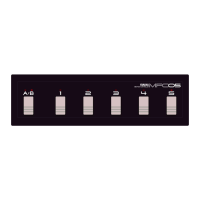
If,
for
example,
BANK
A
is
selected
(the
LED
above
“A”
is
it)
and
you
want
to
select
program
number
9
on
the
receiving
device,
simply
press
the
bank
select
footswitch
to
select
BANK
B
(the
LED
above
“B”
will
light)
and
then
press
program
change
footswitch
t4.
NOTE:
No
program
change
number
is
transmitted
when
the
bank
select
footswitch
{A/B)
is
pressed.
A
program
change
number
is
only
transmitted
when
one
of
the
program
change
footswitches
(1—4)
is
pressed
4,
BATTERY
INSTALLATION
The
MFCOS
requires
6
“AA”
type
dry
batteries
if
you
intend
to
operate
it
without
the
PA-1
(B)
AC
adapter.
Alkaline
type
dry
batteries
are
recommended
because
of
their
longer
life.
@
Make
sure
the
MFC05
power
switch
is
OFF
©
Use
a
coin
or
similar
object
to
turn
the
large
screw
retaining
the
battery
compartment
cover
on
the
bottom
panel
of
the
MFCOS,
and
remove
the
battery
compartment
cover.
@
Remove
the
battery
holder,
taking
care
not
to
pull
on
or
damage
the
battery
wires.
Unsnap
the
battery
holder
from
the
battery
clip.
@
Install
the
six
batteries
in
the
battery
holder,
making
sure
that
each
battery
faces
in
the
proper
direction.
Battery
orientation
markings
are
provided
on
the
battery
holder.
®©
Snap
the
battery
clip
securely
back
onto
the
battery
holder,
and
replace
the
battery
holder
in
the
battery
compartment.
@
Replace
the
battery
compartment
cover
and
tighten
the
retaining
screw.
NOTE:
When
‘the
batteries
need
replacing,
the
MFCOS
indicators
will
begin
to
flash.
When
this
happens,
replace
all
six
batteries
at
the
same
time.
New
batteries
should
never
be
mixed
with
old
ones.
NOTE:
When
performing,
it’s
a
good
idea
to
have
a
spare
set
of
batteries
handy
—just
in
case.
NOTE:
It
is
a
good
idea
to
have
a
fresh
set
of
batteries
installed
even
when
using
the
PA-1
(B}
AC
adapter.
If
the
AC
adapter
cord
is
accidentally
unplugged
during
use,
the
MFCOS
will
instantly
switch
to
bat-
tery
power
NOTE:
Even
when
no
batteries
are
installed,
make
sure
to
attach
the
battery
clip
to
the
battery
holder.
If
this
is
not
done,
the
battery
clip
can
come
in
contact
with
a
conducting
surface
inside
the
battery
com-
partment,
thus
shorting
the
power
supply
and
possibly
causing
damage.
5.
SPECIFICATIONS
Transmitted
Data
MIDI
program
change
messages
1
through
10
Channel
1
only
A,B,
1,
2,
3, 4,
5.
AIB,
1,
2, 3,
4,
5,
POWER.
MIDI
OUT,
DCSV—12V
IN.
AA
dry
batteryx
6,
or
PA-1/
PA-1B
AC
adapter.
Approximately
10
hours
con-
tinuous
(alkaline
batteries).
444
mm
x
41
mm
x
130
mm
(17-1/2"
x
1-5/8"
x
5-1/8")
Weight
1.2
kg.
incl.
batteries.
Supplied
Accessories
One
set
of
six
AA
batteries.
Optional
Accessories
PA-1/PA-1B
AC
Adapter.
MIDI
Transmit
Channel
indicator
LEDs
Switches
Connectors
Power
Source
Battery
Life
Dimensions
{W
x
H
x
D}
6.
MIDI
DATA
FORMAT
1.
TRANSMISSION
CONDITIONS
PROGRAM
CHANGE
sch
>
mi
OUT
2.
TRANSMISSION
DATA
Channel
Information
{Channel
Voice
Message)
®
PROGRAM
CHANGE
Channel
number
fixed
at
channel
1
STATUS
11000000
(COH)
PROGRAM
NO.
0000pppp
p=0
(program
no.
î)-
9
{program
no.10}

Related product manuals