Quick GuideConnecting the MO to external devices
Using as a Multi-timbral Tone Generator for your DAW/sequencer
111
Owner’s Manual
For details, refer to the owner’s manual of your sequencer.
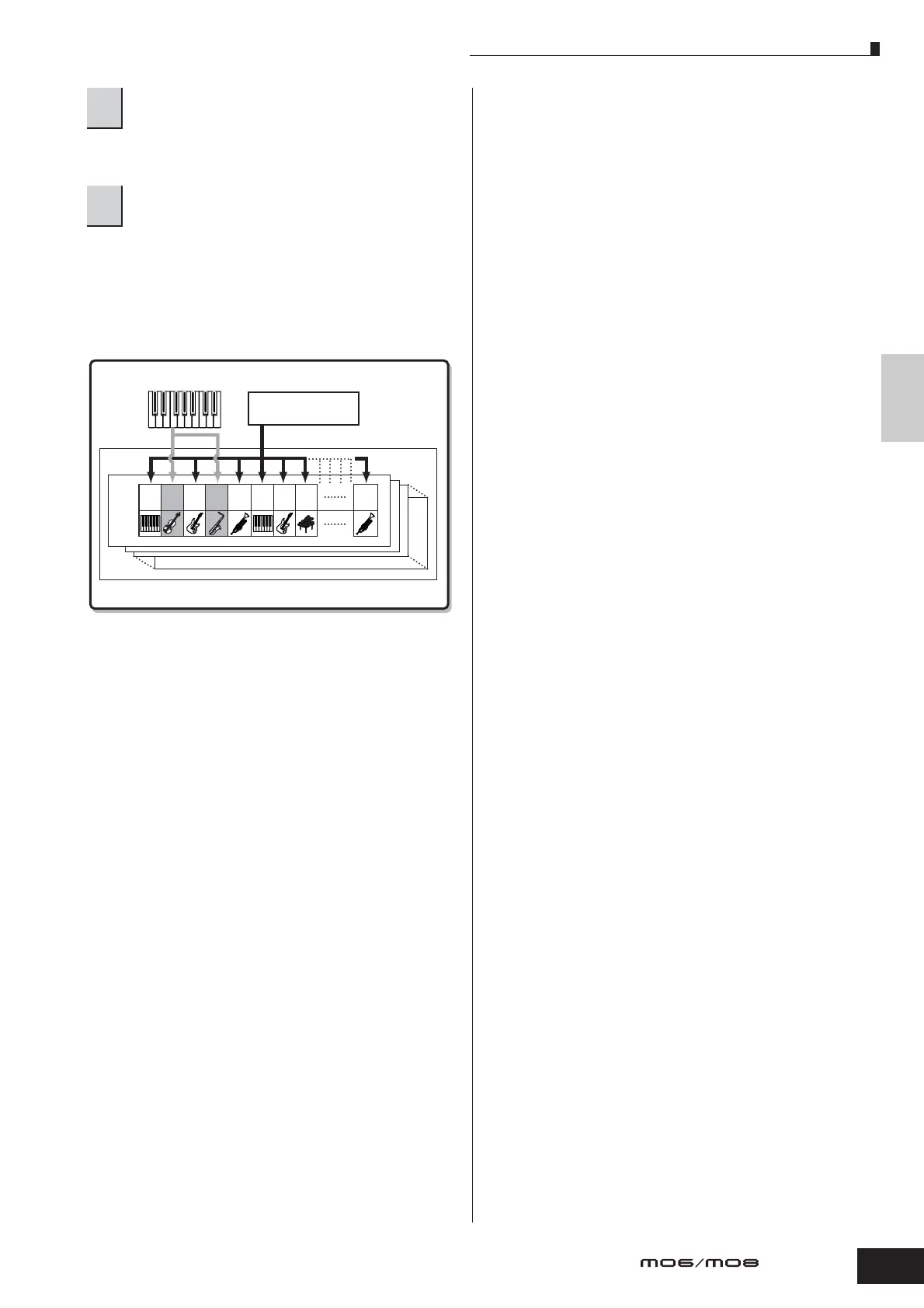
When a Note On message is received, the corresponding
Part is played. For example, when you play back tracks on
the sequencer, the Part whose Receive Channel is same as
the sequencer track’s Transmit Channel is played. If two or
more Parts have the same MIDI receive channel value,
those Parts will play in unison.
5
Record your song data to the sequencer song
file.
6
Play back the sequencer song file using the
sounds of the MO.
12345678 16
External keyboard
External sequencer
Song playback
Tone generator
Part
Mixing
Voice
Playing a Song /Pattern



 To Next Page