Playing the Demo Songs/Patterns
73
Owner’s Manual
Quick GuideCreating a Song on the MO
In this section, we’ll explain how to create a Song by using the built-in sequencer of the MO (Song mode and Pattern mode).
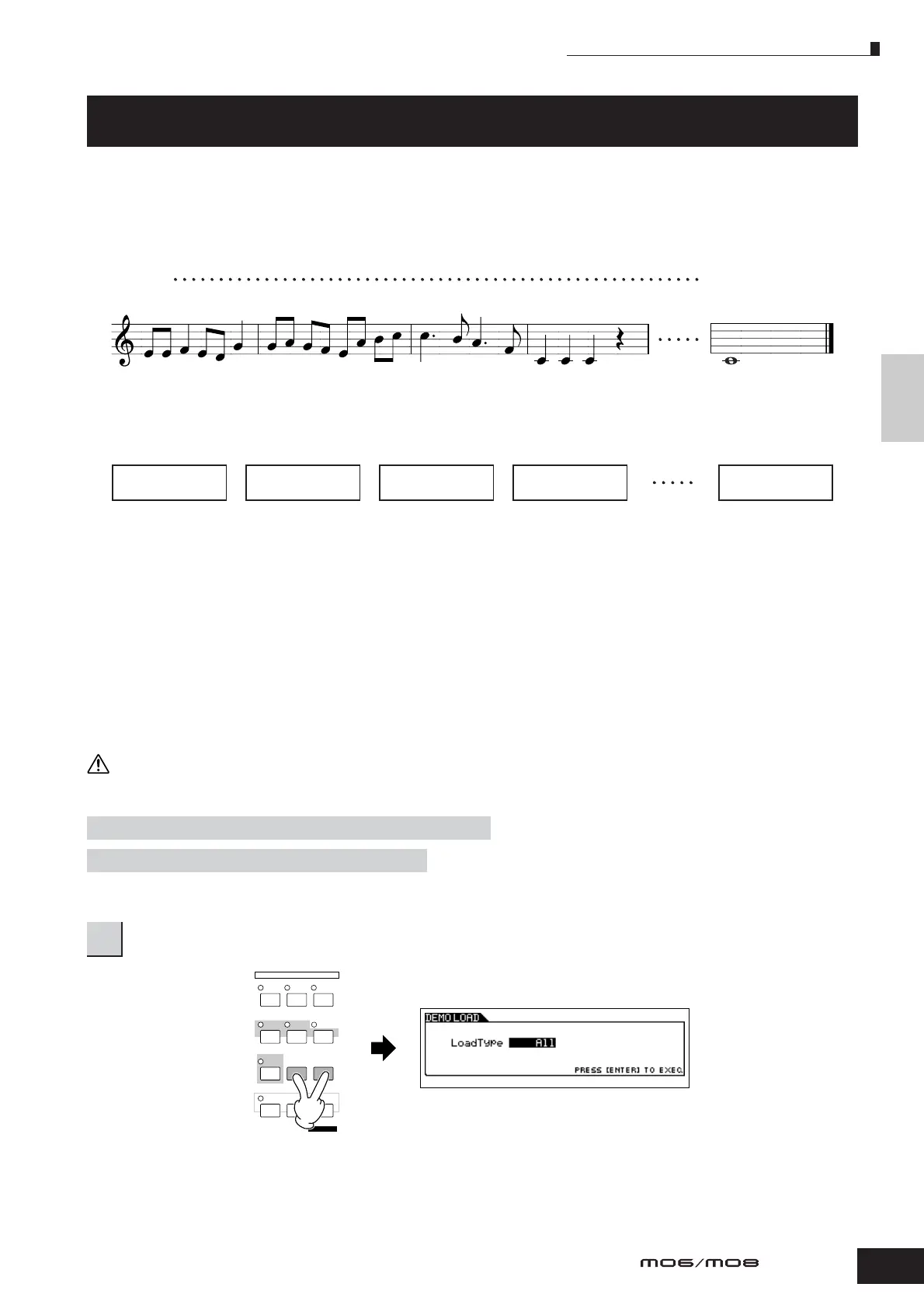
There are two ways (or modes) that you can use the music production features of the MO to create your own music: Song
mode and Pattern mode.
In the Song mode, you can create a Song in order from beginning to end.
Song mode
In the Pattern mode, you can create separate Sections, each several measures in length, as an Intro, melody A, main theme,
etc.—then, combine the separate Sections to create an entire Song.
Pattern mode
First, listen to the Song and Pattern Demos that have been specially programmed in the MO, to give you an idea how the
Patterns are built and how they can be used.
Next, we’ll give you a specific example in creating a Song—entering a rhythm pattern to each Section in the Pattern mode,
then recording a melody in the Song mode. Once you see how it’s done, you can use the same method to create your own
music with Patterns and Songs.
Playing the Demo Songs/Patterns
The Song and Pattern Demos have been specially programmed so you can hear just how amazing the sounds are, and find
out just how powerful the instrument really is—for music creation, performance and production.
When the Demo Song/Pattern data is loaded, the memory area for playback will be overwritten and the [EFFECT BYPASS] button will be turned off.
Also, the following settings will be changed in order to play back the Demo Song/Pattern properly.
Important data should always be backed up to a USB storage device.
Creating a Song on the MO
[UTILITY] ➞ [F1] GENERAL ➞ [SF1] TG ➞ Volume, NoteShift, Tune
[UTILITY] ➞ [F1] GENERAL ➞ [SF4] OTHER ➞ CtrlRest
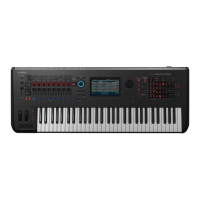
1
Simultaneously press the [FILE] button and [UTILITY] button.
Measure 1
120
Intro
Melody A Main theme Melody A Ending
Section A
Section B Section C Section B
Section P
CAUTION
MIXING
VOICE PERFORM MASTER
SONG PATTERN
DAW
REMOTE
EDIT
COMPARE SCENE STORE
SET LOCATE
FILE
JOB
UTILITY
DEMO
STORE
MODE



 To Next Page