Edit Search Utility Live SetPerformance
MODX Reference Manual
Performance
Home
Motion Control
Overview
Quick Edit
Arpeggio
Motion Seq
Super Knob
Knob Auto
Mixing
Scene
Play / Rec
MIDI
Audio
33
Reference
Motion Control
From the Motion Control display you can edit all Motion Control settings, such as general sound settings,
Arpeggio, and the Motion Sequencer of the currently selected Performance.
The Motion Control section contains the following various displays.
• Overview
•Quick Edit
•Arpeggio
• Motion Sequencer
• Super Knob
•Knob Auto
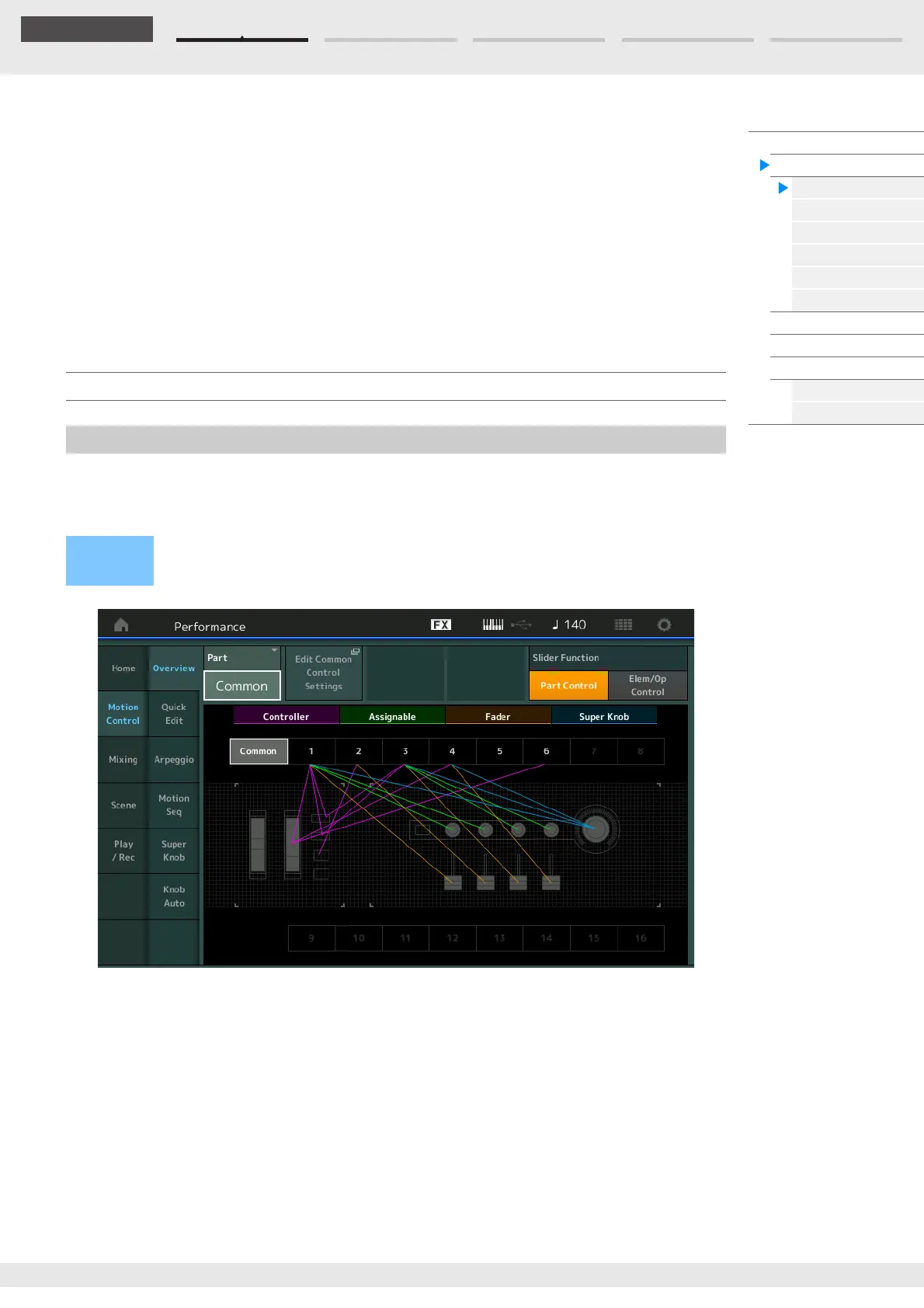
The Overview display indicates the illustration of the connection between Controllers and Parts. You can
confirm the current settings here.
NOTE Lines between the most recently used controller and Part are shown in bold.
Part
Indicates the currently selected Part. To confirm a Part’s connections, select the Part here.
Settings: Common, Part 1–16
Edit Common Control Settings/Edit Part Control Settings
Calls up the Control Assign display for the selected Part. For “Common,” see page 166. For Part 1–16, see
page 100.
Slider Function
Switches among Performance Control, Part Control, and Element/Operator Control.
Settings: Part Control, Elem/Op Control
NOTE You can store Slider function operations as Performance data.
Motion Control
Overview
Operation
[PERFORMANCE (HOME)] [Motion Control] [Overview]
or
[SHIFT] + [PERFORMANCE (HOME)]



 To Next Page