Edit Search Utility Live SetPerformance
Normal Part (AWM2) Drum Part Normal Part (FM-X) Common/Audio
MODX Reference Manual
Normal Part (AWM2) Edit
Common
Part Settings
General
Pitch
Zone Settings
Zone Transmit
Effect
Routing
Ins A
Ins B
EQ
Ins Assign
Arpeggio
Common
Individual
Advanced
Motion Seq
Common
Lane
Mod / Control
Part LFO
Control Assign
Receive SW
Element
Osc / Tune
Pitch EG
Filter
Type
Filter EG
Scale
Amplitude
Level / Pan
Amp EG
Scale
Element LFO
Element EQ
All Element
Osc
Balance
Copy or Exchange
Elements
86
Reference
Gate Time (Gate Time Rate)
Determines how much the Gate Time (length) of the Arpeggio notes is offset from the original value. If the
resulting Gate Time value is 0, it will be set to 1.
Settings: -100% – +100%
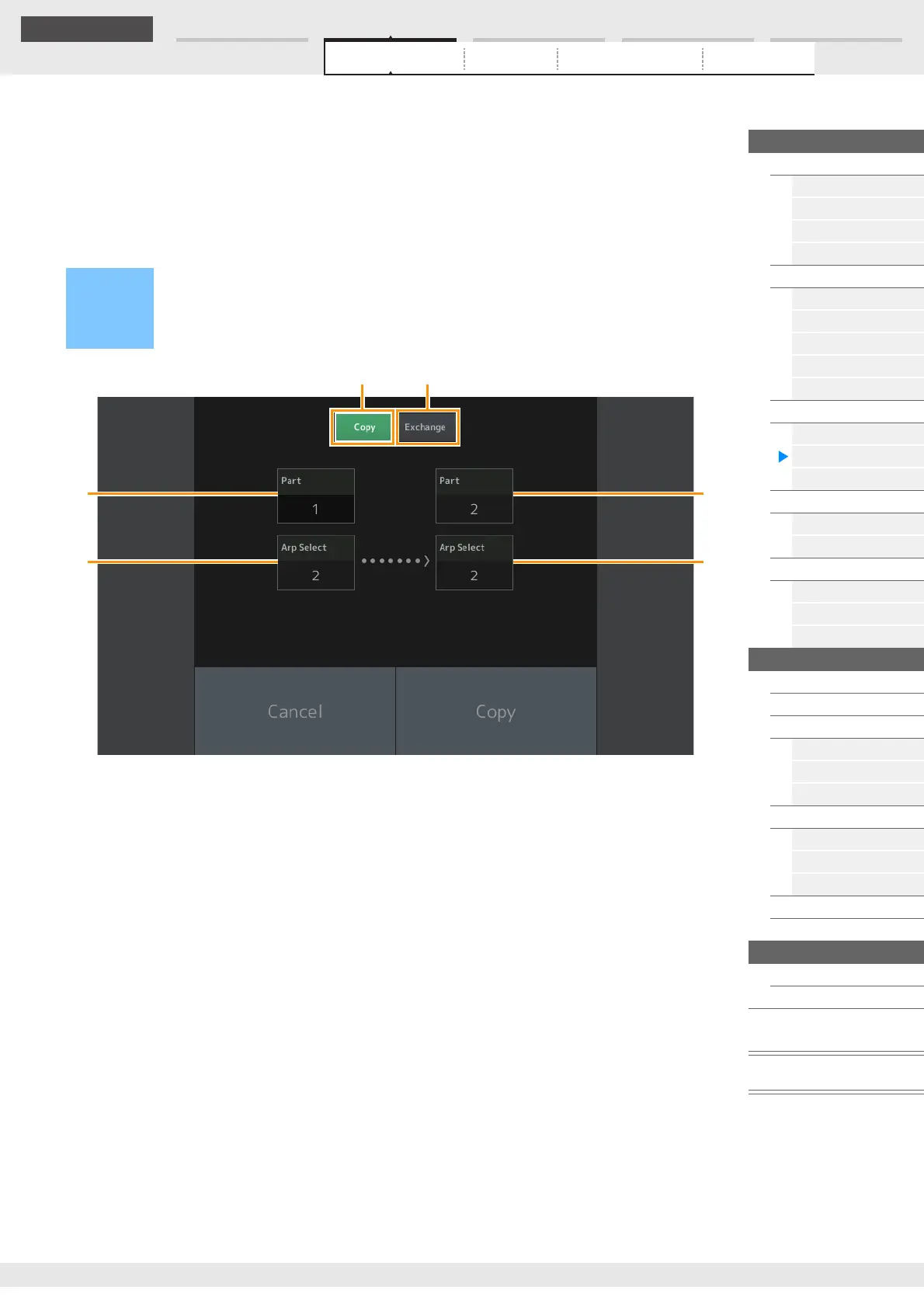
Copying or Exchanging Arpeggios
You can copy or exchange between Arpeggio types.
NOTE You can select “All” for Arp Select when copying between different Parts.
Copy
Touching this button activates the Arpeggio Type Copy function.
Exchange
Touching this button activates the Arpeggio Type Exchange function.
1 Part to be copied (or exchanged)
NOTE The currently selected Part is set automatically and this setting cannot be changed.
2 Arpeggio Select to be copied (or exchanged)
3 Copy (or exchange) destination Part
4 Copy (or exchange) destination Arpeggio Select
Operation
[PERFORMANCE (HOME)] [EDIT] Select Part to be copied [Arpeggio] [Individual]
[SHIFT] + [EDIT]
or
[PERFORMANCE (HOME)] [Motion Control] [Arpeggio] Select Part to be copied [SHIFT] +
[EDIT]



 To Next Page