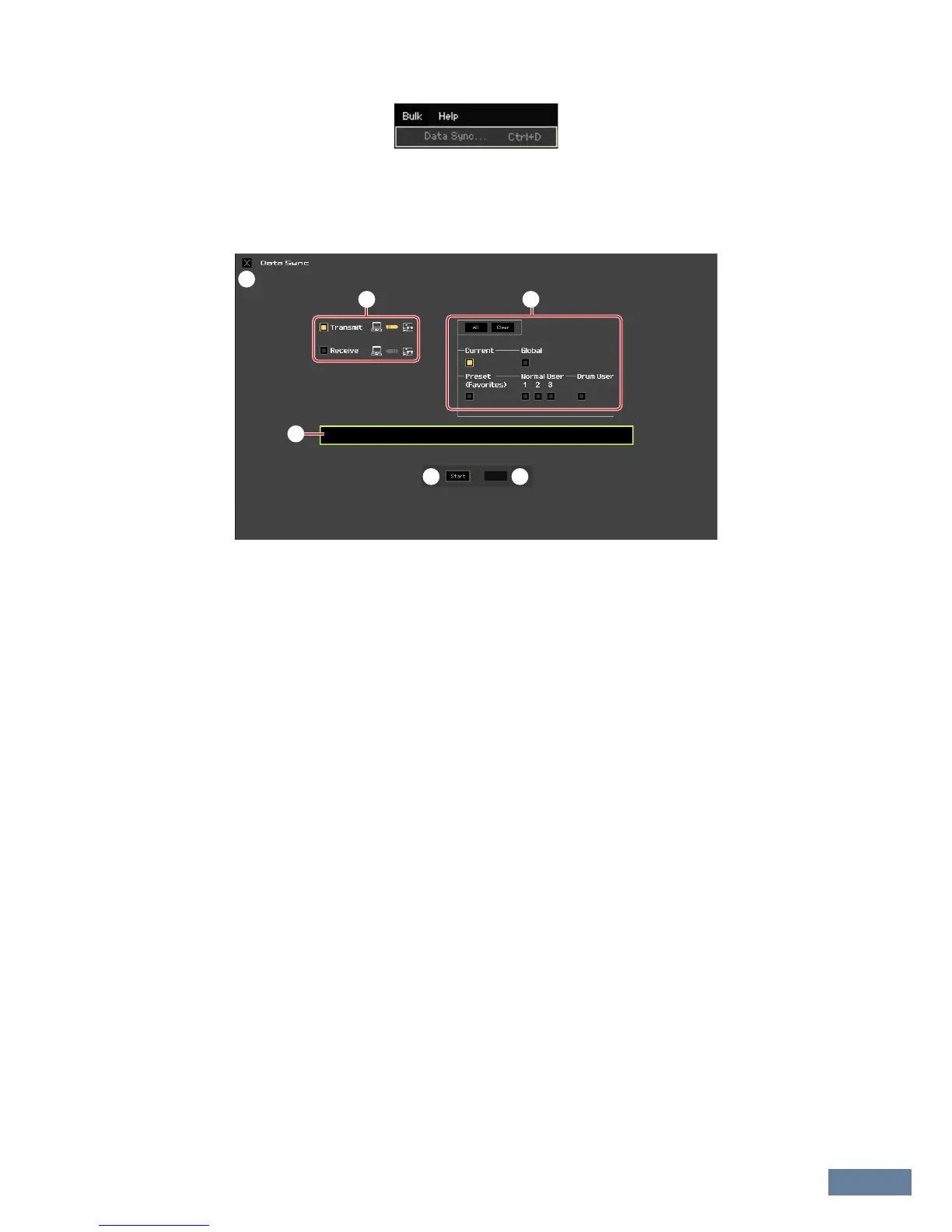
Menu: [Bulk] menu
MOXF6/MOXF8 Editor Owner’s Manual
48
[Bulk] menu
Data Sync
Select this menu to call up the Initialize Data Sync window, set the parameters as necessary, then click
[Start] to transmit the specified data from/to the
MOXF6/MOXF8
Editor to/from the
MOXF6/MOXF8
instrument.
1 [X] (Close) button
Click this to close this window without executing Data Sync.
2 [Transmit]/[Receive] checkboxes
Determines whether the MOXF6/MOXF8 Editor transmits data to the MOXF6/MOXF8 or receives data
from the MOXF6/MOXF8.
[Transmit] checkbox:
When this is checked, clicking [Start] button transmits data from the Editor to the instrument.
[Receive] checkbox:
When this is checked, clicking [Start] button transmits data from the instrument to the Editor.
3 Data type to be transmitted/received
Here, you can set which data type is to be transmitted or received. Clicking the [All] button turns all the
data types on while clicking the [Clear] button turns all the data types off.
Current
Turn this on then click the [Start] button to transmit or receive the Current settings.
Global
Turn this on then click the [Start] button to transmit or receive the Global settings.
Preset (Favorites)
Turn this on then click the [Start] button to transmit or receive the Favorites-related settings of the Preset
Voice(s).
Normal User 1 – 3
Turn this on then click the [Start] button to transmit or receive the data of the Normal User Voice Bank 1,
2, 3 respectively.
Drum User
Turn this on then click the [Start] button to transmit or receive the data of the Drum User Voice Bank.



 To Next Page