6
Troubleshooting
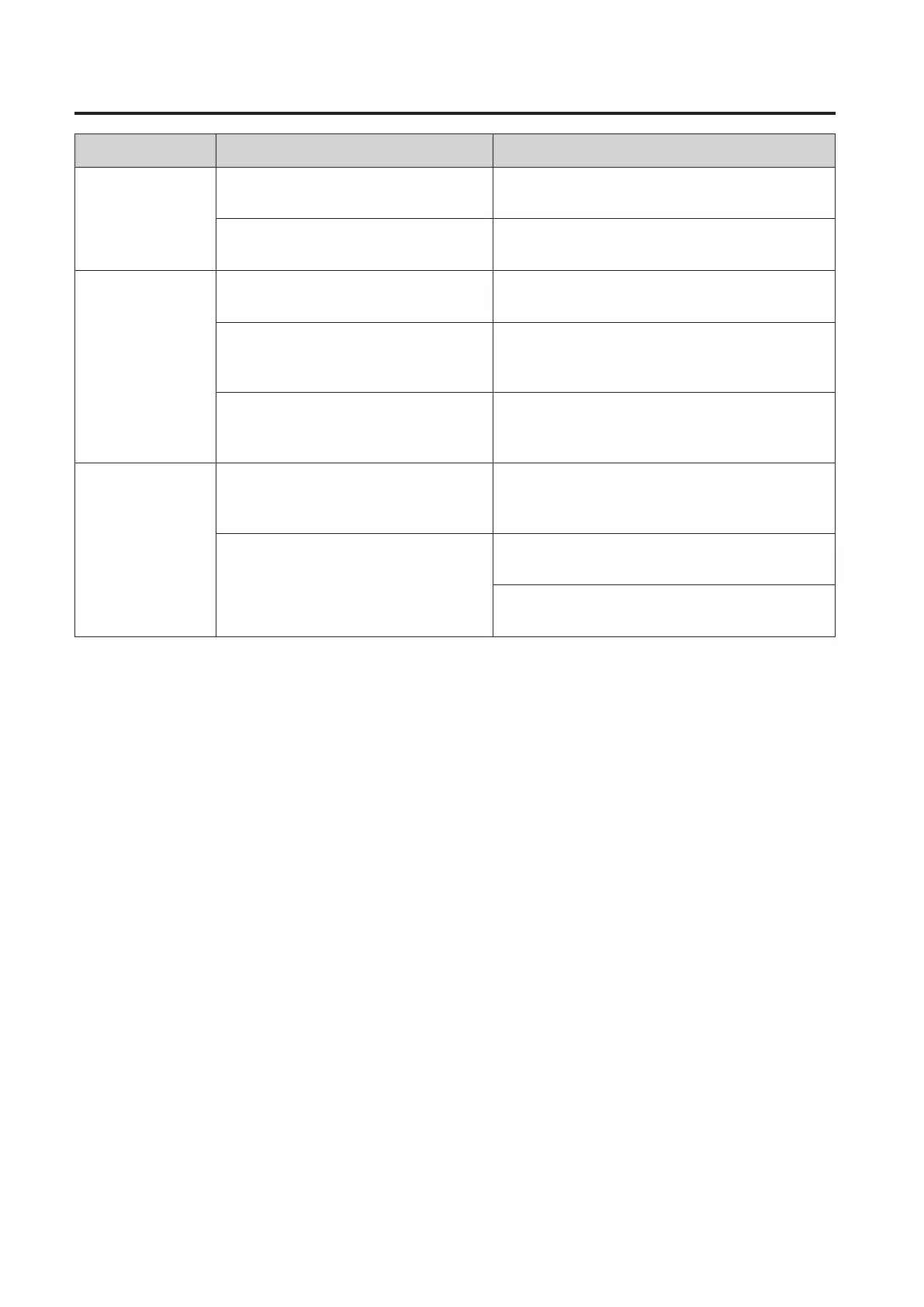
Symptom Possible Cause Solution
Power won’t turn
on / front panel
power indicator
doesn’t light.
The power cord might not be
connected properly.
Check and connect the power cord.
The power switch might not be
turned on.
Turn the power switch ON. If the problem
persists, contact your Yamaha dealer
No sound.
One or more cables might not be
connected properly.
Check that all cables are properly connected.
The source equipment might not be
supplying an audio signal.
Make sure that the source equipment is
functioning properly and delivering the
required signal.
The level setting might be too low.
Adjust the output level setting of the source
equipment, or use the LEVEL control to
increase the output level.
Noisy or distorted
sound.
One or more cables might be
corroded, shorted, or otherwise
broken.
Replace faulty cable(s).
The system might be picking up
external noise.
Try changing the positions or layout of the
cables.
Try changing the location of other electrical/
electronic devices that are near the speakers.


 To Next Page