EasyManua.ls Logo

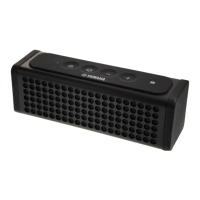
Yamaha NX-P100 - User Manual

Yamaha NX-P100
56 pages
Print Icon
To Next Page IconTo Next Page
Loading...
U
OWNER’S MANUAL
MODE D’EMPLOI
MANUAL DE INSTRUCCIONES
Portable Wireless Speaker
Enceinte Nomade Sans Fil

Table of Contents

Other manuals for Yamaha NX-P100

Questions and Answers

  • S
    Sonia BurtonAug 18, 2025
    Why do my Yamaha NX-P100 have no sound?
    • D
      Dana GarrisonAug 18, 2025
      If your Yamaha Speakers produce no sound, it might be due to a few reasons. First, check that the connection between the speakers and the connected device is correctly established. If not, reconnect them. Also, ensure that the volume level isn't set to the minimum on either the speakers or the connected device; increase the volume in both. Lastly, if the battery is low, try recharging it.
  • J
    James BarnesAug 20, 2025
    Why can't I establish a Bluetooth connection on my Yamaha Speakers?
    • R
      Robert ParkerAug 20, 2025
      If you can't establish a Bluetooth connection with your Yamaha Speakers, first, ensure that pairing with the connecting device is completed successfully. If not, repeat the pairing operation. Also, verify that the Bluetooth connection between the unit and the connecting device is not disconnected; if it is, establish the connection again. Make sure that the distance between the Yamaha unit and the connecting device is within 10 m. Move the Yamaha unit away from any device emitting radio-frequency signals, such as a microwave oven or wireless LAN. Finally, ensure that the Bluetooth function of the connecting device is turned on and set up correctly to send Bluetooth signals to the Yamaha unit.
  • F
    ffisherAug 23, 2025
    Why is my Yamaha Speakers not working?
    • U
      ufrostAug 23, 2025
      If your Yamaha unit does not work at all, it could be due to a weak battery. Recharge the battery. Alternatively, the unit may have received a strong electrical shock. Reset the unit by holding down the (Power) button for ten seconds or more. The reset is complete when the LED indicator lights in white for a moment after you release the button. Wait for three seconds or more, and then turn the power of the unit back on.
  • P
    petersonkelseyAug 26, 2025
    What to do if Yamaha Speakers volume is not increasing?
    • R
      Robert AndersonAug 26, 2025
      If raising the volume on your Yamaha Speakers doesn't increase the sound level, it could be due to the protection circuitry being activated by excessive volume. Try lowering the volume. Alternatively, the volume on the connected device might be too low, so try raising the volume on that device.
  • C
    Christian PrattAug 28, 2025
    What to do if Yamaha NX-P100 won't pair?
    • R
      Renee MooreAug 28, 2025
      If your Yamaha Speakers are not pairing with the connecting device, it might be due to several reasons. First, the connecting device may not support the Bluetooth profile of the Yamaha unit; in this case, pair the unit with a supported device. If your Bluetooth adapter has a passkey other than “0000,” use a device whose passkey is “0000.” Ensure that the Yamaha unit and the connecting device are within 10 m of each other. Move the Yamaha unit away from devices emitting radio-frequency signals, such as microwave ovens or wireless LANs. Finally, if the connection is already established with another device, disconnect that Bluetooth connection.
  • A
    Ashley VargasAug 30, 2025
    Why is there no sound from my Yamaha NX-P100?
    • T
      Tony HoffmanAug 30, 2025
      If you are not getting any sound from your Yamaha Speakers, make sure the connecting device is targeted at this unit (NX-P100 Yamaha). Also, if a cable is connected to the AUX, playback from the AUX will take precedence. Remove the cable from the AUX.
  • F
    Francisco FisherSep 2, 2025
    Why won't the volume increase on my Yamaha NX-P100 Speakers?
    • P
      Paul JonesSep 2, 2025
      If the volume on your Yamaha Speakers isn't increasing even when raised, the protection circuitry may have been activated due to excessive volume. Lower the volume. Also, check if the volume on the connecting device is low and raise it.
  • K
    Kelly BishopSep 4, 2025
    What does it mean if the LED indicator is blinking rapidly on Yamaha NX-P100 Speakers?
    • C
      cjonesSep 4, 2025
      If your Yamaha Speakers' LED indicator is blinking rapidly, it indicates that the battery is weak. Recharge the battery.
  • R
    Ryan PorterSep 7, 2025
    Why does the power of my Yamaha NX-P100 turn off unexpectedly?
    • L
      Larry KempSep 7, 2025
      If the power of your Yamaha unit turns off unexpectedly, the auto power off function may have been activated. If the unit has been on without a Bluetooth connection, AUX, or USB connection to your PC, or any operation for ten minutes, it will turn off automatically. Also, if the unit is left unattended for eight hours while playing back music, it will turn off automatically.
  • A
    Alice JacobsSep 9, 2025
    Why doesn't the auto power off function work on my Yamaha NX-P100?
    • A
      austin99Sep 10, 2025
      If the auto power off function is not working on your Yamaha unit, it may be because the unit is connected via Bluetooth, AUX, or USB to your PC. Disconnect the Bluetooth connection, AUX, or USB from your PC.

Summary

Important Safety Instructions

Operating Precautions and Safety

Installation and Environmental Guidelines

Specifies ideal installation conditions, placement, and environmental factors to ensure safe operation.

Connecting Devices

Bluetooth Pairing Process

Details the steps for pairing the unit with a Bluetooth device for the first time.

Bluetooth Connection Guide

Standard Pairing Procedure

Step-by-step guide for Bluetooth pairing, including passkey entry if prompted.

Playing Music

Music Playback Setup

Connect the device and play back music via Bluetooth, AUX, or USB, with volume adjustment advice.

Speakerphone and Other Functions

Handsfree Talk Operation

How to use the unit for phone calls via Bluetooth, answering and ending calls.

Troubleshooting General Issues

No Sound or Low Volume Problems

Solutions for issues related to sound output, volume settings, and weak battery.

Unit Not Working or LED Blinking

Troubleshooting steps for unit malfunctions, LED indicator issues, and electrical shock.

Troubleshooting Bluetooth Connectivity

Pairing and Connection Failures

Solutions for problems with pairing, establishing Bluetooth connections, and distance issues.

Sound Interruption or No Sound

Addresses issues with sound playback over Bluetooth, including interference and device settings.

Troubleshooting Connectivity and Other Issues

Yamaha NX-P100 Specifications

General IconGeneral
TypePortable Bluetooth Speaker
Configuration2.0
Power Output20W
Frequency Response70 Hz - 20 kHz
Bluetooth Version4.2
Input3.5 mm AUX
BluetoothYes
NFCYes
Power SourceRechargeable Battery
Water ResistanceNo

Related product manuals