Uninstalling PM1D Manager
5
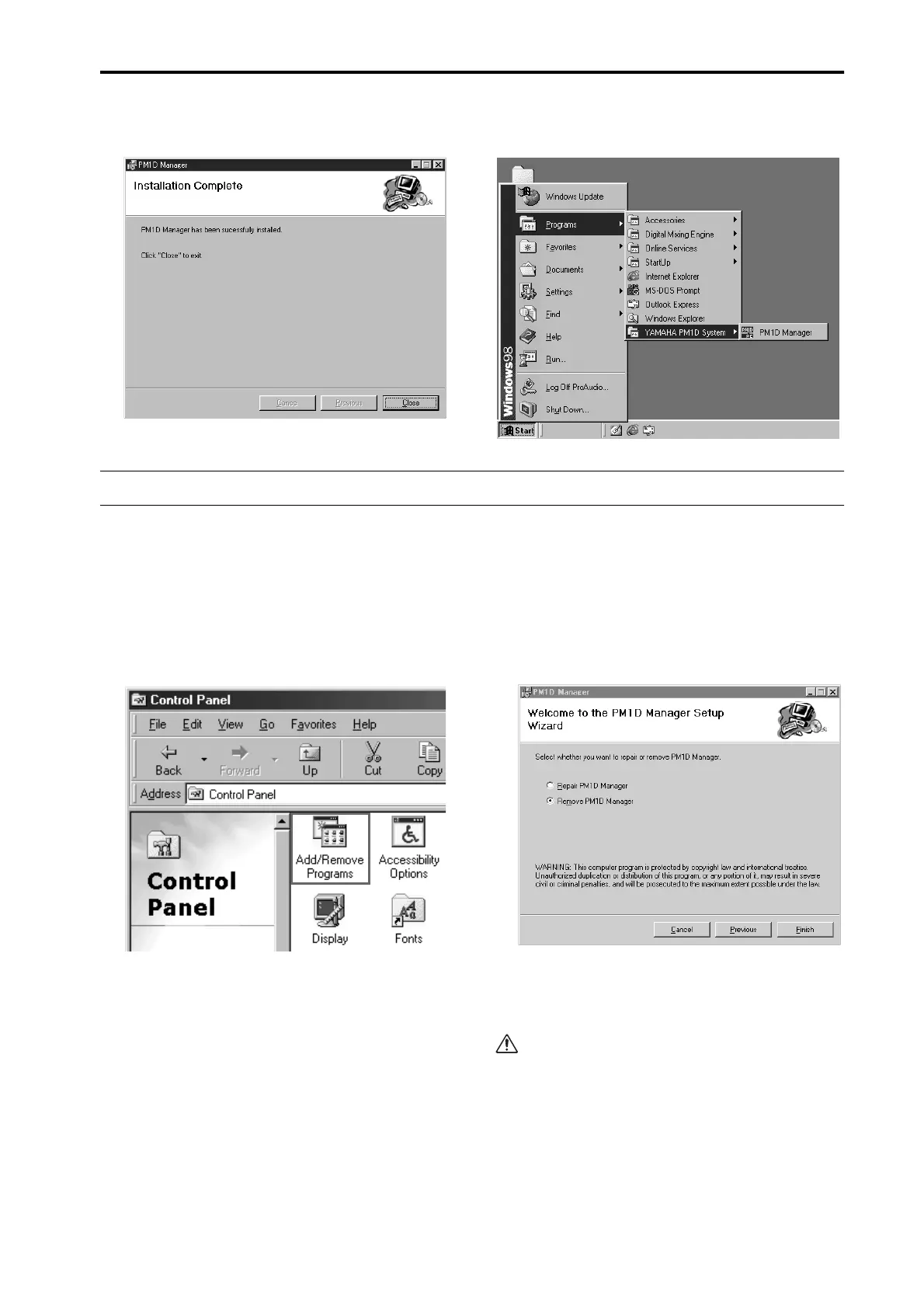
Continue following the on-screen instructions, and
installation will be completed.
When installation is complete, a shortcut icon will be
added to the Start menu and to the desktop.
Uninstalling PM1D Manager
There are two ways to uninstall PM1D Manager.
■
Using “Add or remove an application”
1. From the Windows “Start” menu, select “Start”-
“Settings”-“Control Panel.”
2. When the Control Panel opens, double-click the
“A dd or remove applications” icon.
3. Select the “PM1D Manager” item, and click “Add or
remove.”
PM1D Manager and related files will be deleted from
the hard disk. (For details on the procedure, refer to
your Windows manual.)
■
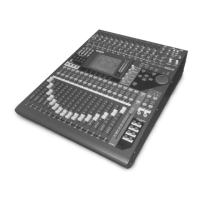
Using Setup.exe
1. Perform steps 1–3 of “Installing PM1D Manager.”
A screen will appear asking you to select either
“Repair PM1D Manager” or “Remove PM1D Man-
ager.”
2. Check the “Remove PM1D Manager” button, and
click the “Finish” button.
The software will be uninstalled.
If you selected Repair PM1D Manager, the software
will not be removed.



 To Next Page