186
◆ ◆ ◆ ◆ ◆ ◆ ◆ ◆ ◆ ◆ ◆ ◆ ◆ ◆ ◆ ◆ ◆ ◆ ◆ ◆ ◆ ◆ ◆ ◆ ◆ ◆ ◆ ◆ ◆ ◆ ◆ ◆ ◆ ◆ ◆ ◆ ◆ ◆ ◆ ◆ ◆
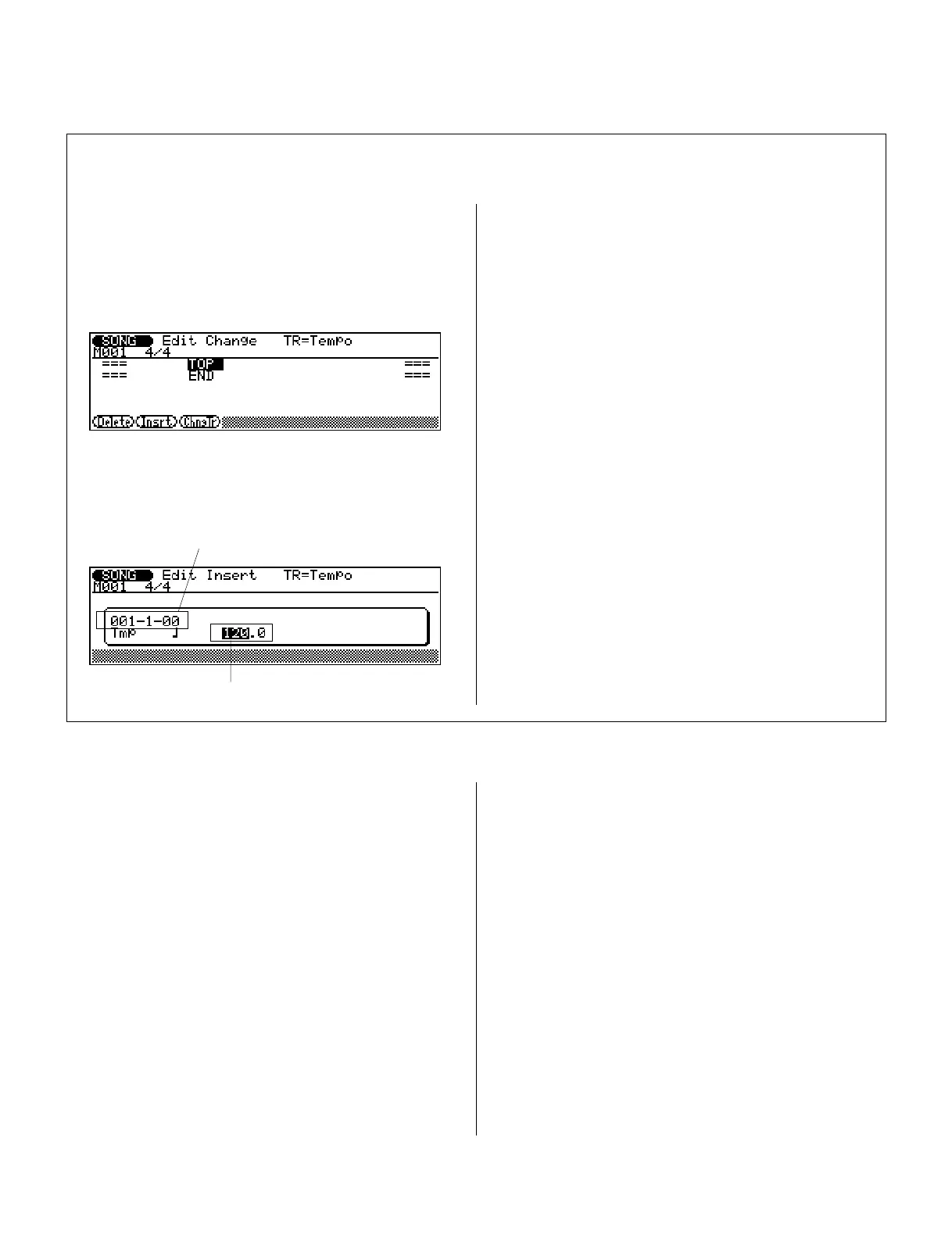
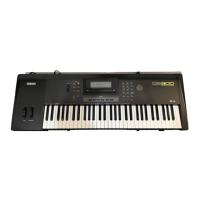
The Edit Insert mode can also be used for the Tempo
track.
1.
From the Edit Change mode display, press #
(ChngTr) and select the Tempo track.
3.
Highlight and change the Insert Location parameter,
if desired.
4.
Highlight either part of the Tempo parameter and
change the value.
Tempo (Tmp) is the only parameter here, and the
range is 25.0 to 300.0.
To actually insert the new Tempo event, go on to
step
6
in the main instructions below.
■ Editing the Tempo Track
Tempo
Insert Location
2.
Press @ (Insrt) to call up the Edit Insert mode for
the Tempo track.
6.
Enter the event by pressing E.
A click sounds as the event is entered. (When a note is
entered, the actual note sounds.)
7.
Press ) to return to the Edit Change mode, and
continue editing as desired.
Events that you’ve inserted (with the exception of
system exclusive) can be edited in the Edit Change
mode. If you want to delete the event you’ve just
inserted, select the appropriate Event line in Edit
Change, then press ! (Delete).
To return to the Song or Phrase mode, press the correspond-
ing mode button or press ).


 To Next Page