67
◆ ◆ ◆ ◆ ◆ ◆ ◆ ◆ ◆ ◆ ◆ ◆ ◆ ◆ ◆ ◆ ◆ ◆ ◆ ◆ ◆ ◆ ◆ ◆ ◆ ◆ ◆ ◆ ◆ ◆ ◆ ◆ ◆ ◆ ◆ ◆ ◆ ◆ ◆ ◆ ◆
○○○○○○○○○○○○○○○○○○○○○○○○○○○○○○○○○○○○○○○○○○○○○○○○
Song Playback
Song Playback involves much more than simply starting
and stopping the Song. The Song mode contains a wide
variety of parameters that give you extensive control over
playback, allowing you to dramatically change the final
sound.
To enter the Song mode, make sure a Song is loaded (see
page 198) or has been recorded, then press s.
Loop Playback
Loop playback allows you to continuously “loop” or repeat
playback of the Song. Playback repeats indefinitely until
the Song is stopped manually.
To Loop playback a Song: ...................................................
1.
Simultaneously hold down the ( button and
press the R button.
Loop playback starts immediately, and is indicated by
the loop playback symbol ( ) at the right of the song
name.
Song Mode
2.
Stop playback by pressing the T button.
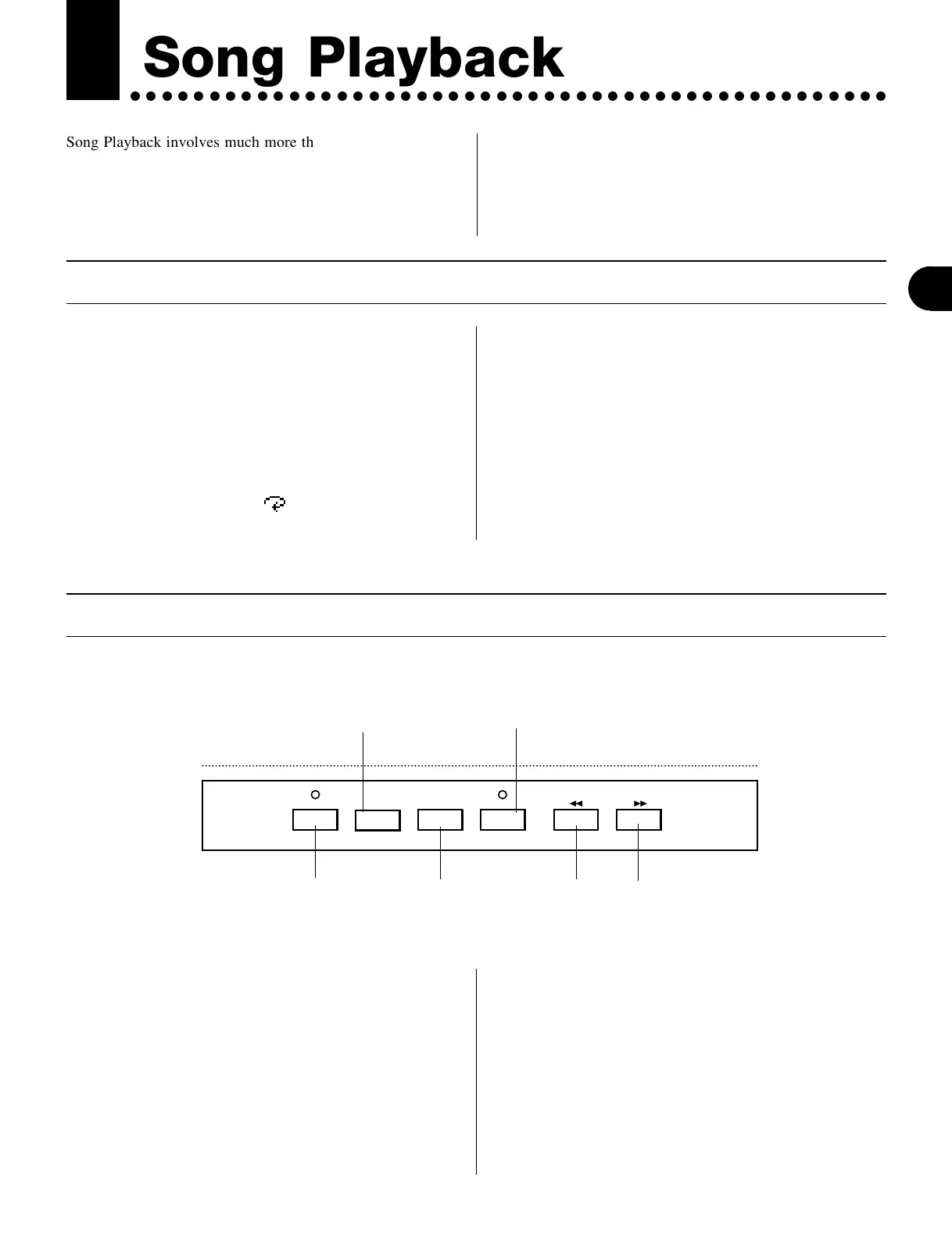
RECORD TOP
RUN
SEQUENCER
STOP
Stops playback or
recording.
Returns to the beginning of the Song.
Also recalls the User-stored Multi settings
(except when pressed during playback).
(See page 72.)
Starts playback (or recording,
when RECORD lamp is lit).
Transport/Location Controls
Enables record stand-by.
(See pages 98 and 101 for
details on recording.)
Rewind Fast forward
The r, T and R buttons are self-explana-
tory, and their use is covered elsewhere. The other trans-
port controls are explained below.
● t button
Pressing this instantly returns to the beginning (or “top”) of
the Song or phrase. This button can also be used for the
same purpose during playback. (If you press R too
soon after pressing t, the sequencer may not return to
the beginning of the Song.)
● k / l buttons
Pressing either of these once reverses or advances one
measure (when playback is stopped). Holding either down
rewinds or fast-forwards continuously through the song.
These can also be used during playback.


 To Next Page