EasyManua.ls Logo

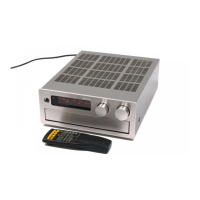
Yamaha RX-V1070 - Service Manual

Yamaha RX-V1070
81 pages
Print Icon
To Next Page IconTo Next Page
Loading...
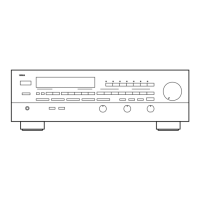
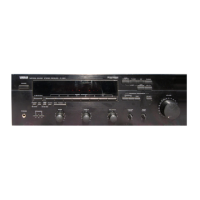
STEREO RECEIVER
RX-V1070/V870/V850
F IMPORTANT NOTICE ^
This manual has been provided for the use of authorized YAMAHA Retailers and their service personnel.
It has been assumed that basic service procedures inherant to the industry, and more specifically YAMAHA
Products, are already known and understood by the users, and have therefore not been restated.
WARNING: Failure to follow appropriate service and safety procedures when servicing this product
may result in personal injury, destruction of expensive components and failure of the
product to perform as specified. For these reasons, we advise all YAMAHA product owners
that all service required should be performed by an authorized YAMAHA Retailer or the
appointed service representative.
IMPORTANT: The presentation or sale of this manual to any individual or firm does not constitute
authorization, certification or recognition of any applicable technical capabilities, or
establish a principle-agent relationship of any form.
The data provided is believed to be accurate and applicable to the unit(s) indicated on the cover. The reserch,
engineering, and service departments of YAMAHA are continually striving to improve YAMAHA products.
Modifications are, therefore, inevitable and specifications are subject to change without notice or obligation to
retrofit. Should any discrepancy appear to exist, please contact the distributor's Service Division.
WARNING: Static discharges can destroy expensive components. Discharge any static electricity your
body may have accumulated by grounding yourself to the ground buss in the unit (heavy
gauge black wires connect to this buss).
IMPORTANT:
Turn the
unit
OFF
during disassembly and parts replacement. Recheck
all
work before
you
apply power to the unit. i
CONTENTS
——————
TO SERVICE PERSONNEL........................................... 1
FRONT PANELS ............................................................1
REARPANELS...............................................................2
SPECIFICATIONS ...................................................... 3-4
BLOCK
DIAGRAM
.....................................................5-7
INTERNAL VIEW............................................................8
DISASSEMBLY
PROCEDURES
................................8-9
PROTECTION FUNCTION........................................... 10
ADJUSTMENT IN POWER AMPLIFIER SECTION ....10
ADJUSTMENT IN TUNER SECTION ....................11-14
DIAGNOSTIC OPERATION ...................................15-16
ICDATA..................................................................17-20
DISPLAY DATA............................................................21
PRINTED CIRCUIT BOARD ..................................22-41
WAVEFORM OF TEST POINT..............................42-43
SCHEMATIC DIAGRAM .........................................44-48
PARTS
LIST...........................................................49-78
REMOTE CONTROL TRANSMITTER ...................79-80

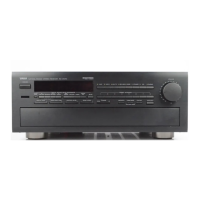
Other manuals for Yamaha RX-V1070

Questions and Answers

  • H
    Hector JacksonAug 20, 2025
    What to do if my Yamaha RX-V1070 Stereo Receiver has no sound or picture?
    • V
      Veronica LynchAug 20, 2025
      If your Yamaha Stereo Receiver isn't producing any sound or picture, there might be a few reasons. First, check the output cord connections to ensure they are properly connected; if the problem continues, the cords might be defective. Also, make sure the MUTING switch is OFF by turning the volume control to full left, then using the remote to switch the MUTING off, and adjust the volume. Finally, verify that you've selected the correct input selector for your input source.
  • P
    Pamela BlackAug 22, 2025
    What to do if there is no sound from the rear speakers of my Yamaha RX-V1070 Stereo Receiver?
    • R
      Robert WhiteAug 22, 2025
      If there's no sound coming from the rear speakers of your Yamaha Stereo Receiver, first check if the sound output level of the rear speakers is set to 0 and increase it using the REAR LEVEL key. Also, if you're playing a monaural sound source in DOLBY PRO LOGIC or ENHANCED mode, try selecting another program suitable for monaural sound.
  • L
    Lisa WilliamsAug 25, 2025
    What to do if there is no sound from the center speaker on my Yamaha Stereo Receiver?
    • S
      Susan JacksonAug 25, 2025
      If you're not getting any sound from the center speaker on your Yamaha Stereo Receiver, start by checking if the sound output level of the center speaker is set to 0 and increase it using the CENTER LEVEL key. Also, if the center mode is in PHANTOM mode, select NORMAL or WIDE. Ensure that you've selected the appropriate sound field program.
  • C
    Cindy ClarkAug 26, 2025
    What to do if my Yamaha Stereo Receiver fails to turn on?
    • G
      garyfarmerAug 26, 2025
      If your Yamaha Stereo Receiver doesn't turn on when you press the POWER switch, the power cord might not be properly plugged in. Make sure to firmly plug in the power cord.
  • J
    Justin GrantAug 28, 2025
    Why does my Yamaha Stereo Receiver sound “hums”?
    • C
      Corey BarnesAug 28, 2025
      If your Yamaha Stereo Receiver is humming, it could be due to incorrect cord connections. Ensure that the audio plugs are firmly connected. If the problem persists, the cord may be defective. Another cause might be the absence of a connection from the turntable to the GND terminal; in this case, establish the GND connection between the turntable and the unit.
  • A
    amandaadamsAug 29, 2025
    What to do if my Yamaha Stereo Receiver sound suddenly goes off?
    • M
      Melissa OwensAug 30, 2025
      If the sound from your Yamaha Stereo Receiver suddenly cuts out, the protection circuit may have been activated due to a short circuit or similar issue. Try turning the unit off and then on again to reset the protection circuit.
  • M
    Michelle LozanoAug 31, 2025
    Why is FM stereo reception noisy on my Yamaha Stereo Receiver?
    • R
      rhallAug 31, 2025
      Noisy FM stereo reception on your Yamaha Stereo Receiver can occur when the transmitter is too far away or the antenna input is poor, which is characteristic of FM stereo broadcasts. Check the antenna connections and consider using a multiple element FM antenna.
  • S
    Scott LongSep 2, 2025
    What to do if Yamaha Stereo Receiver remote control transmitter does not work?
    • S
      Sandra FosterSep 2, 2025
      If the remote control transmitter for your Yamaha Stereo Receiver isn't working, it could be due to direct sunlight or strong lighting hitting the unit's remote control sensor; try repositioning the main unit. Alternatively, the batteries in the remote might be weak; replace them with new ones and press the RESET button on the remote control transmitter.
  • L
    Lindsey PooleSep 4, 2025
    What to do if only one side speaker outputs the sound on my Yamaha RX-V1070?
    • S
      sheabruceSep 4, 2025
      If sound is only coming from one speaker on your Yamaha Stereo Receiver, first check the BALANCE control and adjust it to the appropriate position. If that doesn't solve the issue, inspect the cord connections; ensure they are properly connected, and if the problem persists, the cables may be defective.
  • S
    Sue TurnerSep 6, 2025
    Why is there distortion with a good FM antenna on my Yamaha RX-V1070 Stereo Receiver?
    • H
      Holly PooleSep 6, 2025
      Distortion and poor reception, even with a good FM antenna on your Yamaha Stereo Receiver, can be caused by multipath interference. Adjust the antenna placement to try and eliminate this interference.

Summary

TO SERVICE PERSONNEL

Leakage Current Measurement

Crucial safety test for verifying insulation of exposed surfaces post-service.

TECHNICAL SPECIFICATIONS

Audio & Video Performance Specs

Detailed audio output power, sensitivity, distortion, and video signal characteristics.

Tuner Section Specifications (FM;AM)

Performance metrics for FM and AM tuning, including sensitivity and selectivity.

SYSTEM BLOCK DIAGRAM

INTERNAL VIEW & DISASSEMBLY

Disassembly Procedures (Step-by-Step)

Instructions for safely removing covers and internal components.

PROTECTION FUNCTION & AMPLIFIER ADJUSTMENTS

Protection Function Activation Conditions

Conditions that trigger the unit's protection circuit, leading to power OFF.

Idling Current Adjustment (Power Amplifier)

Procedure for calibrating the idling current in the power amplifier section.

DIAGNOSTIC OPERATION MODES

Initiating & Cancelling Diagnostics

Instructions on how to start, cancel, and manage self-diagnosis modes.

DIAGNOSTIC OPERATION MODES (CONT.)

Maker Preset Configuration Settings

Details on stored user settings for tuner, surround, and selector.

IC DATA: Microcomputer IC720 Pinout

IC DATA: Digital Dolby Pro Logic Decoder IC503 Pinout

WAVEFORM OF TEST POINTS (Part 1)

Waveforms for IC503, IC501 (Points 1-4)

Oscilloscope waveform details for test points 1 through 4.

Waveforms for IC519 (Points 5-7)

Oscilloscope waveform details for test points 5 through 7.

WAVEFORM OF TEST POINTS (Part 2)

Waveforms for IC720 & IC2 (Points 8-9)

Oscilloscope waveform details for test points 8 and 9.

SCHEMATIC DIAGRAM (TUNER & OPERATION)

SCHEMATIC DIAGRAM (TUNER & OPERATION) - Components

Key ICs in Tuner Circuit (LA1266, LM7000 N, LA3401, µPD74 HC138 C)

Identification and function of key integrated circuits in the tuner section.

SCHEMATIC DIAGRAM (TUNER & OPERATION) - Notes

SCHEMATIC DIAGRAM (INPUT)

SCHEMATIC DIAGRAM (INPUT) - Components & ICs

Key ICs in Input Section (µPC4570 HA, LC7821 N)

Identification and function of key integrated circuits in the input section.

SCHEMATIC DIAGRAM (MAIN)

Key Functional Blocks (Power, Protection, Amps)

Major functional blocks depicted in the main schematic diagram.

Key ICs in Main Circuitry (BA6229, LC7535, LC7821)

Identification and function of key integrated circuits in the main section.

SCHEMATIC DIAGRAM (MAIN) - Key ICs

Key ICs in Main Circuitry (TC4051 BP, µPD4066 BC, µPD4052 BC)

Identification and function of key integrated circuits in the main section.

LC7821 N Analog Function Switch Details

Pinout and function details for the LC7821N Analog Function Switch IC.

SCHEMATIC DIAGRAM (DSP)

SCHEMATIC DIAGRAM (DSP) - ICs & Switches

SCHEMATIC DIAGRAM (DSP) - Functional Blocks

SCHEMATIC DIAGRAM (DSP) - ICs & Memory

RX-V1070 MECHANICAL PARTS LIST

RX-V870 MECHANICAL PARTS LIST

RX-V1070 MECHANICAL PARTS LIST (Cont.)

RX-V870 MECHANICAL PARTS LIST (Cont.)

REMOTE CONTROL TRANSMITTER SCHEMATIC

Yamaha RX-V1070 Specifications

General IconGeneral
Channels5.1
Input Sensitivity200 mV
Speaker load impedance8 ohms
Power Output100 W per channel (8 ohms)
Frequency Response20Hz to 20kHz
Tuning rangeFM: 87.5 - 108.0 MHz, AM: 530 - 1710 kHz
Damping factor100
Channel separation50 dB
Video ConnectionsComposite, S-Video
Signal-to-Noise Ratio96 dB

Related product manuals