EasyManua.ls Logo

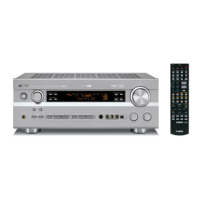
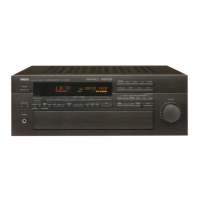
Yamaha RX-V690 - User Manual

Yamaha RX-V690
36 pages
Print Icon
To Next Page IconTo Next Page
Loading...
IMPORTANT!
Please record the serial number of this
unit in the space below.
Serial No.:
The serial number is located on the rear
of the unit.
Retain this Owner’s Manual in a safe
place for future reference.
WARNING
TO REDUCE THE RISK OF FIRE OR
ELECTRIC SHOCK, DO NOT EXPOSE
THIS UNIT TO RAIN OR MOISTURE.
RISK OF ELECTRIC
SHOCK
CAUTION: TO REDUCE THE RISK OF
ELECTRIC SHOCK, DO NOT REMOVE
COVER (OR BACK), NO USER-SERVICEABLE
PARTS INSIDE, REFER SERVICING TO
QUALIFIED SERVICE PERSONNEL.
The lightning flash with arrowhead
symbol, within an equilateral triangle,
is intended to alert you to the
presence of uninsulated “dangerous
voltage” within the product’s
enclosure that may be of sufficient
magnitude to constitute a risk of
electric shock to persons.
The exclamation point within an
equilateral triangle is intended to alert
you to the presence of important
operating and maintenance
(servicing) instructions in the
literature accompanying the
appliance.
Explanation of Graphical Symbols
CAUTION
OWNER’S MANUAL
CONTENTS
Safety Instructions ................... 2
Features ................................... 4
Supplied Accessories .............. 4
Profile of This Unit ................... 5
Speaker Setup.......................... 6
Connections ............................. 7
Speaker Balance Adjustment
... 13
Basic Operations .................... 16
Tuning Operations .................. 19
Preset Tuning...........................20
Using Digital Sound Field
Processor (DSP) .................... 23
Setting the SLEEP Timer ....... 28
Remote Control Transmitter ... 29
Troubleshooting ...................... 34
Specifications ......................... 35
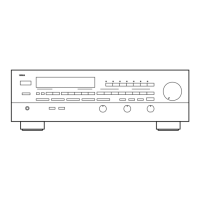
Natural Sound Stereo Receiver
Thank you for selecting this YAMAHA stereo receiver.
RX-V690


Questions and Answers

  • P
    Patricia OliverAug 20, 2025
    What to do if Yamaha Stereo Receiver has no sound or picture?
    • D
      Douglas RobinsonAug 20, 2025
      If your Yamaha Stereo Receiver isn't producing sound or picture, check the following: Ensure the output cords are correctly connected and not defective. Make sure the MUTING key is off by first turning the volume to the minimum, then disengaging the MUTING function on the remote, and adjusting the volume. Finally, verify that the correct input selector is active for your input source.
  • S
    Susan SmithAug 22, 2025
    Why does Yamaha Stereo Receiver sound suddenly go off?
    • B
      bforbesAug 22, 2025
      If the sound on your Yamaha Stereo Receiver suddenly cuts out, it could be due to the activation of the protection circuit (possibly due to a short circuit). Try turning the unit off and then on again to reset the circuit. Alternatively, the SLEEP timer may have activated; if so, cancel the SLEEP timer function.
  • M
    millerrogerAug 25, 2025
    What to do if Yamaha RX-V690 Stereo Receiver has no sound from the rear speakers?
    • C
      Christopher RobinsonAug 25, 2025
      If there is no sound from the rear speakers of your Yamaha Stereo Receiver, first, check that the sound output level to the rear speakers is not set to 0 by adjusting the REAR LEVEL control. Also, if you are playing a monaural sound source in DOLBY PRO LOGIC or DOLBY PRO LOGIC ENHANCED mode, select another program suitable for monaural sound.
  • M
    Mr. Ethan Wong PhDAug 26, 2025
    What to do if Yamaha RX-V690 has no sound from the center speaker?
    • K
      Kelly Sweeney DDSAug 26, 2025
      If there is no sound from the center speaker of your Yamaha Stereo Receiver, check the following: First, ensure the sound output level to the center speaker is not set to 0 by adjusting the CENTER LEVEL control. If that's not the issue, confirm that the center channel mode is set to NORMAL or WIDE, not PHANTOM. Lastly, verify that you have selected the appropriate sound field program.
  • M
    Mary Wong MDAug 28, 2025
    What to do if Yamaha Stereo Receiver fails to turn on?
    • B
      Billy BartonAug 28, 2025
      If your Yamaha Stereo Receiver doesn't turn on when you press the power switch, make sure the power cord is fully and firmly plugged into the outlet.
  • C
    Collin JohnsonAug 30, 2025
    Why is FM stereo reception noisy on Yamaha RX-V690?
    • C
      Christine HenryAug 30, 2025
      Noisy FM stereo reception on your Yamaha Stereo Receiver can occur if the transmitter is too far away or the antenna input is poor. Check your antenna connections and consider using a multiple element FM antenna to improve reception.
  • T
    Tamara JamesSep 1, 2025
    What to do if Yamaha RX-V690 remote control transmitter does not work?
    • O
      oschmidtSep 1, 2025
      If the remote control for your Yamaha Stereo Receiver isn't working, try these steps: First, check if direct sunlight or strong lighting is interfering with the remote sensor on the main unit; if so, reposition the unit. Also, the batteries in the remote may be weak; replace them with new ones.
  • M
    Michael RomeroSep 3, 2025
    Why does Yamaha Stereo Receiver only output sound from one side speaker?
    • A
      Anthony MedinaSep 3, 2025
      If your Yamaha Stereo Receiver is only outputting sound from one speaker, check the following: Ensure the BALANCE control is correctly adjusted. Also, verify that all cord connections are properly connected and that none are defective.
  • A
    Alan RobinsonSep 5, 2025
    What to do if Yamaha RX-V690 sound “hums”?
    • A
      alexanderfowlerSep 5, 2025
      If your Yamaha Stereo Receiver is producing a humming sound, check the following: Ensure the audio plugs are firmly connected; if the problem continues, the cords may be defective. Also, if using a turntable, make sure it is properly connected to the GND terminal on the receiver.
  • K
    Katie CainSep 7, 2025
    What to do if Yamaha Stereo Receiver desired station cannot be tuned in with Auto tuning?
    • C
      Cynthia BrownSep 7, 2025
      If your Yamaha Stereo Receiver cannot tune into a desired station using Auto tuning, try the following: For weak signals or loose antenna connections, tighten the AM loop antenna connections and rotate it for best reception. Also, try using Manual tuning mode.

Summary

Safety Instructions

General Safety Precautions

Comprehensive safety instructions for operating and maintaining the unit, covering electrical, environmental, and handling precautions.

Antenna Grounding Diagram

Diagram showing the proper grounding method for outdoor antennas for safety.

FCC Compliance Information

Unit Modification and Cable Warnings

Warnings against unit modification and guidance on using proper shielded cables.

FCC Part 15 Compliance Details

Information about the unit's compliance with FCC regulations for digital devices.

Product Features

Speaker Configuration Options

Details on the unit's 5-speaker setup and capabilities for audio sources.

Digital Sound Field Processor (DSP) Overview

Overview of the DSP's 10 programs for enhancing audio and video sound fields.

Included Accessories

List of accessories included with the receiver, such as remote control and antennas.

Unit Profile

Digital Sound Field Processing Explained

Explanation of DSP technology for recreating concert hall and theater acoustics.

Dolby Pro Logic Surround Decoder

Details on the Dolby Pro Logic Surround system for cinematic audio realism.

Speaker Setup Guide

Speaker Configuration and Placement

Guidance on 5-speaker/4-speaker setups and recommended speaker placement.

Component Connections

Connecting External Components

Instructions for correctly connecting various audio and video sources to the unit.

S-Video Terminal Connections

Front Panel Video Aux Connection

How to connect video sources like camcorders using the front panel VIDEO AUX terminals.

Speaker Wiring Guide

Front and Center Speaker Wiring

Guidance on connecting front and center speaker systems to the unit.

Impedance and Front Level Switches

Explanation of impedance selector and front level switches for specific models.

Speaker Wire Connection Methods

Front Speaker Terminal Wiring

Detailed steps for connecting speaker wires to the front speaker terminals.

Rear and Center Speaker Wiring

Instructions for connecting speaker wires to the rear and center speaker terminals.

Accessory Terminal Details

Switched AC Outlets & GND Terminal

Using switched AC outlets and the GND terminal for turntable connections.

Low Pass Terminal & Subwoofer Connection

Information on the LOW PASS terminal and adding a subwoofer for enhanced bass.

Antenna Connection Guide

AM Loop Antenna & GND Terminal

Connecting the AM loop antenna and GND terminal for optimal reception and safety.

Speaker Balance Adjustment

Tone and Balance Controls

Adjusting balance, bass, and treble controls for fine-tuning sound output.

Center Channel Mode Selection

Choosing the center channel output mode (Normal, Wide, Phantom) for different speaker setups.

Speaker Level Calibration

Calibrating center and rear speaker output levels to match front speakers.

Basic Operations Guide

Playing Audio;Video Sources

Steps to select and play audio or video sources using input selectors.

Input Selector Button Usage

Notes on input selector buttons, including TAPE MONITOR and source selection.

Recording to Tape or Dubbing

Procedure for recording sources to tape or dubbing between tapes.

Speaker System & Tone Controls

Selecting speaker systems and adjusting bass, treble, and balance controls.

Tuning Operations

Automatic Tuning

Using automatic search tuning to find FM or AM radio stations.

Manual Tuning

Manually tuning to desired FM or AM stations for better reception.

Preset Tuning Guide

Manual Preset Tuning

Storing and recalling FM/AM station frequencies using preset buttons.

Memory Back-up

Information on how programmed data is retained and restored after power loss.

Automatic Preset Tuning

Automatic Station Storage

Using automatic tuning to store FM stations with strong signals sequentially.

Recalling Preset Stations

Procedure for recalling stored stations using preset tuning functions.

Exchanging Preset Stations

Swapping Preset Station Locations

How to exchange the positions of two preset stations with each other.

Using the DSP

DSP Front Panel Controls

Overview of DSP controls on the front panel, including mode and level adjustments.

DSP Remote Control Functions

Explanation of DSP control buttons on the remote transmitter.

Selecting and Using DSP Programs

Steps to select suitable DSP programs and adjust related settings for playback.

DSP Sound Field Program Descriptions

Sound Field Program Features

Brief descriptions of various DSP sound field programs and their features.

Dolby Pro Logic Surround Description

Explanation of the Dolby Pro Logic Surround system and its use with encoded sources.

Center Level Adjustment

Rear Level Adjustment

Adjusting the sound output level of the rear speakers to match other channels.

Delay Time Adjustment

Delay Time Settings by Program

Recommended delay time settings for different sound field programs.

Sleep Timer Setup

Setting the Sleep Timer

How to set the sleep timer to automatically turn off the unit.

Canceling the Sleep Timer

Procedure to cancel the active sleep timer setting.

Remote Control Transmitter

Battery Installation & Replacement

Instructions for installing and replacing batteries in the remote control transmitter.

Operation Range & Conditions

Information on the effective operating range and conditions for the remote control.

Remote Control Key Functions

Control of Other Components

How to use the remote control to operate other Yamaha components.

Control of This Unit

Explanation of key functions for controlling the receiver unit itself.

Remote Control Learning Function

Transmit;Learn Indicator & Switch

Explanation of the TRANSMIT/LEARN indicator and the YPC-USER-LEARN switch.

Reset & Clear Buttons

Functions of the RESET and CLEAR buttons for managing learned functions.

Learning New Functions

Learning New Remote Functions

Step-by-step guide to programming new functions into the remote control.

Learned Function Memory Back-up

Information on how learned functions are retained and potential data loss.

Clearing Learned Functions

Clearing Individual Functions

Procedure to delete specific learned functions from the remote control.

Clearing All Functions

How to erase all learned functions from the remote control.

Remote Control Troubleshooting

Common issues with the remote control and their solutions.

Troubleshooting Guide

Amplifier Issues

Troubleshooting common amplifier problems like no sound or hum.

FM;AM Reception Issues

Resolving problems with FM/AM reception, noise, and tuning.

Remote Control & Other Issues

Troubleshooting remote control malfunctions and sound degradation.

Technical Specifications

Audio Specifications

Technical specifications for the audio output, sensitivity, and distortion.

Tuner & Video Specifications

Specifications related to FM/AM tuning and video signal handling.

General & Dimensional Specifications

Power supply, consumption, weight, and dimensions of the unit.

Yamaha RX-V690 Specifications

General IconGeneral
Channels5.1
Input sensitivity (MM)2.5mV
S/N Ratio (LINE, IHF-A)100 dB
Power Output100 watts per channel into 8Ω (stereo)
Signal-to-Noise Ratio100 dB (LINE, IHF-A)
Tuning rangeFM
Signal to noise ratio (line)100dB
Video Connectionscomposite
Input Impedance47 kΩ

Related product manuals