EasyManua.ls Logo

Yamaha RX-V640RDS - User Manual

Yamaha RX-V640RDS
67 pages
Print Icon
To Next Page IconTo Next Page
Loading...
YAMAHA ELECTRONICS CORPORATION, USA 6660 ORANGETHORPE AVE., BUENA PARK, CALIF. 90620, U.S.A.
YAMAHA CANADA MUSIC LTD. 135 MILNER AVE., SCARBOROUGH, ONTARIO M1S 3R1, CANADA
YAMAHA ELECTRONIK EUROPA G.m.b.H. SIEMENSSTR. 22-34, 25462 RELLINGEN BEI HAMBURG, F.R. OF GERMANY
YAMAHA ELECTRONIQUE FRANCE S.A. RUE AMBROISE CROIZAT BP70 CROISSY-BEAUBOURG 77312 MARNE-LA-VALLEE CEDEX02, FRANCE
YAMAHA ELECTRONICS (UK) LTD. YAMAHA HOUSE, 200 RICKMANSWORTH ROAD WATFORD, HERTS WD1 7JS, ENGLAND
YAMAHA SCANDINAVIA A.B. J A WETTERGRENS GATA 1, BOX 30053, 400 43 VÄSTRA FRÖLUNDA, SWEDEN
YAMAHA MUSIC AUSTRALIA PTY, LTD. 17-33 MARKET ST., SOUTH MELBOURNE, 3205 VIC., AUSTRALIA
Printed in Malaysia
WA69980
RX-V640RDS/DSP-AX640SE
RX-V640RDS AV Receiver
DSP-AX640SE AV Amplifier
GB
OWNER’S MANUAL
MODE D’EMPLOI
BEDIENUNGSANLEITUNG
BRUKSANVISNING
MANUALE DI ISTRUZIONI
MANUAL DE INSTRUCCIONES
GEBRUIKSAANWIJZING
0100RX-V640_cv_GB.p65 2/7/03, 5:43 PM1

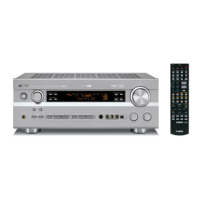
Table of Contents

Questions and Answers

  • J
    Jessica FullerSep 12, 2025
    How to eliminate buzzing and whining noises from Yamaha Receiver?
    • H
      heathsophiaSep 12, 2025
      If you're hearing buzzing and whining noises (especially in the evening) from your Yamaha Receiver, a TV set may be nearby. Move the unit away from the TV.
  • N
    Natalie PerkinsAug 25, 2025
    How to fix Yamaha Receiver remote control that is not working?
    • J
      Joseph BurnsAug 25, 2025
      If the Yamaha Receiver remote control isn't working, consider these solutions: * Ensure you are within the operational range of 6 meters (20 feet) and within a 30-degree angle from the front panel. * Reposition the unit if direct sunlight or lighting is interfering with the remote control sensor. * Replace all the batteries with new ones. * Make sure the manufacturer code is correctly set.
  • K
    Kenneth AlvarezAug 25, 2025
    What to do if my Yamaha Stereo Receiver has no sound?
    • L
      Lisa HessAug 26, 2025
      If your Yamaha Stereo Receiver isn't producing any sound, there are several potential causes: * Check that all input and output cables are correctly connected and not defective. * Ensure the appropriate input source is selected using the INPUT or 6CH INPUT (or the input selector buttons). * Verify that the speaker connections are secure. * Confirm the main speakers are properly selected with SPEAKERS A and/or B. * Increase the volume level. * Deactivate mute by pressing MUTE or any operation buttons and then adjust the volume. * Make sure that the source component is compatible with the receiver.
  • B
    bishopmollySep 23, 2025
    How to stop buzzing and whining noises on Yamaha Stereo Receiver?
    • J
      Jacob BurnsSep 23, 2025
      If you are hearing buzzing and whining noises (especially in the evening) on your Yamaha Stereo Receiver, a TV set may be being used nearby. Move this unit away from the TV.
  • S
    Shirley CastanedaSep 12, 2025
    Why won't my Yamaha Stereo Receiver turn on?
    • P
      pthomasSep 12, 2025
      If your Yamaha Stereo Receiver fails to turn on or enters standby mode shortly after being powered on, consider the following possible causes: * Ensure the power cord is securely connected. * Verify the IMPEDANCE SELECTOR switch on the rear panel is fully set to either the left or right position when the unit is in standby mode. * Check for activated protection circuitry by ensuring all speaker wire connections are secure and not touching anything other than their respective connections. * If the unit has been exposed to a strong external electric shock, set it in standby mode, disconnect the power cord, plug it back in after 30 seconds, and then use it normally.
  • B
    Bradley SalazarSep 16, 2025
    Why can't I tune into my desired station on Yamaha Stereo Receiver using automatic tuning?
    • M
      Michael MolinaSep 16, 2025
      If you're unable to tune into your desired station with the automatic tuning method on your Yamaha Stereo Receiver, it could be due to a weak signal or loose antenna connections. Tighten the AM loop antenna connections and orient it for best reception.
  • S
    Sabrina CoffeySep 4, 2025
    Why Yamaha Receiver has no sound from the rear center speaker?
    • W
      William WatsonSep 5, 2025
      If there is no sound from the rear center speaker on your Yamaha Receiver: * Check that “SOUND 1C REAR LR” or “SOUND 1D REAR CT” on the set menu is set to LRG or SML, not NON. * Ensure that the Dolby Digital EX or DTS-ES decoder is switched on by pressing 6.1/5.1 on the remote control.
  • B
    brian64Sep 5, 2025
    How to stop Yamaha Receiver from making a humming sound?
    • J
      Julian CampbellSep 5, 2025
      If you're hearing a “humming” sound from your Yamaha Receiver, it may be due to incorrect cable connections. Firmly connect the audio plugs. If the problem persists, the cables might be defective and need to be replaced.
  • K
    Kathryn HammondSep 17, 2025
    What to do if my Yamaha Stereo Receiver does not operate properly?
    • S
      Sharon McintoshSep 18, 2025
      If your Yamaha Stereo Receiver is not operating properly, the internal microcomputer may have been frozen by an external electric shock or a power supply with low voltage. Disconnect the AC power cord from the outlet and then plug it in again after about 30 seconds.
  • S
    Susan HarmonAug 30, 2025
    What to do if Yamaha Receiver fails to turn on?
    • V
      Veronica RodriguezAug 30, 2025
      If your Yamaha Receiver fails to turn on, consider the following: * Ensure the power cord is firmly connected to the outlet. * Verify the IMPEDANCE SELECTOR switch on the rear panel is fully set to either the left or right position. * Check speaker wire connections for security and ensure no wires are touching other connections, as the protection circuitry might be activated. * If the unit experienced a strong electric shock, put it in standby mode, disconnect the power cord, wait 30 seconds, and then plug it back in.

Summary

CAUTION: READ THIS BEFORE OPERATING YOUR UNIT

General Safety Precautions

Essential safety guidelines for operating the unit to prevent damage or injury.

CONTROLS AND FUNCTIONS

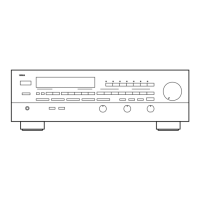
Front Panel Overview

Identifies and explains the main unit's controls and display.

PREPARATION: CONNECTIONS

BASIC OPERATION: BASIC SYSTEM SETTINGS

BASIC OPERATION: PLAYBACK

ADVANCED OPERATION: SET MENU

Sound Parameter Settings

Details settings for speaker levels, distance, LFE, and dynamic range.

ADVANCED OPERATION: REMOTE CONTROL FEATURES

ADDITIONAL INFORMATION: TROUBLESHOOTING

General Troubleshooting

Solutions for common operational problems and error messages.

Yamaha RX-V640RDS Specifications

General IconGeneral
Input Sensitivity200 mV
Signal-to-Noise Ratio100 dB
TypeAV Receiver
Digital inputs2 x Optical, 1 x Coaxial
Analog Inputs5 x RCA
Frequency Response10 Hz - 100 kHz (+0, -3 dB)
Total Harmonic Distortion0.06%
Damping factor100
Speaker load impedance8 ohms
Video ConnectionsComposite, S-Video
Tuner SectionFM/AM
Headphone Output1

Related product manuals